flux-pro/v1.1-ultra

This documentation is valid for the following list of our models:

  • flux-pro/v1.1-ultra

Model Overview

An advanced AI image generator designed to create high-resolution images rapidly and efficiently. It is optimized for various applications, including content creation, e-commerce, and advertising, providing users with the ability to generate visually appealing images at unprecedented speeds.

Model
Generated image properties

flux-pro/v1.1-ultra

Format: JPEG, PNG Fixed size: 2752x1536

Setup your API Key

If you don’t have an API key for the AI/ML API yet, feel free to use our Quickstart guide.

API Schema

post
Body
modelstring · enumRequiredPossible values:
promptstring · max: 4000Required

The text prompt describing the content, style, or composition of the image to be generated.

num_imagesnumber · min: 1 · max: 4Optional

The number of images to generate.

Default: 1
seedinteger · min: 1Optional

The same seed and the same prompt given to the same version of the model will output the same image every time.

safety_tolerancestring · enumOptional

The safety tolerance level for the generated image. 1 being the most strict and 5 being the most permissive.

Default: 2Possible values:
output_formatstring · enumOptional

The format of the generated image.

Default: jpegPossible values:
enable_safety_checkerbooleanOptional

If set to True, the safety checker will be enabled.

Default: true
aspect_ratiostring · enumOptional

The aspect ratio of the generated image.

Default: 16:9Possible values:
rawboolean · enumOptional

Generate less processed, more natural-looking images.

Default: falsePossible values:
Responses
200Success
application/json
post
/v1/images/generations
async function main() {
  const response = await fetch('https://api.aimlapi.com/v1/images/generations', {
    method: 'POST',
    headers: {
      'Authorization': 'Bearer <YOUR_AIMLAPI_KEY>',
      'Content-Type': 'application/json',
    },
    body: JSON.stringify({
      model: 'flux-pro/v1.1-ultra',
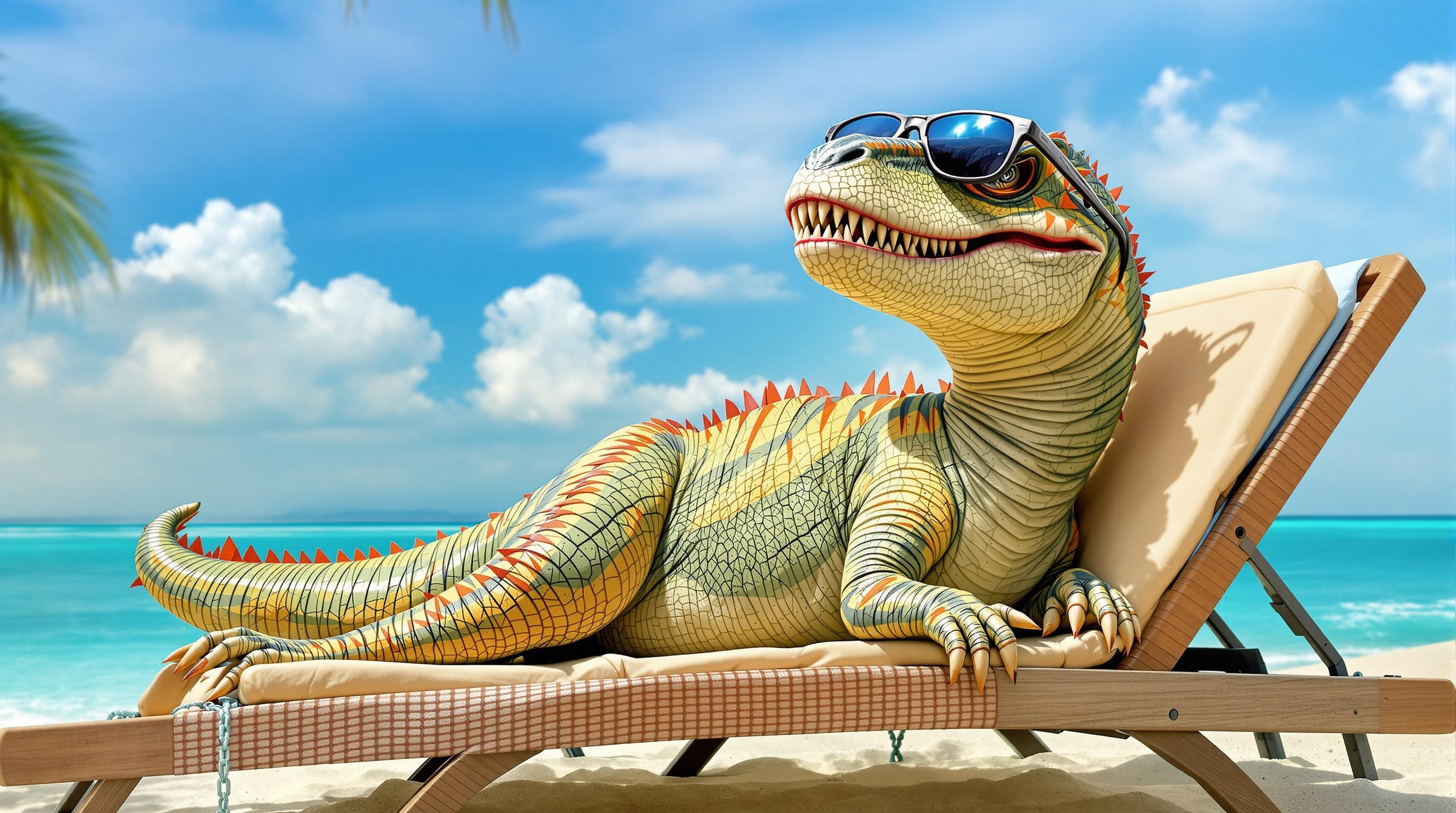
      prompt: 'A T-Rex relaxing on a beach, lying on a sun lounger and wearing sunglasses.',
    }),
  });

  const data = await response.json();
  console.log(JSON.stringify(data, null, 2));
}

main();
200Success
{
  "data": [
    {
      "url": "https://cdn.aimlapi.com/generations/hedgehog/1749730923700-29fe35d2-4aef-4bc5-a911-6c39884d16a8.png",
      "b64_json": null
    }
  ],
  "meta": {
    "usage": {
      "tokens_used": 120000
    }
  }
}

Quick Example

Let's generate an image using a simple prompt.

import requests
import json  # for getting a structured output with indentation

def main():
    response = requests.post(
        "https://api.aimlapi.com/v1/images/generations",
        headers={
            # Insert your AIML API Key instead of <YOUR_AIMLAPI_KEY>:
            "Authorization": "Bearer <YOUR_AIMLAPI_KEY>",
            "Content-Type": "application/json",
        },
        json={
            "prompt": "A T-Rex relaxing on a beach, lying on a sun lounger and wearing sunglasses.",
            "model": "flux-pro/v1.1-ultra",
        }
    )

    data = response.json()
    print(json.dumps(data, indent=2, ensure_ascii=False))

if __name__ == "__main__":
    main()
Response
{
  images: [
    {
      url: 'https://cdn.aimlapi.com/squirrel/files/koala/xt87Jiwy69wpF4jGEFKbZ_806ed881d147466d81af027c6779cbc5.jpg',
      width: 2752,
      height: 1536,
      content_type: 'image/jpeg'
    }
  ],
  timings: {},
  seed: 526588311,
  has_nsfw_concepts: [ false ],
  prompt: 'A T-Rex relaxing on a beach, lying on a sun lounger and wearing sunglasses.'
}

We obtained the following 2752x1536 image by running this code example:

'A T-Rex relaxing on a beach, lying on a sun lounger and wearing sunglasses.'

Last updated

Was this helpful?