> For the complete documentation index, see [llms.txt](https://docs.aimlapi.com/llms.txt). Markdown versions of documentation pages are available by appending `.md` to page URLs; this page is available as [Markdown](https://docs.aimlapi.com/api-references/image-models/flux/flux-2-lora-edit.md).
# Flux 2 lora Edit
{% columns %}
{% column width="66.66666666666666%" %}
{% hint style="info" %}
This documentation is valid for the following list of our models:
* `blackforestlabs/flux-2-lora-edit`
{% endhint %}
{% endcolumn %}
{% column width="33.33333333333334%" %} Try in Playground
{% endcolumn %}
{% endcolumns %}
## Model Overview
This image-to-image model enables you to apply your trained LoRA[^1] adapters, producing domain-specific outputs aligned with your brand aesthetic, expert content areas, or specialized visual constraints.
## Setup your API Key
If you don’t have an API key for the AI/ML API yet, feel free to use our [Quickstart guide](https://docs.aimlapi.com/quickstart/setting-up).
## API Schema
## POST /v1/images/generations
>
```json
{"openapi":"3.0.0","info":{"title":"AIML API","version":"1.0.0"},"servers":[{"url":"https://api.aimlapi.com"}],"paths":{"/v1/images/generations":{"post":{"operationId":"_v1_images_generations","requestBody":{"required":true,"content":{"application/json":{"schema":{"type":"object","properties":{"model":{"type":"string","enum":["blackforestlabs/flux-2-lora-edit"]},"prompt":{"type":"string","maxLength":4000,"description":"The text prompt describing the content, style, or composition of the image to be generated."},"image_urls":{"type":"array","items":{"type":"string","format":"uri"},"minItems":1,"maxItems":3,"description":"List of URLs or local Base64 encoded images to edit."},"image_size":{"anyOf":[{"type":"object","properties":{"width":{"type":"integer","minimum":512,"maximum":2048,"default":1024},"height":{"type":"integer","minimum":512,"maximum":2048,"default":768}},"description":"For both height and width, the value must be a multiple of 32."},{"type":"string","enum":["square_hd","square","portrait_4_3","portrait_16_9","landscape_4_3","landscape_16_9"],"description":"The size of the generated image."}],"default":"landscape_4_3"},"output_format":{"type":"string","enum":["jpeg","png","webp"],"default":"png","description":"The format of the generated image."},"enable_prompt_expansion":{"type":"boolean","default":true,"description":"If set to True, prompt will be upsampled with more details."},"guidance_scale":{"type":"number","minimum":0,"maximum":20,"description":"The CFG (Classifier Free Guidance) scale is a measure of how close you want the model to stick to your prompt when looking for a related image to show you."},"num_inference_steps":{"type":"integer","minimum":4,"maximum":50,"description":"The number of inference steps to perform."},"acceleration":{"type":"string","enum":["none","regular","high"],"default":"regular","description":"The speed of the generation. The higher the speed, the faster the generation."},"seed":{"type":"integer","minimum":1,"description":"The same seed and the same prompt given to the same version of the model will output the same image every time."},"num_images":{"type":"number","minimum":1,"maximum":4,"default":1,"description":"The number of images to generate."},"enable_safety_checker":{"type":"boolean","default":true,"description":"If set to True, the safety checker will be enabled."},"loras":{"type":"array","items":{"type":"object","properties":{"path":{"type":"string","description":"URL, HuggingFace repo ID (owner/repo)."},"scale":{"type":"number","minimum":0,"maximum":4,"description":"Scale factor for LoRA application."}},"required":["path"]},"maxItems":3,"description":"List of LoRA weights to apply (maximum 3). Each LoRA can be a URL, HuggingFace repo ID, or local path."}},"required":["model","prompt","image_urls"],"title":"blackforestlabs/flux-2-lora-edit"}}}},"responses":{"200":{"content":{"application/json":{"schema":{"type":"object","properties":{"data":{"type":"array","nullable":true,"items":{"type":"object","properties":{"url":{"type":"string","nullable":true,"description":"The URL where the file can be downloaded from."},"b64_json":{"type":"string","nullable":true,"description":"The base64-encoded JSON of the generated image."}}},"description":"The list of generated images."},"meta":{"type":"object","nullable":true,"properties":{"usage":{"type":"object","nullable":true,"properties":{"credits_used":{"type":"number","description":"The number of tokens consumed during generation."}},"required":["credits_used"]}},"description":"Additional details about the generation."}}}}}}}}}}}
```
## Quick Example
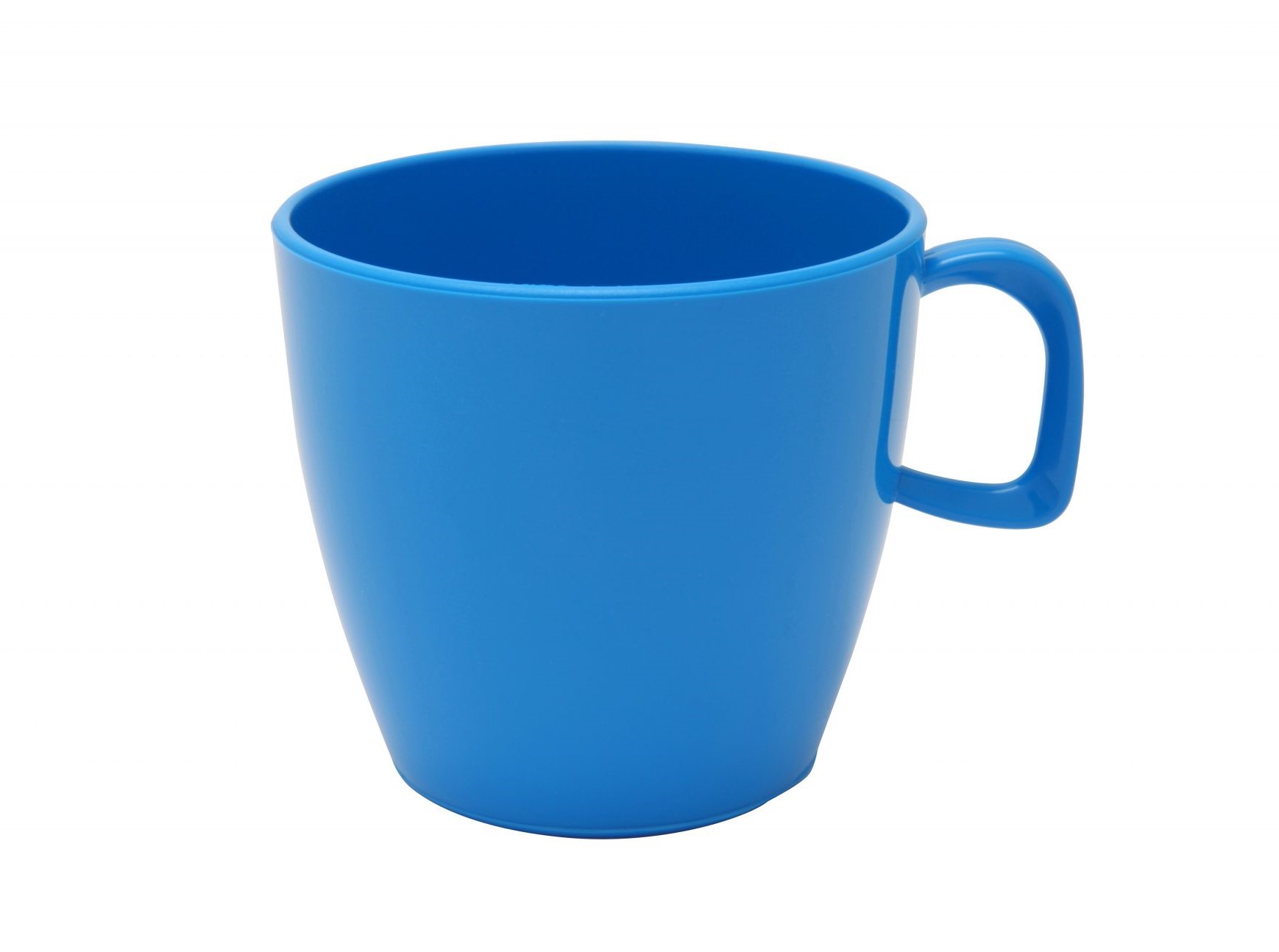
Let's generate an image of the specified size using two input images and a prompt that defines how they should be edited.
{% tabs %}
{% tab title="Python" %}
{% code overflow="wrap" %}
```python
import requests
import json # for getting a structured output with indentation
def main():
response = requests.post(
"https://api.aimlapi.com/v1/images/generations",
headers={
# Insert your AIML API Key instead of :
"Authorization": "Bearer ",
"Content-Type": "application/json",
},
json={
"model": "blackforestlabs/flux-2-lora-edit",
"prompt": "Combine the images so the T-Rex is wearing a business suit, sitting in a cozy small café, drinking from the mug. Blur the background slightly to create a bokeh effect.",
"image_urls": [
"https://raw.githubusercontent.com/aimlapi/api-docs/main/reference-files/t-rex.png",
"https://raw.githubusercontent.com/aimlapi/api-docs/main/reference-files/blue-mug.jpg"
],
"guidance_scale": 19
}
)
data = response.json()
print(json.dumps(data, indent=2, ensure_ascii=False))
if __name__ == "__main__":
main()
```
{% endcode %}
{% endtab %}
{% tab title="JS" %}
{% code overflow="wrap" %}
```javascript
async function main() {
const response = await fetch('https://api.aimlapi.com/v1/images/generations', {
method: 'POST',
headers: {
// Insert your AIML API Key instead of :
'Authorization': 'Bearer ',
'Content-Type': 'application/json',
},
body: JSON.stringify({
model: 'blackforestlabs/flux-2-lora-edit',
prompt: 'Combine the images so the T-Rex is wearing a business suit, sitting in a cozy small café, drinking from the mug. Blur the background slightly to create a bokeh effect.',
image_urls: [
"https://raw.githubusercontent.com/aimlapi/api-docs/main/reference-files/t-rex.png",
"https://raw.githubusercontent.com/aimlapi/api-docs/main/reference-files/blue-mug.jpg"
],
guidance_scale: 19
}),
});
const data = await response.json();
console.log(data);
}
main();
```
{% endcode %}
{% endtab %}
{% endtabs %}
Response
{% code overflow="wrap" %}
```json5
{
"data": [
{
"url": "https://cdn.aimlapi.com/flamingo/files/b/0a847b4c/2-TzrE2bwvfldwD4O3aVi.png"
}
],
"meta": {
"usage": {
"tokens_used": 132300
}
}
}
```
{% endcode %}
| Reference Images | Generated Image |
|---|
 |  |
 | |
[^1]: The **LoRA algorithm** (Low-Rank Adaptation) is a parameter-efficient fine-tuning technique used to adapt large language models (LLMs) and stable diffusion models to new tasks or domains without retraining the entire model. This process is faster and requires significantly less memory and computational resources than full fine-tuning.
---
# Agent Instructions
This documentation is published with GitBook. GitBook is the documentation platform designed so that both humans and AI agents can read, navigate, and reason over technical content effectively. Learn more at gitbook.com.
## Querying This Documentation
If you need additional information that is not directly available in this page, you can query the documentation by asking a question.
Perform an HTTP GET request on the following URL with the `ask` and `goal` query parameters:
```
GET https://docs.aimlapi.com/api-references/image-models/flux/flux-2-lora-edit.md?ask=&goal=
```
`ask` is the immediate question: it should be specific, self-contained, and written in natural language.
`goal` is what the user is ultimately trying to achieve, the reason they need the answer. Sharing it helps GitBook give you a better, more relevant answer. A goal is most helpful when it describes the outcome the user wants rather than restating the question. For example, with `ask=how do I create an API token`, a goal like `automate deployments from our CI pipeline` lets GitBook tailor the answer to that use case.
The response will contain a direct answer to the question and relevant excerpts and sources from the documentation.
Use this mechanism when the answer is not explicitly present in the current page, you need clarification or additional context, or you want to retrieve related documentation sections.