Seedance 1.0 lite (Image-to-Video)

This documentation is valid for the following list of our models:

  • bytedance/seedance-1-0-lite-i2v

Generate professional video content from a reference image and text prompt in minutes — with the option to keep the camera fixed throughout the entire clip.

Setup your API Key

If you don’t have an API key for the AI/ML API yet, feel free to use our Quickstart guide.

How to Make a Call

Step-by-Step Instructions

Generating a video using this model involves sequentially calling two endpoints:

  • The first one is for creating and sending a video generation task to the server (returns a generation ID).

  • The second one is for requesting the generated video from the server using the generation ID received from the first endpoint.

Below, you can find both corresponding API schemas.

API Schemas

Create a video generation task and send it to the server

You can generate a video using this API. In the basic setup, you only need a reference image and a prompt. This endpoint creates and sends a video generation task to the server — and returns a generation ID.

post
Authorizations
AuthorizationstringRequired

Bearer key

Body
modelundefined · enumRequiredPossible values:
image_urlstring · uriRequired

A direct link to an online image or a Base64-encoded local image that will serve as the visual base or the first frame for the video.

promptstringRequired

The text description of the scene, subject, or action to generate in the video.

resolutionstring · enumOptional

An enumeration where the short side of the video frame determines the resolution.

Default: 720pPossible values:
durationinteger · enumOptional

The length of the output video in seconds.

Possible values:
seedintegerOptional

Varying the seed integer is a way to get different results for the same other request parameters. Using the same value for an identical request will produce similar results. If unspecified, a random number is chosen.

camera_fixedbooleanOptional

Whether to fix the camera position.

  • true: Fix the camera position. The platform will append instructions to fix the camera position in the user's prompt, but the actual effect is not guaranteed.
  • false: Do not fix the camera position.
Default: false
watermarkbooleanOptionalDeprecated

Whether the video contains a watermark.

Default: false
Responses
post
/v2/generate/video/bytedance/generation
200

Successfully generated video

Retrieve the generated video from the server

After sending a request for video generation, this task is added to the queue. This endpoint lets you check the status of a video generation task using its id, obtained from the endpoint described above. If the video generation task status is complete, the response will include the final result — with the generated video URL and additional metadata.

get
Authorizations
AuthorizationstringRequired

Bearer key

Query parameters
generation_idstringRequired
Responses
get
/v2/generate/video/bytedance/generation
200

Successfully generated video

Full Example: Generating and Retrieving the Video From the Server

The code below creates a video generation task, then automatically polls the server every 10 seconds until it finally receives the video URL.

Response

Processing time: ~1.5 min.

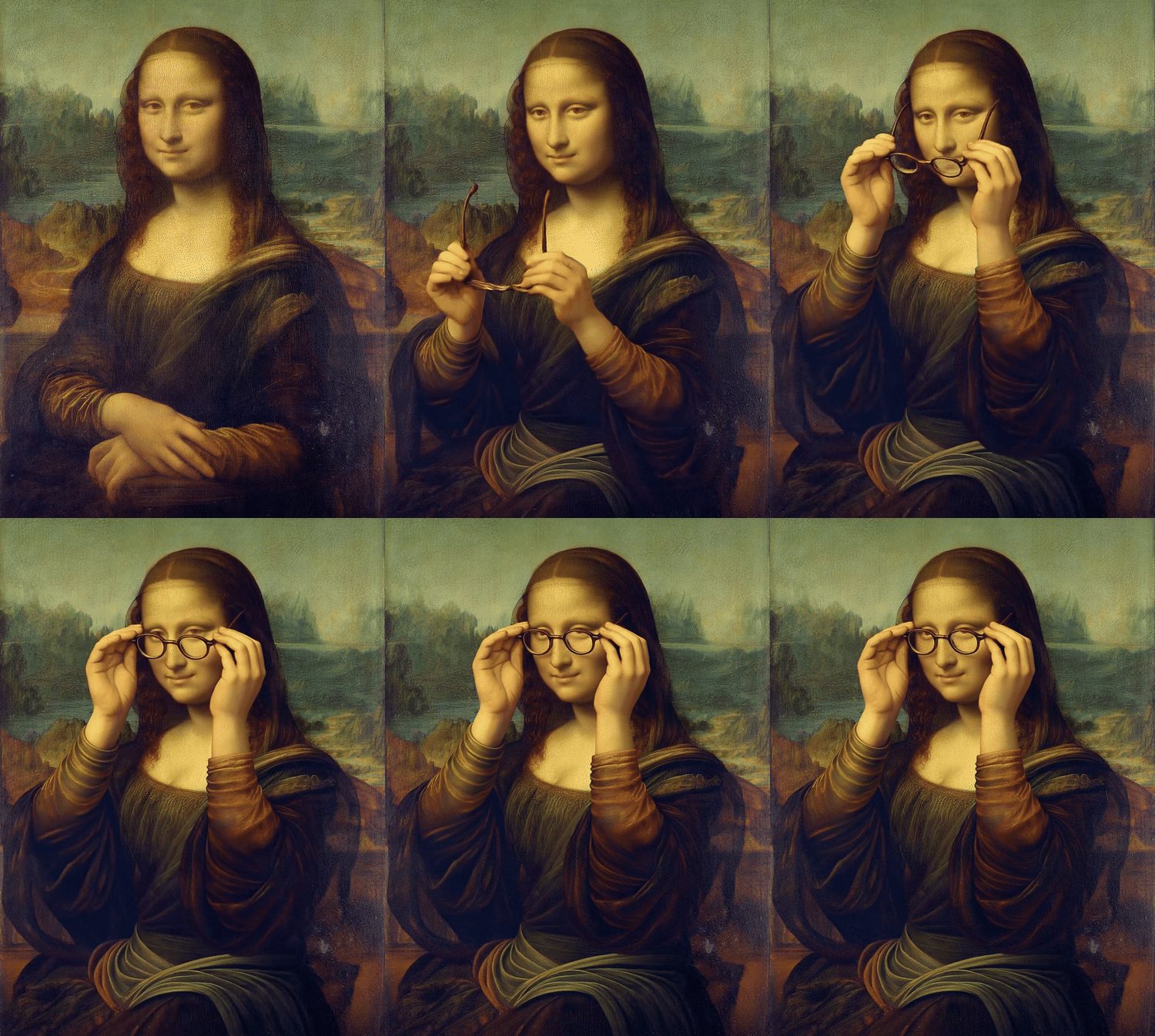
Original: 832x1120

Low-res GIF preview:

"Mona Lisa puts on glasses with her hands."

Last updated

Was this helpful?