
Loading...
Loading...
Loading...
Loading...
Loading...
Loading...
Loading...
Loading...
Loading...
Loading...
Loading...
Loading...
Loading...
Loading...
Loading...
Loading...
Loading...
Loading...
Loading...
Loading...
Loading...
Loading...
Loading...
Loading...
Loading...
Loading...
Loading...
Loading...
Loading...
Loading...
Loading...
Loading...
Loading...
Loading...
Loading...
Loading...
Loading...
Loading...
Loading...
Loading...
Loading...
Loading...
Loading...
Loading...
Loading...
Loading...
Loading...
Loading...
Loading...
Loading...
Loading...
Loading...
Loading...
Loading...
Loading...
Loading...
Loading...
Loading...
Loading...
Loading...
Loading...
Loading...
Loading...
Loading...
A high-performance image generation base model that can handle intricate text rendering and perform accurate image editing.
If you don’t have an API key for the AI/ML API yet, feel free to use our .
Let's generate an image of the specified size using a simple prompt.
We obtained the following 1024x768 image by running this code example:
'A T-Rex relaxing on a beach, lying on a sun lounger and wearing sunglasses.'import requests
import json # for getting a structured output with indentation
def main():
response = requests.post(
"https://api.aimlapi.com/v1/images/generations",
headers={
# Insert your AIML API Key instead of <YOUR_AIMLAPI_KEY>:
"Authorization": "Bearer <YOUR_AIMLAPI_KEY>",
"Content-Type": "application/json",
},
json={
"model": "alibaba/qwen-image",
"prompt": "A T-Rex relaxing on a beach, lying on a sun lounger and wearing sunglasses."
}
)
data = response.json()
print(json.dumps(data, indent=2, ensure_ascii=False))
if __name__ == "__main__":
main()async function main() {
const response = await fetch('https://api.aimlapi.com/v1/images/generations', {
method: 'POST',
headers: {
// Insert your AIML API Key instead of <YOUR_AIMLAPI_KEY>:
'Authorization': 'Bearer <YOUR_AIMLAPI_KEY>',
'Content-Type': 'application/json',
},
body: JSON.stringify({
model: 'alibaba/qwen-image',
prompt: 'A T-Rex relaxing on a beach, lying on a sun lounger and wearing sunglasses.',
}),
});
const data = await response.json();
console.log('Generation:', data);
}
main();{
"images": [
{
"url": "https://cdn.aimlapi.com/eagle/files/kangaroo/0WBwo2ruHEK9vpmtxu04G.jpeg",
"width": 1024,
"height": 768,
"content_type": "image/jpeg"
}
],
"timings": {
"inference": 5.732342581963167
},
"seed": 4128479875,
"has_nsfw_concepts": [
false
],
"prompt": "A T-Rex relaxing on a beach, lying on a sun lounger and wearing sunglasses."
}An ultra-fast 6B-parameter text-to-image model with LoRA support.
If you don’t have an API key for the AI/ML API yet, feel free to use our .
Let's generate an image of the specified size using a simple prompt.
We obtained the following 1440x512 image by running this code example:
An ultra-fast 6B-parameter text-to-image model.
If you don’t have an API key for the AI/ML API yet, feel free to use our Quickstart guide.
Let's generate an image of the specified size using a simple prompt.
We obtained the following 1440x512 image by running this code example:

A state-of-the-art model designed to generate photorealistic images from textual descriptions. It allows users to create lifelike visuals without the need for extensive realism-related prompts.
If you don’t have an API key for the AI/ML API yet, feel free to use our .
Let's generate an image of the specified size using a simple prompt.
The maximum value for both width and height is 1536, and the minimum is 512.
The value must be a multiple of 32.
We obtained the following 1472x512 image by running this code example. The textures look significantly more realistic compared to the earlier FLUX models.
We were also curious how the model would perform with more large-scale scenes. Here's what we got with the prompt 'Epic battle of spaceships'.
The image editing variant of our 20B model. It expands the model’s distinctive text rendering abilities to editing tasks, making accurate text modifications within images possible.
If you don’t have an API key for the AI/ML API yet, feel free to use our .
Let's generate an image using an input image and a prompt that defines how it should be edited.
We obtained the following 1184x896 image by running this code example:
import requests
import json # for getting a structured output with indentation
def main():
response = requests.post(
"https://api.aimlapi.com/v1/images/generations",
headers={
# Insert your AIML API Key instead of <YOUR_AIMLAPI_KEY>:
"Authorization": "Bearer <YOUR_AIMLAPI_KEY>",
"Content-Type": "application/json",
},
json={
"model": "alibaba/z-image-turbo",
"prompt": "A T-Rex relaxing on a beach, lying on a sun lounger and wearing sunglasses.",
"image_size": {
"width": 1440,
"height": 512
},
}
)
data = response.json()
print(json.dumps(data, indent=2, ensure_ascii=False))
if __name__ == "__main__":
main()async function main() {
const response = await fetch('https://api.aimlapi.com/v1/images/generations', {
method: 'POST',
headers: {
// Insert your AIML API Key instead of <YOUR_AIMLAPI_KEY>:
'Authorization': 'Bearer <YOUR_AIMLAPI_KEY>',
'Content-Type': 'application/json',
},
body: JSON.stringify({
model: 'alibaba/z-image-turbo',
prompt: 'A T-Rex relaxing on a beach, lying on a sun lounger and wearing sunglasses.',
image_size: {
width: 1440,
height: 512
},
}),
});
const data = await response.json();
console.log('Generation:', data);
}
main();{
"data": [
{
"url": "https://cdn.aimlapi.com/flamingo/files/b/0a84de46/GTZfn0tOOQzXlC2Wvpzz9.png"
}
],
"meta": {
"usage": {
"tokens_used": 10500
}
}
}import requests
import json # for getting a structured output with indentation
def main():
response = requests.post(
"https://api.aimlapi.com/v1/images/generations",
headers={
# Insert your AIML API Key instead of <YOUR_AIMLAPI_KEY>:
"Authorization": "Bearer <YOUR_AIMLAPI_KEY>",
"Content-Type": "application/json",
},
json={
"model": "alibaba/z-image-turbo-lora",
"prompt": "A T-Rex relaxing on a beach, lying on a sun lounger and wearing sunglasses.",
"image_size": {
"width": 1440,
"height": 512
},
}
)
data = response.json()
print(json.dumps(data, indent=2, ensure_ascii=False))
if __name__ == "__main__":
main()async function main() {
const response = await fetch('https://api.aimlapi.com/v1/images/generations', {
method: 'POST',
headers: {
// Insert your AIML API Key instead of <YOUR_AIMLAPI_KEY>:
'Authorization': 'Bearer <YOUR_AIMLAPI_KEY>',
'Content-Type': 'application/json',
},
body: JSON.stringify({
model: 'alibaba/z-image-turbo-lora',
prompt: 'A T-Rex relaxing on a beach, lying on a sun lounger and wearing sunglasses.',
image_size: {
width: 1440,
height: 512
},
}),
});
const data = await response.json();
console.log('Generation:', data);
}
main();{
"data": [
{
"url": "https://cdn.aimlapi.com/flamingo/files/b/0a84de54/-IaUBYEQiYqRaeT7oZvus.png"
}
],
"meta": {
"usage": {
"tokens_used": 17850
}
}
}flux-pro/v1.1 is a new image generation model with inference speed increased sixfold compared to the previous flux-pro. It also features enhanced generation quality and greater accuracy in following prompts.
flux-pro/v1.1
Format: JPEG, PNG Min size: 256x256 Max size: 1440x1440 Default size: 1024x768 For both height and width, the value must be a multiple of 32.
If you don’t have an API key for the AI/ML API yet, feel free to use our Quickstart guide.
Let's generate an image of the specified size using a simple prompt.
The maximum value for both width and height is 1440, and the minimum is 256.
The value must be a multiple of 32.
We obtained the following 1024x320 image (JPEG) by running this code example:
"A T-Rex relaxing on a beach, lying on a sun lounger and wearing sunglasses."flux/dev model upgraded with Tencent’s SRPO technique.
flux/srpo
Format: PNG Min size: 512x512 Max size: 1536x1536 Default size: 1024x768 For both height and width, the value must be a multiple of 32.
If you don’t have an API key for the AI/ML API yet, feel free to use our Quickstart guide.
Let's generate an image using a simple prompt.
We obtained the following 1440x512 image by running this code example:
'A T-Rex relaxing on a beach, lying on a sun lounger and wearing sunglasses.'An advanced text-to-image model optimized for high-quality manipulation.
If you don’t have an API key for the AI/ML API yet, feel free to use our Quickstart guide.
Let's generate an image of the specified size using a simple prompt.
We obtained the following nice 1472x512 image by running this code example:
"A T-Rex relaxing on a beach, lying on a sun lounger and wearing sunglasses."A state-of-the-art image generation model that utilizes a 12 billion parameter rectified flow transformer architecture. It is designed to generate high-quality images from textual descriptions, making it a powerful tool for developers and creatives.
flux/dev/image-to-image
Format: PNG Fixed size: Matches the dimensions of the reference image.
If you don’t have an API key for the AI/ML API yet, feel free to use our Quickstart guide.
Let's generate a new image using the one from the flux/dev Quick Example as a reference — and make a simple change to it with a prompt.
An advanced AI system designed to generate high-quality images and artwork from textual descriptions. It builds upon its predecessor, DALL·E 1, utilizing improved techniques to create images that are more realistic and contextually accurate.
If you don’t have an API key for the AI/ML API yet, feel free to use our Quickstart guide.
Let's generate an image of the specified size using a simple prompt.
We obtained the following 1024x1024 image by running this code example:
"A T-Rex relaxing on a beach, lying on a sun lounger and wearing sunglasses."xAI’s flagship image generation model as of summer 2025, producing photorealistic visuals from text prompts.
If you don’t have an API key for the AI/ML API yet, feel free to use our Quickstart guide.
Let's generate an image of the specified size using a simple prompt.
We obtained the following 720x960 image by running this code example:
"A T-Rex relaxing on a beach, lying on a sun lounger and wearing sunglasses."flux-realism
Format: JPEG, PNG Min size: 512x512 Max size: 1536x1536 Default size: 1024x768 For both height and width, the value must be a multiple of 32.

'A T-Rex relaxing on a beach, lying on a sun lounger and wearing sunglasses.'
'Epic battle of spaceships'
'Make the dinosaur sit on a lounge chair with its back to the camera, looking toward the water.
The setting sun has almost disappeared below the horizon.'
A 4MP photorealistic, production-grade editor with advanced multi-reference control capabilities.
If you don’t have an API key for the AI/ML API yet, feel free to use our .
Let's generate an image using two input images and a prompt that defines how they should be edited.
Ultra-fast, consistent in character rendering, and matching in quality.
If you don’t have an API key for the AI/ML API yet, feel free to use our .
Let's generate an image of the specified size using a simple prompt.
We obtained the following 4096x4096 image by running this code example:
The model combines both text-to-image and image-to-image capabilities. Compared to , this model significantly improves editing consistency (preserving subject details, lighting, and color tone), the quality of portraits and small text.
If you don’t have an API key for the AI/ML API yet, feel free to use our .
Let's generate a new image using the one from as a reference — and make a simple change to it with a prompt.
Google’s highest quality image generation model as of July 2025. Supports automatic AI prompt enhancement and pre-moderation of generated content.
If you don’t have an API key for the AI/ML API yet, feel free to use our .
Let's generate an image of the specified aspect ratio using a simple prompt.
So we obtained the following 1408x768 image by running this code example:
This image-to-image model enables you to apply your trained LoRA adapters, producing domain-specific outputs aligned with your brand aesthetic, expert content areas, or specialized visual constraints.
If you don’t have an API key for the AI/ML API yet, feel free to use our .
Let's generate an image of the specified size using two input images and a prompt that defines how they should be edited.
model upgraded with Tencent’s SRPO technique.
If you don’t have an API key for the AI/ML API yet, feel free to use our .
Let's generate a new image using the one from the as a reference — and make a simple change to it with a prompt.
An advanced AI image generator designed to create high-resolution images rapidly and efficiently. It is optimized for various applications, including content creation, e-commerce, and advertising, providing users with the ability to generate visually appealing images at unprecedented speeds.
If you don’t have an API key for the AI/ML API yet, feel free to use our .
Let's generate an image using a simple prompt.
We obtained the following 2752x1536 image by running this code example:
A state-of-the-art text-to-image generation model designed to create high-quality images from textual descriptions. With a robust architecture of 12 billion parameters, it leverages advanced techniques to produce images that rival those generated by leading closed-source models.
If you don’t have an API key for the AI/ML API yet, feel free to use our .
Let's generate an image of the specified size using a simple prompt.
The minimum size is 64x64, and the minimum is 1536x1536.
The width and height value must be a multiple of 32.
We obtained the following 1440x512 image by running this code example:
USO (Unified Style-Subject Optimized) — a single model that seamlessly combines style-based and subject-based image generation.
If you don’t have an API key for the AI/ML API yet, feel free to use our .
Let's generate an image of the specified size using a simple prompt.
The model takes multiple images as input, with the prompt defining how they are used or combined.
If you don’t have an API key for the AI/ML API yet, feel free to use our .
Let's generate an image using two input images and a prompt that defines how they should be edited.
The model allows you to modify images using plain text commands: adjust colors, text, and perspectives.
If you don’t have an API key for the AI/ML API yet, feel free to use our .
Let's generate a new image using the one from the as a reference — and make a simple change to it with a prompt.
An advanced image editing model optimized for high-quality manipulation, style transfer, and sequential editing tasks.
If you don’t have an API key for the AI/ML API yet, feel free to use our .
Let's generate an image of the specified size using two input images and a prompt that defines how they should be edited.
A state-of-the-art image generation model specifically designed for professional designers, featuring advanced text generation capabilities, anatomical accuracy, and precise style control. It stands out for its ability to generate images with extended text content and vector art support.
If you don’t have an API key for the AI/ML API yet, feel free to use our .
Let's generate an image using a simple prompt.
We obtained the following 2048x1024 image by running this code example:
One of recraft-v3’s strengths is its wide range of supported styles. By default, it generates realistic images, but we tried a few others—here’s what we got:
Flux, a subsidiary project of Black Forest Labs, is represented in our API by the following models:
import requests
import json # for getting a structured output with indentation
def main():
response = requests.post(
"https://api.aimlapi.com/v1/images/generations",
headers={
# Insert your AIML API Key instead of <YOUR_AIMLAPI_KEY>:
"Authorization": "Bearer <YOUR_AIMLAPI_KEY>",
"Content-Type": "application/json",
},
json={
"prompt": "A T-Rex relaxing on a beach, lying on a sun lounger and wearing sunglasses.",
"model": "flux-pro/v1.1",
'image_size': {
"width": 1024,
"height": 320
}
}
)
data = response.json()
print(json.dumps(data, indent=2, ensure_ascii=False))
if __name__ == "__main__":
main()async function main() {
const response = await fetch('https://api.aimlapi.com/v1/images/generations', {
method: 'POST',
headers: {
// Insert your AIML API Key instead of <YOUR_AIMLAPI_KEY>:
'Authorization': 'Bearer <YOUR_AIMLAPI_KEY>',
'Content-Type': 'application/json',
},
body: JSON.stringify({
model: 'flux-pro/v1.1',
prompt: 'A T-Rex relaxing on a beach, lying on a sun lounger and wearing sunglasses.',
image_size: {
width: 1024,
height: 320
},
}),
});
const data = await response.json();
console.log(data);
}
main();{
images: [
{
url: 'https://cdn.aimlapi.com/squirrel/files/zebra/i1zUlcHZ0o3V2DEeyi2bL_6a366eac61354652a0430750e53bc839.jpg',
width: 1024,
height: 320,
content_type: 'image/jpeg'
}
],
timings: {},
seed: 1345862631,
has_nsfw_concepts: [ false ],
prompt: 'A T-Rex relaxing on a beach, lying on a sun lounger and wearing sunglasses.'
}import requests
import json # for getting a structured output with indentation
def main():
response = requests.post(
"https://api.aimlapi.com/v1/images/generations",
headers={
# Insert your AIML API Key instead of <YOUR_AIMLAPI_KEY>:
"Authorization": "Bearer <YOUR_AIMLAPI_KEY>",
"Content-Type": "application/json",
},
json={
"model": "flux/srpo",
"prompt": "A T-Rex relaxing on a beach, lying on a sun lounger and wearing sunglasses.",
"image_size": {
"width": 1440,
"height": 512
}
}
)
data = response.json()
print(json.dumps(data, indent=2, ensure_ascii=False))
if __name__ == "__main__":
main()async function main() {
const response = await fetch('https://api.aimlapi.com/v1/images/generations', {
method: 'POST',
headers: {
// Insert your AIML API Key instead of <YOUR_AIMLAPI_KEY>:
'Authorization': 'Bearer <YOUR_AIMLAPI_KEY>',
'Content-Type': 'application/json',
},
body: JSON.stringify({
model: 'flux/srpo',
prompt: 'A T-Rex relaxing on a beach, lying on a sun lounger and wearing sunglasses.',
image_size: {
width: 1440,
height: 512
}
}),
});
const data = await response.json();
console.log(data);
}
main();{
"images": [
{
"url": "https://cdn.aimlapi.com/eagle/files/zebra/GtH4bTLhiXD7YTwYAlO21.jpeg",
"width": 1440,
"height": 512,
"content_type": "image/jpeg"
}
],
"timings": {
"inference": 0.747110141441226
},
"seed": 490733907,
"has_nsfw_concepts": [
false
],
"prompt": "A T-Rex relaxing on a beach, lying on a sun lounger and wearing sunglasses.",
"data": [
{
"url": "https://cdn.aimlapi.com/eagle/files/zebra/GtH4bTLhiXD7YTwYAlO21.jpeg",
"width": 1440,
"height": 512,
"content_type": "image/jpeg"
}
],
"meta": {
"usage": {
"tokens_used": 52500
}
}
}import requests
import json # for getting a structured output with indentation
def main():
response = requests.post(
"https://api.aimlapi.com/v1/images/generations",
headers={
# Insert your AIML API Key instead of <YOUR_AIMLAPI_KEY>:
"Authorization": "Bearer <YOUR_AIMLAPI_KEY>",
"Content-Type": "application/json"
},
json={
"prompt": "A T-Rex relaxing on a beach, lying on a sun lounger and wearing sunglasses.",
"model": "blackforestlabs/flux-2-pro",
"image_size": {
"width": 1472,
"height": 512
}
}
)
data = response.json()
print(json.dumps(data, indent=2, ensure_ascii=False))
if __name__ == "__main__":
main() async function main() {
const response = await fetch('https://api.aimlapi.com/v1/images/generations', {
method: 'POST',
headers: {
// Insert your AIML API Key instead of <YOUR_AIMLAPI_KEY>:
'Authorization': 'Bearer <YOUR_AIMLAPI_KEY>',
'Content-Type': 'application/json',
},
body: JSON.stringify({
model: 'blackforestlabs/flux-2-pro',
prompt: 'A T-Rex relaxing on a beach, lying on a sun lounger and wearing sunglasses.',
image_size: {
width: 1472,
height: 512
},
}),
});
const data = await response.json();
console.log('Generation:', data);
}
main();{
"data": [
{
"url": "https://cdn.aimlapi.com/flamingo/files/b/0a847b9d/C6y_7teCcSaSqeYkhIrnt.png"
}
],
"meta": {
"usage": {
"tokens_used": 63000
}
}
}import requests
import json # for getting a structured output with indentation
def main():
response = requests.post(
"https://api.aimlapi.com/v1/images/generations",
headers={
# Insert your AIML API Key instead of <YOUR_AIMLAPI_KEY>:
"Authorization": "Bearer <YOUR_AIMLAPI_KEY>",
"Content-Type": "application/json",
},
json={
"model": "flux/dev/image-to-image",
"prompt": "Add a bird to the foreground of the photo.",
"image_url": "https://raw.githubusercontent.com/aimlapi/api-docs/main/reference-files/t-rex.png",
"strength": 0.8
}
)
data = response.json()
print(json.dumps(data, indent=2, ensure_ascii=False))
if __name__ == "__main__":
main()async function main() {
const response = await fetch('https://api.aimlapi.com/v1/images/generations', {
method: 'POST',
headers: {
// Insert your AIML API Key instead of <YOUR_AIMLAPI_KEY>:
'Authorization': 'Bearer <YOUR_AIMLAPI_KEY>',
'Content-Type': 'application/json',
},
body: JSON.stringify({
model: 'flux/dev/image-to-image',
prompt: 'A T-Rex relaxing on a beach, lying on a sun lounger and wearing sunglasses.',
image_url: 'https://raw.githubusercontent.com/aimlapi/api-docs/main/reference-files/t-rex.png',
strength: 0.8,
}),
});
const data = await response.json();
console.log(data);
}
main();{
images: [
{
url: 'https://cdn.aimlapi.com/eagle/files/elephant/RmRsL9NMW_kkRy6MemjZJ_ac9897dd871842e2a689b8bc24b4bf08.jpg',
width: 1472,
height: 512,
content_type: 'image/jpeg'
}
],
timings: { inference: 4.4450759180035675 },
seed: 3082066483,
has_nsfw_concepts: [ false ],
prompt: 'A T-Rex relaxing on a beach, lying on a sun lounger and wearing sunglasses.'
}import requests
import json
def main():
response = requests.post(
"https://api.aimlapi.com/v1/images/generations",
headers={
# Insert your AIML API Key instead of <YOUR_AIMLAPI_KEY>:
"Authorization": "Bearer <YOUR_AIMLAPI_KEY>",
"Content-Type": "application/json",
},
json={
"prompt": "A T-Rex relaxing on a beach, lying on a sun lounger and wearing sunglasses.",
"model": "dall-e-2"
}
)
data = response.json()
print(json.dumps(data, indent=2, ensure_ascii=False))
if __name__ == "__main__":
main()async function main() {
const response = await fetch('https://api.aimlapi.com/v1/images/generations', {
method: 'POST',
headers: {
// Insert your AIML API Key instead of <YOUR_AIMLAPI_KEY>:
'Authorization': 'Bearer <YOUR_AIMLAPI_KEY>',
'Content-Type': 'application/json',
},
body: JSON.stringify({
model: 'dall-e-2',
prompt: 'A T-Rex relaxing on a beach, lying on a sun lounger and wearing sunglasses.',
quality: 'hd'
}),
});
const data = await response.json();
console.log(data);
}
main();{
created: 1756972085,
data: [
{
url: 'https://oaidalleapiprodscus.blob.core.windows.net/private/org-5drZvxmo1TGoMx2jeKKGAGSh/user-eKr1xiaNRxSYqgKrXfgZzSAJ/img-lrG5yb73YupujdUiDfx1sUpo.png?st=2025-09-04T06%3A48%3A05Z&se=2025-09-04T08%3A48%3A05Z&sp=r&sv=2024-08-04&sr=b&rscd=inline&rsct=image/png&skoid=0e2a3d55-e963-40c9-9c89-2a1aa28cb3ac&sktid=a48cca56-e6da-484e-a814-9c849652bcb3&skt=2025-09-04T03%3A29%3A29Z&ske=2025-09-05T03%3A29%3A29Z&sks=b&skv=2024-08-04&sig=5mTzRo50JWr%2BuoqSOAXW9WZ0%2Bak93/rMwp2sZo3sLYE%3D'
}
]
}import requests
import json # for getting a structured output with indentation
def main():
response = requests.post(
"https://api.aimlapi.com/v1/images/generations",
headers={
# Insert your AIML API Key instead of <YOUR_AIMLAPI_KEY>:
"Authorization": "Bearer <YOUR_AIMLAPI_KEY>",
"Content-Type": "application/json",
},
json={
"model": "x-ai/grok-2-image",
"prompt": "A T-Rex relaxing on a beach, lying on a sun lounger and wearing sunglasses."
}
)
data = response.json()
print(json.dumps(data, indent=2, ensure_ascii=False))
if __name__ == "__main__":
main()async function main() {
const response = await fetch('https://api.aimlapi.com/v1/images/generations', {
method: 'POST',
headers: {
// Insert your AIML API Key instead of <YOUR_AIMLAPI_KEY>:
'Authorization': 'Bearer <YOUR_AIMLAPI_KEY>',
'Content-Type': 'application/json',
},
body: JSON.stringify({
model: 'x-ai/grok-2-image',
prompt: 'A T-Rex relaxing on a beach, lying on a sun lounger and wearing sunglasses.',
}),
});
const data = await response.json();
console.log('Generation:', data);
}
main();{
"data": [
{
"url": "https://cdn.aimlapi.com/xolmis/xai-imgen/xai-tmp-imgen-81fc6308-29a8-46c8-8d5a-16060c0724e8.jpeg",
"revised_prompt": "A high-resolution photograph of a T-Rex relaxing on a beach, lying on a sun lounger and wearing sunglasses. The T-Rex is facing slightly to the right, with its sunglasses clearly visible. The background features a calm ocean and a few palm trees, set during the day with natural, soft lighting. The beach is relatively empty, focusing attention on the T-Rex. There are no distracting elements like birds or other animals, ensuring the T-Rex remains the central figure in the composition. The overall mood is serene and tranquil, emphasizing the unusual yet peaceful scene."
}
],
"meta": {
"usage": {
"tokens_used": 147000
}
}
}import requests
import json # for getting a structured output with indentation
def main():
response = requests.post(
"https://api.aimlapi.com/v1/images/generations",
headers={
# Insert your AIML API Key instead of <YOUR_AIMLAPI_KEY>:
"Authorization": "Bearer <YOUR_AIMLAPI_KEY>",
"Content-Type": "application/json",
},
json={
"prompt": "A T-Rex relaxing on a beach, lying on a sun lounger and wearing sunglasses.",
"model": "flux-realism",
"image_size": {
"width": 1472,
"height": 512
}
}
)
data = response.json()
print(json.dumps(data, indent=2, ensure_ascii=False))
if __name__ == "__main__":
main()async function main() {
const response = await fetch('https://api.aimlapi.com/v1/images/generations', {
method: 'POST',
headers: {
// Insert your AIML API Key instead of <YOUR_AIMLAPI_KEY>:
'Authorization': 'Bearer <YOUR_AIMLAPI_KEY>',
'Content-Type': 'application/json',
},
body: JSON.stringify({
model: 'flux-realism',
prompt: 'A T-Rex relaxing on a beach, lying on a sun lounger and wearing sunglasses.',
image_size: {
width: 1472,
height: 512
},
}),
});
const data = await response.json();
console.log(data);
}
main();{
images: [
{
url: 'https://cdn.aimlapi.com/eagle/files/elephant/RmRsL9NMW_kkRy6MemjZJ_ac9897dd871842e2a689b8bc24b4bf08.jpg',
width: 1472,
height: 512,
content_type: 'image/jpeg'
}
],
timings: { inference: 4.4450759180035675 },
seed: 3082066483,
has_nsfw_concepts: [ false ],
prompt: 'A T-Rex relaxing on a beach, lying on a sun lounger and wearing sunglasses.'
}import requests
import json # for getting a structured output with indentation
def main():
response = requests.post(
"https://api.aimlapi.com/v1/images/generations",
headers={
# Insert your AIML API Key instead of <YOUR_AIMLAPI_KEY>:
"Authorization": "Bearer <YOUR_AIMLAPI_KEY>",
"Content-Type": "application/json",
},
json={
"model": "alibaba/qwen-image-edit",
"prompt": "Make the dinosaur sit on a lounge chair with its back to the camera, looking toward the water. The setting sun has almost disappeared below the horizon.",
"image": "https://raw.githubusercontent.com/aimlapi/api-docs/main/reference-files/t-rex.png"
}
)
data = response.json()
print(json.dumps(data, indent=2, ensure_ascii=False))
if __name__ == "__main__":
main()
const response = await fetch('https://api.aimlapi.com/v1/images/generations', {
method: 'POST',
headers: {
// Insert your AIML API Key instead of <YOUR_AIMLAPI_KEY>:
'Authorization': 'Bearer <YOUR_AIMLAPI_KEY>',
'Content-Type': 'application/json',
},
body: JSON.stringify({
model: 'alibaba/qwen-image-edit',
prompt: 'Make the dinosaur sit on a lounge chair with its back to the camera, looking toward the water. The setting sun has almost disappeared below the horizon.',
image: 'https://raw.githubusercontent.com/aimlapi/api-docs/main/reference-files/t-rex.png',
}),
});
const data = await response.json();
console.log(JSON.stringify(data, null, 2));{
"created": 1756832341,
"data": [
{
"url": "https://dashscope-result-sgp.oss-ap-southeast-1.aliyuncs.com/7d/06/20250903/1955eee6/ac748d89-d6b1-4d4e-bc65-eea543098bb9-1.png?Expires=1757438140&OSSAccessKeyId=LTAI5tRcsWJEymQaTsKbKqGf&Signature=aDhUphXV84V1nPMmdRl49ShSKxY%3D"
}
]
}"style": "digital_illustration/handmade_3d"

"style": "digital_illustration/infantile_sketch"
"style": "vector_illustration"
"style": "digital_illustration/2d_art_poster"This text-to-image model enables you to apply your trained LoRA adapters, producing domain-specific outputs aligned with your brand aesthetic, expert content areas, or specialized visual constraints.
If you don’t have an API key for the AI/ML API yet, feel free to use our Quickstart guide.
Let's generate an image of the specified size using a simple prompt.
We obtained the following nice 1472x512 image by running this code example:
"A T-Rex relaxing on a beach, lying on a sun lounger and wearing sunglasses."A state-of-the-art image generation model that utilizes a 12 billion parameter rectified flow transformer architecture. It is designed to generate high-quality images from textual descriptions, making it a powerful tool for developers and creatives.
flux/dev
Format: PNG Min size: 512x512 Max size: 1536x1536 Default size: 1024x768 For both height and width, the value must be a multiple of 32.
If you don’t have an API key for the AI/ML API yet, feel free to use our Quickstart guide.
Let's generate an image using a simple prompt.
We obtained the following 1024x768 image by running this code example:
'A T-Rex relaxing on a beach, lying on a sun lounger and wearing sunglasses.'This is first version of Flux Pro, but it generates images of unmatched quality, outperforming popular models like Midjourney v6.0, DALL·E 3 (HD), and SD3-Ultra.
You can also view a detailed comparison of this model on our main website.
flux-pro
Format: JPEG, PNG Min size: 256x256 Max size: 1440x1440 Default size: 1024x768 For both height and width, the value must be a multiple of 32.
If you don’t have an API key for the AI/ML API yet, feel free to use our Quickstart guide.
Let's generate an image of the specified size using a simple prompt.
The maximum value for both width and height is 1440, and the minimum is 256.
The value must be a multiple of 32.
We obtained the following nice 1024x320 image by running this code example:
"A T-Rex relaxing on a beach, lying on a sun lounger and wearing sunglasses."This bilingual (Chinese-English) image generation model supports arbitrary image dimensions — as long as the product of width and height remains within a generous limit (up to 2K). It offers faster response times, improved rendering of small text and layouts, stronger visual aesthetics and structural consistency, and high fidelity in fine details.
If you don’t have an API key for the AI/ML API yet, feel free to use our Quickstart guide.
Let's generate an image of the specified size using a simple prompt.
We obtained the following 1888x301 image by running this code example:
'A T-Rex relaxing on a beach, lying on a sun lounger and wearing sunglasses.'Here’s an example of a 555×543 image generated using the same prompt:
'A T-Rex relaxing on a beach, lying on a sun lounger
and wearing sunglasses.'This model is optimized for speed, offering faster image generation compared to other Imagen 4 variants like Imagen 4 Generate 001 (standard) and Imagen 4 Ultra Generate 001 (higher quality, slower).
If you don’t have an API key for the AI/ML API yet, feel free to use our Quickstart guide.
Let's generate an image of the specified aspect ratio using a simple prompt.
So we obtained the following 1408x768 image by running this code example:
An advanced text-to-image model delivering a balance of speed and image quality.
If you don’t have an API key for the AI/ML API yet, feel free to use our Quickstart guide.
Let's generate an image of the specified aspect ratio using a simple prompt.
So we obtained the following 1408x768 image by running this code example:
Format: PNG Min size: 64x64 Max size: 1536x1536 Default size: 1024x768 For both height and width, the value must be a multiple of 32.
Format: PNG Min size: 512x512 Max size: 1536x1536 Default size: 1024x768 For both height and width, the value must be a multiple of 32.
Format: PNG Fixed size: Matches the dimensions of the reference image.
Format: JPEG, PNG Image size can't be set directly — only a preset aspect ratio can be chosen. Default aspect ratio and size: 1:1, 1024x1024
Format: JPEG, PNG Image size can't be set directly — only a preset aspect ratio can be chosen. Default aspect ratio and size: 16:9, 1184x880 (well, not quite 16:9)
Format: JPEG, PNG Image size can't be set directly — only a preset aspect ratio can be chosen. Default aspect ratio and size: 1:1, 1024x1024
Format: JPEG, PNG Image size can't be set directly — only a preset aspect ratio can be chosen. Default aspect ratio and size: 16:9, 1184x880 (well, not quite 16:9)
Format: JPG, PNG Min size: 256x256 Max size: 1440x1440 Default size: 1024x768 For both height and width, the value must be a multiple of 32.
Format: JPG, PNG Min size: 256x256 Max size: 1440x1440 Default size: 1024x768 For both height and width, the value must be a multiple of 32.
Format: JPG, PNG Fixed size: 2752x1536
Format: JPG, PNG Min size: 512x512 Max size: 1536x1536 Default size: 1024x768 For both height and width, the value must be a multiple of 32.
Google’s highest quality image generation model as of May 2025.
If you don’t have an API key for the AI/ML API yet, feel free to use our Quickstart guide.
Let's generate an image of the specified aspect ratio using a simple prompt.
So we obtained the following 1408x768 image by running this code example:
This model can process and generate 4K images, editing selected areas naturally and precisely while faithfully preserving the visual fidelity of non-edited areas.
If you don’t have an API key for the AI/ML API yet, feel free to use our Quickstart guide.
Let's generate an image of the specified size using a simple prompt.
The model produces sharper visuals, eliminating blur and improving clarity across the subject or the entire frame.
If you don’t have an API key for the AI/ML API yet, feel free to use our Quickstart guide.
Let's sharpen a relatively strongly blurred image using the Strong mode while adjusting the strength parameter.
For clarity, we’ve created a split image showing the results of different parameter settings.
A new Flux model optimized for faster generation speed.
flux/kontext-pro/text-to-image
Format: JPEG, PNG Image size can't be set directly — only a preset aspect ratio can be chosen. Default aspect ratio and size: 1:1, 1024x1024
If you don’t have an API key for the AI/ML API yet, feel free to use our Quickstart guide.
Let's generate an image of the specified size using a simple prompt.
We obtained the following 1568x672 image by running this code example:
'A T-Rex relaxing on a beach, lying on a sun lounger and wearing sunglasses.'A new Flux model optimized for maximum image quality.
flux/kontext-max/text-to-image
Format: JPEG, PNG Image size can't be set directly — only a preset aspect ratio can be chosen. Default aspect ratio and size: 1:1, 1024x1024
If you don’t have an API key for the AI/ML API yet, feel free to use our Quickstart guide.
Let's generate an image of the specified size using a simple prompt.
We obtained the following 1568x672 image by running this code example:
'A T-Rex relaxing on a beach, lying on a sun lounger and wearing sunglasses.'Google's latest text-to-image AI model, designed to generate high-quality, photorealistic images from text descriptions with improved detail, lighting, and fewer artifacts. It boasts enhanced natural language understanding and better text rendering.
If you don’t have an API key for the AI/ML API yet, feel free to use our Quickstart guide.
Let's generate an image of the specified size using a simple prompt.
Note that prompt enhancement is enabled by default. The model will also return the enhanced prompt in the response. If you prefer not to use this feature, set the parameter enhance_prompt to False.
Default aspect ratio is 1:1, so we obtained the following 1024x1024 image by running this code example:
google/gemini-3-pro-image-preview
Both IDs listed above refer to the same model; we support them for backward compatibility.
Google’s smartest text-to-image model as of the November 2025 preview release.
If you don’t have an API key for the AI/ML API yet, feel free to use our Quickstart guide.
Let's generate an image of the specified aspect ratio using a simple prompt.
So we obtained the following 1024x1024 image by running this code example:
"aspect_ratio": "1:1", "resolution": "1K"Here’s an example of the output using alternative resolution and aspect_ratio parameters:
"aspect_ratio": "16:9", "resolution": "2K"This model represents a significant leap forward in AI-driven image creation, capable of generating images from text inputs. This model processes prompts with enhanced neural network architectures, resulting in images that are not only relevant but also rich in detail and diversity. DALL·E 3's deep learning techniques analyze and understand complex descriptions, allowing for the generation of visuals across a wide range of styles and subjects.
You can also view a detailed comparison of this model on our main website.
If you don’t have an API key for the AI/ML API yet, feel free to use our Quickstart guide.
Let's generate an image using a simple prompt.
"A T-Rex relaxing on a beach, lying on a sun lounger and wearing sunglasses."A 4MP photorealistic, production-grade text-to-image generator.
If you don’t have an API key for the AI/ML API yet, feel free to use our Quickstart guide.
Let's generate an image of the specified size using a simple prompt.
We obtained the following nice 1472x512 image by running this code example:
"A T-Rex relaxing on a beach, lying on a sun lounger and wearing sunglasses."An advanced capabilities of Hunyuan Image 3.0 to generate compelling visuals that seamlessly enhance and communicate your written content.
If you don’t have an API key for the AI/ML API yet, feel free to use our Quickstart guide.
Let's generate an image using a simple prompt.
We obtained the following 1280x768 image by running this code example:
A T-Rex relaxing on a beach, lying on a sun lounger and wearing sunglasses.A model trained from the ground up for strong prompt adherence, refined aesthetics, and typography.
If you don’t have an API key for the AI/ML API yet, feel free to use our Quickstart guide.
Let's generate an image of the specified size using a simple prompt.
We obtained the following nice 1360x768 image by running this code example:
"A T-Rex relaxing on a beach, lying on a sun lounger and wearing sunglasses.""Combine the images so the T-Rex is wearing a business suit, sitting in a cozy small café, drinking from the mug. Blur the background slightly to create a bokeh effect."
"A T-Rex relaxing on a beach, lying on a sun lounger and wearing sunglasses.""Combine the images so the T-Rex is wearing a business suit, sitting in a cozy small café, drinking from the mug. Blur the background slightly to create a bokeh effect."
"Combine the images so the T-Rex is wearing a business suit, sitting in a cozy small café, drinking from the mug. Blur the background slightly to create a bokeh effect."flux/srpo/image-to-image
Format: JPEG, PNG Fixed size: Matches the dimensions of the reference image.
flux-pro/v1.1-ultra
Format: JPEG, PNG Fixed size: 2752x1536

'A T-Rex relaxing on a beach, lying on a sun lounger and wearing sunglasses.'flux/schnell
Format: PNG Min size: 64x64 Max size: 1536x1536 Default size: 1024x768 For both height and width, the value must be a multiple of 32.

'A T-Rex relaxing on a beach, lying on a sun lounger and wearing sunglasses.'"The T-Rex is wearing a business suit, sitting in a cozy small café, drinking from a mug. Blur the background slightly to create a bokeh effect.""Combine the images so the T-Rex is wearing a business suit, sitting in a cozy small café, drinking from the mug. Blur the background slightly to create a bokeh effect.""Combine the images so the T-Rex is wearing a business suit, sitting in a cozy small café, drinking from the mug. Blur the background slightly to create a bokeh effect."


A state-of-the-art text-to-image generative model designed to create high-resolution images based on textual prompts. It excels in producing diverse and high-quality outputs, making it suitable for professional applications.
If you don’t have an API key for the AI/ML API yet, feel free to use our .
Let's generate an image using a simple prompt.
We obtained the following 1024x576 image by running this code example:
The model takes multiple images as input, with the prompt defining how they are used or combined.
If you don’t have an API key for the AI/ML API yet, feel free to use our .
Let's generate an image using two input images and a prompt that defines how they should be edited.
Google’s smartest image generation model as of August 2025.
If you don’t have an API key for the AI/ML API yet, feel free to use our .
Let's generate an image of the specified aspect ratio using a simple prompt.
So we obtained the following 1024x1024 image by running this code example:
The model supports background replacement, object editing, style and color adjustments, lighting and texture enhancements, and artistic filters, while ensuring character consistency and allowing iterative refinement.
If you don’t have an API key for the AI/ML API yet, feel free to use our .
Let's generate an image using two input images and a prompt that defines how they should be edited.
An advanced text-to-image generation model that utilizes a Multimodal Diffusion Transformer (MMDiT) architecture to produce high-quality images from textual descriptions.
If you don’t have an API key for the AI/ML API yet, feel free to use our .
Let's generate an image using a simple prompt.
We obtained the following 1024x576 image by running this code example:
A next-level sharpening model powered by generative AI, capable of recovering missing details during the refocusing/resharpening process.
If you don’t have an API key for the AI/ML API yet, feel free to use our .
Let's sharpen a relatively strongly blurred image using the Strong mode while adjusting the strength parameter.
import requests
import json
def main():
response = requests.post(
"https://api.aimlapi.com/v1/images/generations",
headers={
# Insert your AIML API Key instead of <YOUR_AIMLAPI_KEY>:
"Authorization": "Bearer <YOUR_AIMLAPI_KEY>",
"Content-Type": "application/json",
},
json={
"model": "recraft-v3",
"prompt": "A T-Rex relaxing on a beach, lying on a sun lounger and wearing sunglasses."
}
)
data = response.json()
print(json.dumps(data, indent=2, ensure_ascii=False))
if __name__ == "__main__":
main()async function main() {
const response = await fetch('https://api.aimlapi.com/v1/images/generations', {
method: 'POST',
headers: {
// Insert your AIML API Key instead of <YOUR_AIMLAPI_KEY>:
'Authorization': 'Bearer <YOUR_AIMLAPI_KEY>',
'Content-Type': 'application/json',
},
body: JSON.stringify({
model: 'recraft-v3',
prompt: 'A T-Rex relaxing on a beach, lying on a sun lounger and wearing sunglasses. Realistic photo.',
}),
});
const data = await response.json();
console.log(data);
}
main();{
images: [
{
url: 'https://cdn.aimlapi.com/eagle/files/koala/Z1MUK5lqaL70uC5Mn6Rlj_image.webp',
content_type: 'image/webp',
file_name: 'image.webp',
file_size: 347808
}
]
}import requests
import json # for getting a structured output with indentation
def main():
response = requests.post(
"https://api.aimlapi.com/v1/images/generations",
headers={
# Insert your AIML API Key instead of <YOUR_AIMLAPI_KEY>:
"Authorization": "Bearer <YOUR_AIMLAPI_KEY>",
"Content-Type": "application/json"
},
json={
"model": "blackforestlabs/flux-2-lora",
"prompt": "A T-Rex relaxing on a beach, lying on a sun lounger and wearing sunglasses.",
"image_size": {
"width": 1472,
"height": 512
}
}
)
data = response.json()
print(json.dumps(data, indent=2, ensure_ascii=False))
if __name__ == "__main__":
main() async function main() {
const response = await fetch('https://api.aimlapi.com/v1/images/generations', {
method: 'POST',
headers: {
// Insert your AIML API Key instead of <YOUR_AIMLAPI_KEY>:
'Authorization': 'Bearer <YOUR_AIMLAPI_KEY>',
'Content-Type': 'application/json',
},
body: JSON.stringify({
model: 'blackforestlabs/flux-2-lora',
prompt: 'A T-Rex relaxing on a beach, lying on a sun lounger and wearing sunglasses.',
image_size: {
width: 1472,
height: 512
},
}),
});
const data = await response.json();
console.log('Generation:', data);
}
main();{
"data": [
{
"url": "https://cdn.aimlapi.com/flamingo/files/b/0a847b04/UNSH9jzS_1AHujNGtda30.png"
}
],
"meta": {
"usage": {
"tokens_used": 44100
}
}
}import requests
import json # for getting a structured output with indentation
def main():
response = requests.post(
"https://api.aimlapi.com/v1/images/generations",
headers={
# Insert your AIML API Key instead of <YOUR_AIMLAPI_KEY>:
"Authorization": "Bearer <YOUR_AIMLAPI_KEY>",
"Content-Type": "application/json",
},
json={
"model": "flux/dev",
"prompt": "A T-Rex relaxing on a beach, lying on a sun lounger and wearing sunglasses.",
}
)
data = response.json()
print(json.dumps(data, indent=2, ensure_ascii=False))
if __name__ == "__main__":
main()async function main() {
const response = await fetch('https://api.aimlapi.com/v1/images/generations', {
method: 'POST',
headers: {
// Insert your AIML API Key instead of <YOUR_AIMLAPI_KEY>:
'Authorization': 'Bearer <YOUR_AIMLAPI_KEY>',
'Content-Type': 'application/json',
},
body: JSON.stringify({
model: 'flux/dev',
prompt: 'A T-Rex relaxing on a beach, lying on a sun lounger and wearing sunglasses.',
}),
});
const data = await response.json();
console.log(data);
}
main();{
"images": [
{
"url": "https://cdn.aimlapi.com/eagle/files/monkey/zS_fT2UFKmLqlbEHYCRys.jpeg",
"width": 1024,
"height": 768,
"content_type": "image/jpeg"
}
],
"timings": {
"inference": 1.226824438199401
},
"seed": 1765470393,
"has_nsfw_concepts": [
false
],
"prompt": "A T-Rex relaxing on a beach, lying on a sun lounger and wearing sunglasses."
}import requests
import json # for getting a structured output with indentation
def main():
response = requests.post(
"https://api.aimlapi.com/v1/images/generations",
headers={
# Insert your AIML API Key instead of <YOUR_AIMLAPI_KEY>:
"Authorization": "Bearer <YOUR_AIMLAPI_KEY>",
"Content-Type": "application/json"
},
json={
"prompt": "A T-Rex relaxing on a beach, lying on a sun lounger and wearing sunglasses.",
"model": "flux-pro",
"image_size": {
"width": 1024,
"height": 320
}
}
)
data = response.json()
print(json.dumps(data, indent=2, ensure_ascii=False))
if __name__ == "__main__":
main() async function main() {
const response = await fetch('https://api.aimlapi.com/v1/images/generations', {
method: 'POST',
headers: {
// Insert your AIML API Key instead of <YOUR_AIMLAPI_KEY>:
'Authorization': 'Bearer <YOUR_AIMLAPI_KEY>',
'Content-Type': 'application/json',
},
body: JSON.stringify({
model: 'flux-pro',
prompt: 'A T-Rex relaxing on a beach, lying on a sun lounger and wearing sunglasses.',
image_size: {
width: 1024,
height: 320
},
}),
});
const data = await response.json();
console.log('Generation:', data);
}
main();{
images: [
{
url: 'https://cdn.aimlapi.com/squirrel/files/elephant/G1UYumZngIkBozNrfiztZ_8d758419045c4c16b563511d6f5f3966.jpg',
width: 1024,
height: 320,
content_type: 'image/jpeg'
}
],
timings: {},
seed: 711728385,
has_nsfw_concepts: [ false ],
prompt: 'A T-Rex relaxing on a beach, lying on a sun lounger and wearing sunglasses.'
}import requests
import json # for getting a structured output with indentation
def main():
response = requests.post(
"https://api.aimlapi.com/v1/images/generations",
headers={
# Insert your AIML API Key instead of <YOUR_AIMLAPI_KEY>:
"Authorization": "Bearer <YOUR_AIMLAPI_KEY>",
"Content-Type": "application/json",
},
json={
"model": "bytedance/seedream-3.0",
"prompt": "A T-Rex relaxing on a beach, lying on a sun lounger and wearing sunglasses.",
"aspect_ratio": "16:9",
}
)
data = response.json()
print(json.dumps(data, indent=2, ensure_ascii=False))
if __name__ == "__main__":
main()async function main() {
const response = await fetch('https://api.aimlapi.com/v1/images/generations', {
method: 'POST',
headers: {
// Insert your AIML API Key instead of <YOUR_AIMLAPI_KEY>:
'Authorization': 'Bearer <YOUR_AIMLAPI_KEY>',
'Content-Type': 'application/json',
},
body: JSON.stringify({
model: 'bytedance/seedream-3.0',
prompt: 'A T-Rex relaxing on a beach, lying on a sun lounger and wearing sunglasses.',
aspect_ratio: '16:9',
}),
});
const data = await response.json();
console.log('Generation:', data);
}
main();Generation: {'created': 1751616711, 'data': [{'url': 'https://ark-content-generation-v2-ap-southeast-1.tos-ap-southeast-1.volces.com/seedream-3-0-t2i/02175161671039622600af416b2ca58c9c8a1e1bf93fac0335693.jpeg?X-Tos-Algorithm=TOS4-HMAC-SHA256&X-Tos-Credential=AKLTYjg3ZjNlOGM0YzQyNGE1MmI2MDFiOTM3Y2IwMTY3OTE%2F20250704%2Fap-southeast-1%2Ftos%2Frequest&X-Tos-Date=20250704T081151Z&X-Tos-Expires=86400&X-Tos-Signature=76ad6d2e0eb218521b9ce0bfdc98eaf2aa683e9a0d3840624fb4d413a1fd360e&X-Tos-SignedHeaders=host&x-tos-process=image%2Fwatermark%2Cimage_YXNzZXRzL3dhdGVybWFyay5wbmc_eC10b3MtcHJvY2Vzcz1pbWFnZS9yZXNpemUsUF81'}]}import requests
import json # for getting a structured output with indentation
def main():
response = requests.post(
"https://api.aimlapi.com/v1/images/generations",
headers={
# Insert your AIML API Key instead of <YOUR_AIMLAPI_KEY>:
"Authorization": "Bearer <YOUR_AIMLAPI_KEY>",
"Content-Type": "application/json",
},
json={
"prompt": "Racoon eating ice-cream",
"model": "google/imagen-4.0-fast-generate-001",
"aspect_ratio": "16:9"
}
)
data = response.json()
print(json.dumps(data, indent=2, ensure_ascii=False))
if __name__ == "__main__":
main()async function main() {
const response = await fetch('https://api.aimlapi.com/v1/images/generations', {
method: 'POST',
headers: {
// Insert your AIML API Key instead of <YOUR_AIMLAPI_KEY>:
'Authorization': 'Bearer <YOUR_AIMLAPI_KEY>',
'Content-Type': 'application/json',
},
body: JSON.stringify({
model: 'google/imagen-4.0-fast-generate-001',
prompt: 'Racoon eating ice-cream',
aspect_ratio: '16:9'
}),
});
const data = await response.json();
console.log(data);
}
main();{
"data": [
{
"mime_type": "image/png",
"url": "https://cdn.aimlapi.com/generations/guepard/1758236595733-514db8bc-7cba-4d7b-8d6b-237c20375995.png",
"prompt": "A raccoon, with a mischievous grin, holds a melting cone of mint chocolate chip ice cream in its front paws, enjoying a warm summer day in a picturesque park. The sunlight creates a gentle, golden glow around the raccoon, illuminating the soft, fluffy fur. The cone is dripping with ice cream, creating a scene of playful chaos. A detailed, high-quality photo with a shallow depth of field, blurring the background foliage, creating a soft and dreamy aesthetic. The vibrant green trees and lush grass provide a beautiful and tranquil setting for the raccoon's treat."
}
],
"meta": {
"usage": {
"tokens_used": 42000
}
}
}import requests
import json # for getting a structured output with indentation
def main():
response = requests.post(
"https://api.aimlapi.com/v1/images/generations",
headers={
# Insert your AIML API Key instead of <YOUR_AIMLAPI_KEY>:
"Authorization": "Bearer <YOUR_AIMLAPI_KEY>",
"Content-Type": "application/json",
},
json={
"prompt": "Racoon eating ice-cream",
"model": "google/imagen-4.0-generate-001",
"aspect_ratio": "16:9"
}
)
data = response.json()
print(json.dumps(data, indent=2, ensure_ascii=False))
if __name__ == "__main__":
main()async function main() {
const response = await fetch('https://api.aimlapi.com/v1/images/generations', {
method: 'POST',
headers: {
// Insert your AIML API Key instead of <YOUR_AIMLAPI_KEY>:
'Authorization': 'Bearer <YOUR_AIMLAPI_KEY>',
'Content-Type': 'application/json',
},
body: JSON.stringify({
model: 'google/imagen-4.0-generate-001',
prompt: 'Racoon eating ice-cream',
aspect_ratio: '16:9'
}),
});
const data = await response.json();
console.log(data);
}
main();{
"data": [
{
"mime_type": "image/png",
"url": "https://cdn.aimlapi.com/generations/guepard/1758236160134-5fcac25f-0c87-4145-b24b-98ccebab5c0c.png",
"prompt": "A mischievous racoon, with beady eyes and a striped tail, is caught mid-lick, enjoying a stolen ice cream cone. Its small paws cradle the melting treat, and its face is smeared with the creamy sweetness, indicating a thorough and enthusiastic indulgence. The scene is set in a cluttered alleyway, with discarded boxes and old bricks forming a backdrop to the racoon's illicit feast."
}
],
"meta": {
"usage": {
"tokens_used": 84000
}
}
}import requests
import json # for getting a structured output with indentation
def main():
response = requests.post(
"https://api.aimlapi.com/v1/images/generations",
headers={
# Insert your AIML API Key instead of <YOUR_AIMLAPI_KEY>:
"Authorization": "Bearer <YOUR_AIMLAPI_KEY>",
"Content-Type": "application/json",
},
json={
"prompt": "Racoon eating ice-cream",
"model": "google/imagen4/preview",
"aspect_ratio": "16:9"
}
)
data = response.json()
print(json.dumps(data, indent=2, ensure_ascii=False))
if __name__ == "__main__":
main()async function main() {
const response = await fetch('https://api.aimlapi.com/v1/images/generations', {
method: 'POST',
headers: {
// Insert your AIML API Key instead of <YOUR_AIMLAPI_KEY>:
'Authorization': 'Bearer <YOUR_AIMLAPI_KEY>',
'Content-Type': 'application/json',
},
body: JSON.stringify({
model: 'google/imagen4/preview',
prompt: 'Racoon eating ice-cream',
aspect_ratio: '16:9'
}),
});
const data = await response.json();
console.log(data);
}
main();{
images: [
{
url: 'https://cdn.aimlapi.com/eagle/files/panda/tI_UTxAzqLqWZZqSoNqsO_output.png',
content_type: 'image/png',
file_name: 'output.png',
file_size: 1665805
}
],
seed: 3360388064
}import requests
import json # for getting a structured output with indentation
def main():
response = requests.post(
"https://api.aimlapi.com/v1/images/generations",
headers={
# Insert your AIML API Key instead of <YOUR_AIMLAPI_KEY>:
"Authorization": "Bearer <YOUR_AIMLAPI_KEY>",
"Content-Type": "application/json",
},
json={
"model": "bytedance/seededit-3.0-i2i",
"image": "https://raw.githubusercontent.com/aimlapi/api-docs/main/reference-files/t-rex.png",
"prompt": "Add a bird to the foreground of the photo.",
}
)
data = response.json()
print(json.dumps(data, indent=2, ensure_ascii=False))
if __name__ == "__main__":
main()const response = await fetch('https://api.aimlapi.com/v1/images/generations', {
method: 'POST',
headers: {
// Insert your AIML API Key instead of <YOUR_AIMLAPI_KEY>:
'Authorization': 'Bearer <YOUR_AIMLAPI_KEY>',
'Content-Type': 'application/json',
},
body: JSON.stringify({
model: 'bytedance/seededit-3.0-i2i',
prompt: 'Add a bird to the foreground of the photo.',
image: 'https://raw.githubusercontent.com/aimlapi/api-docs/main/reference-files/t-rex.png',
}),
});
const data = await response.json();
console.log(JSON.stringify(data, null, 2));{
"created": 1754408583,
"data": [
{
"url": "https://ark-content-generation-v2-ap-southeast-1.tos-ap-southeast-1.volces.com/seededit-3-0-i2i/0217544085757151f54867e2807e9e62dfa0a3e2d06531a7ce49c.jpeg?X-Tos-Algorithm=TOS4-HMAC-SHA256&X-Tos-Credential=AKLTYWJkZTExNjA1ZDUyNDc3YzhjNTM5OGIyNjBhNDcyOTQ%2F20250805%2Fap-southeast-1%2Ftos%2Frequest&X-Tos-Date=20250805T154303Z&X-Tos-Expires=86400&X-Tos-Signature=e37babdb426ccd6e36f96a019145af3ea8a6e5cb21f3761d8aa3eae32b24d738&X-Tos-SignedHeaders=host"
}
]
}import requests
import json
def main():
response = requests.post(
"https://api.aimlapi.com/v1/images/generations",
headers={
# Insert your AIML API Key instead of <YOUR_AIMLAPI_KEY>:
"Authorization": "Bearer <YOUR_AIMLAPI_KEY>",
"Content-Type": "application/json",
},
json={
"model": "topaz-labs/sharpen",
"image_url": "https://raw.githubusercontent.com/aimlapi/api-docs/main/reference-files/blurred-landscape.png",
"mode": "Strong",
"strength": 0.9,
"minor_denoise": 0.9,
"output_format": "png",
}
)
data = response.json()
print(json.dumps(data, indent=2, ensure_ascii=False))
if __name__ == "__main__":
main()async function main() {
const response = await fetch('https://api.aimlapi.com/v1/images/generations', {
method: 'POST',
headers: {
// Insert your AIML API Key instead of <YOUR_AIMLAPI_KEY>:
'Authorization': 'Bearer <YOUR_AIMLAPI_KEY>',
'Content-Type': 'application/json',
},
body: JSON.stringify({
model: 'topaz-labs/sharpen',
image_url: 'https://raw.githubusercontent.com/aimlapi/api-docs/main/reference-files/blurred-landscape.png',
mode: 'Strong',
strength: 0.9,
minor_denoise: 0.9,
output_format: 'png',
}),
});
}
main();{
"data": [
{
"url": "https://cdn.aimlapi.com/komodo/output/6435616/ddb723c4-ed16-42f4-8818-9ca4de176ea7.png?X-Amz-Algorithm=AWS4-HMAC-SHA256&X-Amz-Checksum-Mode=ENABLED&X-Amz-Credential=ccc352dcd71a436e5fd697125a1be9f8%2F20251027%2Fauto%2Fs3%2Faws4_request&X-Amz-Date=20251027T162246Z&X-Amz-Expires=604800&X-Amz-SignedHeaders=host&x-id=GetObject&X-Amz-Signature=4f4c449772b258bcf53e7257444698e2e486832e77ab5835728afc4aabfa0f8c"
}
],
"meta": {
"usage": {
"tokens_used": 210000
}
}
}import requests
import json # for getting a structured output with indentation
def main():
response = requests.post(
"https://api.aimlapi.com/v1/images/generations",
headers={
# Insert your AIML API Key instead of <YOUR_AIMLAPI_KEY>:
"Authorization": "Bearer <YOUR_AIMLAPI_KEY>",
"Content-Type": "application/json",
},
json={
"prompt": "A T-Rex relaxing on a beach, lying on a sun lounger and wearing sunglasses.",
"model": "flux/kontext-pro/text-to-image",
"aspect_ratio": "21:9"
}
)
data = response.json()
print(json.dumps(data, indent=2, ensure_ascii=False))
if __name__ == "__main__":
main()async function main() {
const response = await fetch('https://api.aimlapi.com/v1/images/generations', {
method: 'POST',
headers: {
// Insert your AIML API Key instead of <YOUR_AIMLAPI_KEY>:
'Authorization': 'Bearer <YOUR_AIMLAPI_KEY>',
'Content-Type': 'application/json',
},
body: JSON.stringify({
model: 'flux/kontext-pro/text-to-image',
prompt: 'A T-Rex relaxing on a beach, lying on a sun lounger and wearing sunglasses.',
aspect_ratio: '21:9',
}),
});
const data = await response.json();
console.log(data);
}
main();{
"images": [
{
"url": "https://cdn.aimlapi.com/squirrel/files/koala/6e4yw7_YnA8tEe03QW8wW_5298e11de5a24f1f9cf4f277cbdd3316.jpg",
"width": 1568,
"height": 672,
"content_type": "image/jpeg"
}
],
"timings": {},
"seed": 2561481494,
"has_nsfw_concepts": [
false
],
"prompt": "A T-Rex relaxing on a beach, lying on a sun lounger and wearing sunglasses."
}import requests
import json # for getting a structured output with indentation
def main():
response = requests.post(
"https://api.aimlapi.com/v1/images/generations",
headers={
# Insert your AIML API Key instead of <YOUR_AIMLAPI_KEY>:
"Authorization": "Bearer <YOUR_AIMLAPI_KEY>",
"Content-Type": "application/json",
},
json={
"prompt": "A T-Rex relaxing on a beach, lying on a sun lounger and wearing sunglasses.",
"model": "flux/kontext-max/text-to-image",
"aspect_ratio": '21:9'
}
)
data = response.json()
print(json.dumps(data, indent=2, ensure_ascii=False))
if __name__ == "__main__":
main()async function main() {
const response = await fetch('https://api.aimlapi.com/v1/images/generations', {
method: 'POST',
headers: {
// Insert your AIML API Key instead of <YOUR_AIMLAPI_KEY>:
'Authorization': 'Bearer <YOUR_AIMLAPI_KEY>',
'Content-Type': 'application/json',
},
body: JSON.stringify({
model: 'flux/kontext-max/text-to-image',
prompt: 'A T-Rex relaxing on a beach, lying on a sun lounger and wearing sunglasses.',
aspect_ratio: '21:9',
}),
});
const data = await response.json();
console.log(data);
}
main();{
images: [
{
url: 'https://cdn.aimlapi.com/squirrel/files/monkey/zP2cXFuTA4Bd0GbZAAb8y_be6eb84f036744dcbb2e155296b96be1.jpg',
width: 1568,
height: 672,
content_type: 'image/jpeg'
}
],
timings: {},
seed: 1617845674,
has_nsfw_concepts: [ false ],
prompt: 'A T-Rex relaxing on a beach, lying on a sun lounger and wearing sunglasses.'
}import requests
import json # for getting a structured output with indentation
def main():
response = requests.post(
"https://api.aimlapi.com/v1/images/generations",
headers={
# Insert your AIML API Key instead of <YOUR_AIMLAPI_KEY>:
"Authorization": "Bearer <YOUR_AIMLAPI_KEY>",
"Content-Type": "application/json",
},
json={
"prompt": "Racoon eating ice-cream",
"model": "imagen-3.0-generate-002",
"convert_base64_to_url": True,
}
)
data = response.json()
print(json.dumps(data, indent=2, ensure_ascii=False))
if __name__ == "__main__":
main()async function main() {
const response = await fetch('https://api.aimlapi.com/v1/images/generations', {
method: 'POST',
headers: {
// Insert your AIML API Key instead of <YOUR_AIMLAPI_KEY>:
'Authorization': 'Bearer <YOUR_AIMLAPI_KEY>',
'Content-Type': 'application/json',
},
body: JSON.stringify({
model: 'imagen-3.0-generate-002',
prompt: 'A T-Rex relaxing on a beach, lying on a sun lounger and wearing sunglasses.',
convert_base64_to_url: true
}),
});
const data = await response.json();
console.log(data);
}
main();{
data: [
{
mime_type: 'image/png',
url: 'https://cdn.aimlapi.com/generations/guepard/1756970940506-11b77754-ca2a-4995-a260-d75adfb9885c.png',
prompt: 'A playful raccoon with a mischievous grin is indulging in a scoop of creamy, strawberry ice cream. Its black mask and fluffy tail are prominent features as it delicately licks the cool treat with its pink tongue. The raccoon is perched on a park bench, the soft daylight illuminating its fur and the vibrant color of the ice cream. The background is a slightly blurred, idyllic summer scene with a few scattered trees and a lush green lawn. The overall image captures a moment of unexpected delight, with the raccoon enjoying a sweet summer treat in a natural and relaxing setting. This picture captures the charming side of this often misunderstood animal, showcasing its playful curiosity and enjoyment of simple pleasures. The image has a soft, nostalgic quality, using natural light and a shallow depth of field to focus on the raccoon and its ice-cream.'
}
]
}import requests
import json
def main():
response = requests.post(
"https://api.aimlapi.com/v1/images/generations",
headers={
# Insert your AIML API Key instead of <YOUR_AIMLAPI_KEY>:
"Authorization": "Bearer <YOUR_AIMLAPI_KEY>",
"Content-Type": "application/json",
},
json={
"model": "google/nano-banana-pro",
"prompt": "Racoon eating ice-cream",
"aspect_ratio": "1:1",
"resolution": "1K"
}
)
data = response.json()
print(json.dumps(data, indent=2, ensure_ascii=False))
if __name__ == "__main__":
main()async function main() {
const response = await fetch('https://api.aimlapi.com/v1/images/generations', {
method: 'POST',
headers: {
// Insert your AIML API Key instead of <YOUR_AIMLAPI_KEY>:
'Authorization': 'Bearer <YOUR_AIMLAPI_KEY>',
'Content-Type': 'application/json',
},
body: JSON.stringify({
model: 'google/nano-banana-pro',
prompt: 'Racoon eating ice-cream',
aspect_ratio: '1:1',
resolution: '1K'
}),
});
const data = await response.json();
console.log(data);
}
main();{
"description": "",
"data": [
{
"url": "https://cdn.aimlapi.com/flamingo/files/b/monkey/rvEPfEJe--7Nf41TwCGy3.png",
"content_type": "image/png",
"width": null,
"height": null,
"file_name": "rvEPfEJe--7Nf41TwCGy3.png"
}
],
"meta": {
"usage": {
"tokens_used": 315000
}
}
}import requests
import json
def main():
response = requests.post(
"https://api.aimlapi.com/v1/images/generations",
headers={
# Insert your AIML API Key instead of <YOUR_AIMLAPI_KEY>:
"Authorization": "Bearer <YOUR_AIMLAPI_KEY>",
"Content-Type": "application/json",
},
json={
"prompt": "A T-Rex relaxing on a beach, lying on a sun lounger and wearing sunglasses.",
"model": "dall-e-3",
"quality": "hd"
}
)
data = response.json()
print(json.dumps(data, indent=2, ensure_ascii=False))
if __name__ == "__main__":
main()async function main() {
const response = await fetch('https://api.aimlapi.com/v1/images/generations', {
method: 'POST',
headers: {
// Insert your AIML API Key instead of <YOUR_AIMLAPI_KEY>:
'Authorization': 'Bearer <YOUR_AIMLAPI_KEY>',
'Content-Type': 'application/json',
},
body: JSON.stringify({
model: 'dall-e-3',
prompt: 'A T-Rex relaxing on a beach, lying on a sun lounger and wearing sunglasses.',
quality: 'hd',
}),
});
const data = await response.json();
console.log(data);
}
main();{
created: 1756973055,
data: [
{
revised_prompt: 'A massive T-Rex is taking a well-deserved vacation at a tranquil beach. The charismatic dinosaur lies leisurely on a large, comfortable sun lounger. Its tiny, clawed hands hold a pair of fashionable sunglasses in place over its sharp, menacing eyes, adding an air of humor to the otherwise intimidating figure. The soothing sound of the waves and the gentle warmth of the sun create a calming atmosphere around the chilling predator, lending the scene an amusing contradiction.',
url: 'https://oaidalleapiprodscus.blob.core.windows.net/private/org-5drZvxmo1TGoMx2jeKKGAGSh/user-eKr1xiaNRxSYqgKrXfgZzSAJ/img-B7BCSmDWQgWlGA2vu24HSzqS.png?st=2025-09-04T07%3A04%3A15Z&se=2025-09-04T09%3A04%3A15Z&sp=r&sv=2024-08-04&sr=b&rscd=inline&rsct=image/png&skoid=38e27a3b-6174-4d3e-90ac-d7d9ad49543f&sktid=a48cca56-e6da-484e-a814-9c849652bcb3&skt=2025-09-04T02%3A45%3A18Z&ske=2025-09-05T02%3A45%3A18Z&sks=b&skv=2024-08-04&sig=fGRfHnpFybyg6wwJw7PYXJKM1AF1NWwD/W5qPKIha7U%3D'
}
]
}import requests
import json # for getting a structured output with indentation
def main():
response = requests.post(
"https://api.aimlapi.com/v1/images/generations",
headers={
# Insert your AIML API Key instead of <YOUR_AIMLAPI_KEY>:
"Authorization": "Bearer <YOUR_AIMLAPI_KEY>",
"Content-Type": "application/json"
},
json={
"prompt": "A T-Rex relaxing on a beach, lying on a sun lounger and wearing sunglasses.",
"model": "blackforestlabs/flux-2",
"image_size": {
"width": 1472,
"height": 512
}
}
)
data = response.json()
print(json.dumps(data, indent=2, ensure_ascii=False))
if __name__ == "__main__":
main() async function main() {
const response = await fetch('https://api.aimlapi.com/v1/images/generations', {
method: 'POST',
headers: {
// Insert your AIML API Key instead of <YOUR_AIMLAPI_KEY>:
'Authorization': 'Bearer <YOUR_AIMLAPI_KEY>',
'Content-Type': 'application/json',
},
body: JSON.stringify({
model: 'blackforestlabs/flux-2',
prompt: 'A T-Rex relaxing on a beach, lying on a sun lounger and wearing sunglasses.',
image_size: {
width: 1472,
height: 512
},
}),
});
const data = await response.json();
console.log('Generation:', data);
}
main();{
"data": [
{
"url": "https://cdn.aimlapi.com/flamingo/files/b/0a84799e/1kYzoFE6V9Jx2Rfmmn_4M.png"
}
],
"meta": {
"usage": {
"tokens_used": 25200
}
}
}import requests
import json
def main():
response = requests.post(
"https://api.aimlapi.com/v1/images/generations",
headers={
# Insert your AIML API Key instead of <YOUR_AIMLAPI_KEY>:
"Authorization": "Bearer <YOUR_AIMLAPI_KEY>",
"Content-Type": "application/json",
},
json={
"model": "hunyuan/hunyuan-image-v3-text-to-image",
"prompt": "A T-Rex relaxing on a beach, lying on a sun lounger and wearing sunglasses.",
"image_size": "landscape_16_9"
}
)
data = response.json()
print(json.dumps(data, indent=2, ensure_ascii=False))
if __name__ == "__main__":
main()async function main() {
const response = await fetch('https://api.aimlapi.com/v1/images/generations', {
method: 'POST',
headers: {
// Insert your AIML API Key instead of <YOUR_AIMLAPI_KEY>:
'Authorization': 'Bearer <YOUR_AIMLAPI_KEY>',
'Content-Type': 'application/json',
},
body: JSON.stringify({
model: 'hunyuan/hunyuan-image-v3-text-to-image',
prompt: 'A T-Rex relaxing on a beach, lying on a sun lounger and wearing sunglasses. Realistic photo.',
image_size: 'landscape_16_9'
}),
});
const data = await response.json();
console.log(data);
}
main();{
"data": [
{
"url": "https://v3b.fal.media/files/b/lion/JdrvNguTlt29LmURRbKKN.png",
"content_type": "image/png",
"file_name": null,
"file_size": null,
"width": 1280,
"height": 768
}
],
"meta": {
"usage": {
"tokens_used": 210000
}
}
}import requests
import json # for getting a structured output with indentation
def main():
response = requests.post(
"https://api.aimlapi.com/v1/images/generations",
headers={
# Insert your AIML API Key instead of <YOUR_AIMLAPI_KEY>:
"Authorization": "Bearer <YOUR_AIMLAPI_KEY>",
"Content-Type": "application/json"
},
json={
"model": "reve/create-image",
"prompt": "A T-Rex relaxing on a beach, lying on a sun lounger and wearing sunglasses.",
"aspect_ratio": "16:9"
}
)
data = response.json()
print(json.dumps(data, indent=2, ensure_ascii=False))
if __name__ == "__main__":
main() async function main() {
const response = await fetch('https://api.aimlapi.com/v1/images/generations', {
method: 'POST',
headers: {
// Insert your AIML API Key instead of <YOUR_AIMLAPI_KEY>:
'Authorization': 'Bearer <YOUR_AIMLAPI_KEY>',
'Content-Type': 'application/json',
},
body: JSON.stringify({
model: 'reve/create-image',
prompt: 'A T-Rex relaxing on a beach, lying on a sun lounger and wearing sunglasses.',
aspect_ratio: '16:9'
}),
});
const data = await response.json();
console.log('Generation:', data);
}
main();{
"data": [
{
"url": "https://cdn.aimlapi.com/generations/phoenix/1759280291545-6280787e-7e4a-44c9-addf-608314a3cb58.png",
"b64_json": null,
"request_id": "rsid-f08b8f47354d688d6de93c400fdaf31c",
"content_violation": false
}
],
"meta": {
"usage": {
"tokens_used": 126000
}
}
}import requests
import json # for getting a structured output with indentation
def main():
response = requests.post(
"https://api.aimlapi.com/v1/images/generations",
headers={
# Insert your AIML API Key instead of <YOUR_AIMLAPI_KEY>:
"Authorization": "Bearer <YOUR_AIMLAPI_KEY>",
"Content-Type": "application/json",
},
json={
"model": "blackforestlabs/flux-2-edit",
"prompt": "Combine the images so the T-Rex is wearing a business suit, sitting in a cozy small café, drinking from the mug. Blur the background slightly to create a bokeh effect.",
"image_urls": [
"https://raw.githubusercontent.com/aimlapi/api-docs/main/reference-files/t-rex.png",
"https://raw.githubusercontent.com/aimlapi/api-docs/main/reference-files/blue-mug.jpg"
],
"guidance_scale": 19
}
)
data = response.json()
print(json.dumps(data, indent=2, ensure_ascii=False))
if __name__ == "__main__":
main()async function main() {
const response = await fetch('https://api.aimlapi.com/v1/images/generations', {
method: 'POST',
headers: {
// Insert your AIML API Key instead of <YOUR_AIMLAPI_KEY>:
'Authorization': 'Bearer <YOUR_AIMLAPI_KEY>',
'Content-Type': 'application/json',
},
body: JSON.stringify({
model: 'blackforestlabs/flux-2-edit',
prompt: 'Combine the images so the T-Rex is wearing a business suit, sitting in a cozy small café, drinking from the mug. Blur the background slightly to create a bokeh effect.',
image_urls: [
"https://raw.githubusercontent.com/aimlapi/api-docs/main/reference-files/t-rex.png",
"https://raw.githubusercontent.com/aimlapi/api-docs/main/reference-files/blue-mug.jpg"
],
guidance_scale: 19
}),
});
const data = await response.json();
console.log(data);
}
main();{
"data": [
{
"url": "https://cdn.aimlapi.com/flamingo/files/b/0a847ab7/KtavVJcI8jz5cN49wXF0e.png"
}
],
"meta": {
"usage": {
"tokens_used": 75601
}
}
}import requests
import json # for getting a structured output with indentation
def main():
response = requests.post(
"https://api.aimlapi.com/v1/images/generations",
headers={
# Insert your AIML API Key instead of <YOUR_AIMLAPI_KEY>:
"Authorization": "Bearer <YOUR_AIMLAPI_KEY>",
"Content-Type": "application/json",
},
json={
"model": "bytedance/seedream-v4-text-to-image",
"prompt": "A T-Rex relaxing on a beach, lying on a sun lounger and wearing sunglasses.",
"image_size": {
"width": 4096,
"height": 4096
},
}
)
data = response.json()
print(json.dumps(data, indent=2, ensure_ascii=False))
if __name__ == "__main__":
main()async function main() {
const response = await fetch('https://api.aimlapi.com/v1/images/generations', {
method: 'POST',
headers: {
// Insert your AIML API Key instead of <YOUR_AIMLAPI_KEY>:
'Authorization': 'Bearer <YOUR_AIMLAPI_KEY>',
'Content-Type': 'application/json',
},
body: JSON.stringify({
model: 'bytedance/seedream-3.0',
prompt: 'A T-Rex relaxing on a beach, lying on a sun lounger and wearing sunglasses.',
image_size: {
width: 4096,
height: 4096
},
}),
});
const data = await response.json();
console.log('Generation:', data);
}
main();{
"images": [
{
"url": "https://v3b.fal.media/files/b/lion/O0byJzpkMBsjWFUMSRelX_ae55fef23aa54a1cad92c3abdf8f5337.png",
"content_type": "image/png",
"file_name": "ae55fef23aa54a1cad92c3abdf8f5337.png",
"file_size": 3282232,
"width": null,
"height": null
}
],
"seed": 1367947822,
"data": [
{
"url": "https://v3b.fal.media/files/b/lion/O0byJzpkMBsjWFUMSRelX_ae55fef23aa54a1cad92c3abdf8f5337.png",
"content_type": "image/png",
"file_name": "ae55fef23aa54a1cad92c3abdf8f5337.png",
"file_size": 3282232,
"width": null,
"height": null
}
],
"meta": {
"usage": {
"tokens_used": 63000
}
}
}import requests
import json # for getting a structured output with indentation
def main():
response = requests.post(
"https://api.aimlapi.com/v1/images/generations",
headers={
# Insert your AIML API Key instead of <YOUR_AIMLAPI_KEY>:
"Authorization": "Bearer <YOUR_AIMLAPI_KEY>",
"Content-Type": "application/json",
},
json={
"model": "bytedance/seedream-4-5",
"prompt": "Combine the images so the T-Rex is wearing a business suit, sitting in a cozy small café, drinking from the mug. Blur the background slightly to create a bokeh effect.",
"image_urls": [
"https://raw.githubusercontent.com/aimlapi/api-docs/main/reference-files/t-rex.png",
"https://raw.githubusercontent.com/aimlapi/api-docs/main/reference-files/blue-mug.jpg"
]
}
)
data = response.json()
print(json.dumps(data, indent=2, ensure_ascii=False))
if __name__ == "__main__":
main()async function main() {
const response = await fetch('https://api.aimlapi.com/v1/images/generations', {
method: 'POST',
headers: {
// Insert your AIML API Key instead of <YOUR_AIMLAPI_KEY>:
'Authorization': 'Bearer <YOUR_AIMLAPI_KEY>',
'Content-Type': 'application/json',
},
body: JSON.stringify({
model: 'bytedance/seedream-4-5',
prompt: 'Combine the images so the T-Rex is wearing a business suit, sitting in a cozy small café, drinking from the mug. Blur the background slightly to create a bokeh effect.',
image_urls: [
"https://raw.githubusercontent.com/aimlapi/api-docs/main/reference-files/t-rex.png",
"https://raw.githubusercontent.com/aimlapi/api-docs/main/reference-files/blue-mug.jpg"
]
}),
});
const data = await response.json();
console.log(data);
}
main();{
"data": [
{
"url": "https://cdn.aimlapi.com/bison/seedream-4-5/02176522545211712014becacfaf8a37949eaec3c8139753caaae_0.jpeg?X-Tos-Algorithm=TOS4-HMAC-SHA256&X-Tos-Credential=AKLTYWJkZTExNjA1ZDUyNDc3YzhjNTM5OGIyNjBhNDcyOTQ%2F20251208%2Fap-southeast-1%2Ftos%2Frequest&X-Tos-Date=20251208T202437Z&X-Tos-Expires=86400&X-Tos-Signature=9be05c928d39a74abc5c06bff5759a28449256d72f1d062933479f279bc672cb&X-Tos-SignedHeaders=host",
"size": "2048x2048"
}
],
"meta": {
"usage": {
"credits_used": 84000
}
}
}import requests
import json # for getting a structured output with indentation
def main():
response = requests.post(
"https://api.aimlapi.com/v1/images/generations",
headers={
# Insert your AIML API Key instead of <YOUR_AIMLAPI_KEY>:
"Authorization": "Bearer <YOUR_AIMLAPI_KEY>",
"Content-Type": "application/json",
},
json={
"prompt": "Racoon eating ice-cream",
"model": "imagen-4.0-ultra-generate-preview-06-06",
"aspect_ratio": "16:9"
}
)
data = response.json()
print(json.dumps(data, indent=2, ensure_ascii=False))
if __name__ == "__main__":
main()async function main() {
const response = await fetch('https://api.aimlapi.com/v1/images/generations', {
method: 'POST',
headers: {
// Insert your AIML API Key instead of <YOUR_AIMLAPI_KEY>:
'Authorization': 'Bearer <YOUR_AIMLAPI_KEY>',
'Content-Type': 'application/json',
},
body: JSON.stringify({
model: 'imagen-4.0-ultra-generate-preview-06-06',
prompt: 'Racoon eating ice-cream',
aspect_ratio: '16:9'
}),
});
const data = await response.json();
console.log(data);
}
main();{
data: [
{
mime_type: 'image/png',
url: 'https://cdn.aimlapi.com/generations/guepard/1756971509123-7ed4055c-1878-47c5-a060-7202392b78a2.png',
prompt: "A curious raccoon is sitting upright on a weathered wooden picnic table, intensely focused on eating a melting ice cream cone. The raccoon holds the cone delicately in its paws, with sticky ice cream smeared around its mouth and on its fur. The ice cream is a vibrant strawberry pink color, dripping down the cone onto the table surface. Its mask-like facial markings are prominent, and its dark eyes are wide with concentration. The setting is a lush green park during golden hour, with soft, warm sunlight filtering through the background trees, creating a gentle bokeh effect. Empty picnic benches are visible in the soft-focus background. The wooden table is slightly worn, with visible grain and a few scattered leaves. The lighting is natural and warm, highlighting the raccoon's fur and the glistening ice cream."
}
]
}import requests
import json # for getting a structured output with indentation
def main():
response = requests.post(
"https://api.aimlapi.com/v1/images/generations",
headers={
# Insert your AIML API Key instead of <YOUR_AIMLAPI_KEY>:
"Authorization": "Bearer <YOUR_AIMLAPI_KEY>",
"Content-Type": "application/json",
},
json={
"model": "blackforestlabs/flux-2-lora-edit",
"prompt": "Combine the images so the T-Rex is wearing a business suit, sitting in a cozy small café, drinking from the mug. Blur the background slightly to create a bokeh effect.",
"image_urls": [
"https://raw.githubusercontent.com/aimlapi/api-docs/main/reference-files/t-rex.png",
"https://raw.githubusercontent.com/aimlapi/api-docs/main/reference-files/blue-mug.jpg"
],
"guidance_scale": 19
}
)
data = response.json()
print(json.dumps(data, indent=2, ensure_ascii=False))
if __name__ == "__main__":
main()async function main() {
const response = await fetch('https://api.aimlapi.com/v1/images/generations', {
method: 'POST',
headers: {
// Insert your AIML API Key instead of <YOUR_AIMLAPI_KEY>:
'Authorization': 'Bearer <YOUR_AIMLAPI_KEY>',
'Content-Type': 'application/json',
},
body: JSON.stringify({
model: 'blackforestlabs/flux-2-lora-edit',
prompt: 'Combine the images so the T-Rex is wearing a business suit, sitting in a cozy small café, drinking from the mug. Blur the background slightly to create a bokeh effect.',
image_urls: [
"https://raw.githubusercontent.com/aimlapi/api-docs/main/reference-files/t-rex.png",
"https://raw.githubusercontent.com/aimlapi/api-docs/main/reference-files/blue-mug.jpg"
],
guidance_scale: 19
}),
});
const data = await response.json();
console.log(data);
}
main();{
"data": [
{
"url": "https://cdn.aimlapi.com/flamingo/files/b/0a847b4c/2-TzrE2bwvfldwD4O3aVi.png"
}
],
"meta": {
"usage": {
"tokens_used": 132300
}
}
}import requests
import json # for getting a structured output with indentation
def main():
response = requests.post(
"https://api.aimlapi.com/v1/images/generations",
headers={
# Insert your AIML API Key instead of <YOUR_AIMLAPI_KEY>:
"Authorization": "Bearer <YOUR_AIMLAPI_KEY>",
"Content-Type": "application/json",
},
json={
"model": "flux/srpo/image-to-image",
"prompt": "Add a bird to the foreground of the photo.",
"image_url": "https://raw.githubusercontent.com/aimlapi/api-docs/main/reference-files/t-rex.png",
"strength": 0.9
}
)
data = response.json()
print(json.dumps(data, indent=2, ensure_ascii=False))
if __name__ == "__main__":
main()async function main() {
const response = await fetch('https://api.aimlapi.com/v1/images/generations', {
method: 'POST',
headers: {
// Insert your AIML API Key instead of <YOUR_AIMLAPI_KEY>:
'Authorization': 'Bearer <YOUR_AIMLAPI_KEY>',
'Content-Type': 'application/json',
},
body: JSON.stringify({
model: 'flux/srpo/image-to-image',
prompt: 'A T-Rex relaxing on a beach, lying on a sun lounger and wearing sunglasses.',
image_url: 'https://raw.githubusercontent.com/aimlapi/api-docs/main/reference-files/t-rex.png',
strength: 0.9,
}),
});
const data = await response.json();
console.log(data);
}
main();{
"images": [
{
"url": "https://v3b.fal.media/files/b/koala/1TOtgew8As_QBlCyKy4Z-.jpg",
"width": 1024,
"height": 768,
"content_type": "image/jpeg"
}
],
"timings": {
"inference": 0.947831045370549
},
"seed": 484902001,
"has_nsfw_concepts": [
false
],
"prompt": "Add a bird to the foreground of the photo.",
"data": [
{
"url": "https://v3b.fal.media/files/b/koala/1TOtgew8As_QBlCyKy4Z-.jpg",
"width": 1024,
"height": 768,
"content_type": "image/jpeg"
}
],
"meta": {
"usage": {
"tokens_used": 52500
}
}
}import requests
import json # for getting a structured output with indentation
def main():
response = requests.post(
"https://api.aimlapi.com/v1/images/generations",
headers={
# Insert your AIML API Key instead of <YOUR_AIMLAPI_KEY>:
"Authorization": "Bearer <YOUR_AIMLAPI_KEY>",
"Content-Type": "application/json",
},
json={
"prompt": "A T-Rex relaxing on a beach, lying on a sun lounger and wearing sunglasses.",
"model": "flux-pro/v1.1-ultra",
}
)
data = response.json()
print(json.dumps(data, indent=2, ensure_ascii=False))
if __name__ == "__main__":
main()async function main() {
const response = await fetch('https://api.aimlapi.com/v1/images/generations', {
method: 'POST',
headers: {
// Insert your AIML API Key instead of <YOUR_AIMLAPI_KEY>:
'Authorization': 'Bearer <YOUR_AIMLAPI_KEY>',
'Content-Type': 'application/json',
},
body: JSON.stringify({
model: 'flux-pro/v1.1-ultra',
prompt: 'A T-Rex relaxing on a beach, lying on a sun lounger and wearing sunglasses.',
}),
});
const data = await response.json();
console.log(data);
}
main(){
images: [
{
url: 'https://cdn.aimlapi.com/squirrel/files/koala/xt87Jiwy69wpF4jGEFKbZ_806ed881d147466d81af027c6779cbc5.jpg',
width: 2752,
height: 1536,
content_type: 'image/jpeg'
}
],
timings: {},
seed: 526588311,
has_nsfw_concepts: [ false ],
prompt: 'A T-Rex relaxing on a beach, lying on a sun lounger and wearing sunglasses.'
}import requests
import json # for getting a structured output with indentation
def main():
response = requests.post(
"https://api.aimlapi.com/v1/images/generations",
headers={
# Insert your AIML API Key instead of <YOUR_AIMLAPI_KEY>:
"Authorization": "Bearer <YOUR_AIMLAPI_KEY>",
"Content-Type": "application/json",
},
json={
"model": "flux/schnell",
"prompt": "A T-Rex relaxing on a beach, lying on a sun lounger and wearing sunglasses.",
}
)
data = response.json()
print(json.dumps(data, indent=2, ensure_ascii=False))
if __name__ == "__main__":
main()async function main() {
const response = await fetch('https://api.aimlapi.com/v1/images/generations', {
method: 'POST',
headers: {
// Insert your AIML API Key instead of <YOUR_AIMLAPI_KEY>:
'Authorization': 'Bearer <YOUR_AIMLAPI_KEY>',
'Content-Type': 'application/json',
},
body: JSON.stringify({
model: 'flux/schnell',
prompt: 'A T-Rex relaxing on a beach, lying on a sun lounger and wearing sunglasses.',
}),
});
const data = await response.json();
console.log(data);
}
main();Generation: {'images': [{'url': 'https://cdn.aimlapi.com/eagle/files/lion/dSqd5BMP3pfaiKEnFXiiE.png', 'width': 1440, 'height': 512, 'content_type': 'image/png'}], 'timings': {'inference': 0.3458922009449452}, 'seed': 454423425, 'has_nsfw_concepts': [False], 'prompt': 'A T-Rex relaxing on a beach, lying on a sun lounger and wearing sunglasses.'}import requests
import json # for getting a structured output with indentation
response = requests.post(
"https://api.aimlapi.com/v1/images/generations",
headers={
# Insert your AIML API Key instead of <YOUR_AIMLAPI_KEY>:
"Authorization":"Bearer <YOUR_AIMLAPI_KEY>",
"Content-Type":"application/json",
},
json={
"model":"bytedance/uso",
"prompt": "The T-Rex is wearing a business suit, sitting in a cozy small café, drinking from a mug. Blur the background slightly to create a bokeh effect.",
"image_urls": [
"https://raw.githubusercontent.com/aimlapi/api-docs/main/reference-files/t-rex.png"
]
}
)
data = response.json()
print(json.dumps(data, indent=2, ensure_ascii=False))const response = await fetch('https://api.aimlapi.com/v1/images/generations', {
method: 'POST',
headers: {
// Insert your AIML API Key instead of <YOUR_AIMLAPI_KEY>:
'Authorization': 'Bearer <YOUR_AIMLAPI_KEY>',
'Content-Type': 'application/json',
},
body: JSON.stringify({
model: 'bytedance/uso',
prompt: 'The T-Rex is wearing a business suit, sitting in a cozy small café, drinking from a mug. Blur the background slightly to create a bokeh effect.',
image_urls: [
'https://raw.githubusercontent.com/aimlapi/api-docs/main/reference-files/t-rex.png'
],
}),
});
const data = await response.json();
console.log(JSON.stringify(data, null, 2));{
"images": [
{
"url": "https://cdn.aimlapi.com/eagle/files/penguin/sMMWnB7wyBK8o_XiAohle.png",
"content_type": "image/png",
"file_name": null,
"file_size": null,
"width": 1024,
"height": 1024
}
],
"seed": 351168504,
"has_nsfw_concepts": [
false
],
"prompt": "The T-Rex is wearing a business suit, sitting in a cozy small café, drinking from a mug. Blur the background slightly to create a bokeh effect.",
"timings": {
"inference": 10.547778039996047
},
"data": [
{
"url": "https://cdn.aimlapi.com/eagle/files/penguin/sMMWnB7wyBK8o_XiAohle.png",
"content_type": "image/png",
"file_name": null,
"file_size": null,
"width": 1024,
"height": 1024
}
],
"meta": {
"usage": {
"tokens_used": 420000
}
}
}import requests
import json # for getting a structured output with indentation
def main():
response = requests.post(
"https://api.aimlapi.com/v1/images/generations",
headers={
# Insert your AIML API Key instead of <YOUR_AIMLAPI_KEY>:
"Authorization": "Bearer <YOUR_AIMLAPI_KEY>",
"Content-Type": "application/json",
},
json={
"model": "reve/remix-edit-image",
"prompt": "Combine the images so the T-Rex is wearing a business suit, sitting in a cozy small café, drinking from the mug. Blur the background slightly to create a bokeh effect.",
"image_urls": [
"https://raw.githubusercontent.com/aimlapi/api-docs/main/reference-files/t-rex.png",
"https://raw.githubusercontent.com/aimlapi/api-docs/main/reference-files/blue-mug.jpg"
]
}
)
data = response.json()
print(json.dumps(data, indent=2, ensure_ascii=False))
if __name__ == "__main__":
main()async function main() {
const response = await fetch('https://api.aimlapi.com/v1/images/generations', {
method: 'POST',
headers: {
// Insert your AIML API Key instead of <YOUR_AIMLAPI_KEY>:
'Authorization': 'Bearer <YOUR_AIMLAPI_KEY>',
'Content-Type': 'application/json',
},
body: JSON.stringify({
model: 'reve/remix-edit-image',
prompt: 'Combine the images so the T-Rex is wearing a business suit, sitting in a cozy small café, drinking from the mug. Blur the background slightly to create a bokeh effect.',
image_urls: [
"https://raw.githubusercontent.com/aimlapi/api-docs/main/reference-files/t-rex.png",
"https://raw.githubusercontent.com/aimlapi/api-docs/main/reference-files/blue-mug.jpg"
]
}),
});
const data = await response.json();
console.log(data);
}
main();{
"data": [
{
"url": "https://cdn.aimlapi.com/generations/phoenix/1759284458418-4d0b832c-3f40-47e3-84bd-f56ca78c3b0e.png",
"b64_json": null,
"request_id": "rsid-17c1ade740057a36b9711c72bbf4d63f",
"content_violation": false
}
],
"meta": {
"usage": {
"tokens_used": 210000
}
}
}import requests
import json # for getting a structured output with indentation
def main():
response = requests.post(
"https://api.aimlapi.com/v1/images/generations",
headers={
# Insert your AIML API Key instead of <YOUR_AIMLAPI_KEY>:
"Authorization": "Bearer <YOUR_AIMLAPI_KEY>",
"Content-Type": "application/json",
},
json={
"model": "reve/edit-image",
"prompt": "Make the dinosaur sit on a lounge chair with its back to the camera, looking toward the water. The setting sun has almost disappeared below the horizon.",
"image_url": "https://raw.githubusercontent.com/aimlapi/api-docs/main/reference-files/t-rex.png"
}
)
data = response.json()
print(json.dumps(data, indent=2, ensure_ascii=False))
if __name__ == "__main__":
main()async function main() {
const response = await fetch('https://api.aimlapi.com/v1/images/generations', {
method: 'POST',
headers: {
// Insert your AIML API Key instead of <YOUR_AIMLAPI_KEY>:
'Authorization': 'Bearer <YOUR_AIMLAPI_KEY>',
'Content-Type': 'application/json',
},
body: JSON.stringify({
model: 'reve/edit-image',
prompt: 'Make the dinosaur sit on a lounge chair with its back to the camera, looking toward the water. The setting sun has almost disappeared below the horizon.',
image_url: 'https://raw.githubusercontent.com/aimlapi/api-docs/main/reference-files/t-rex.png'
}),
});
const data = await response.json();
console.log(data);
}
main();{
"data": [
{
"url": "https://cdn.aimlapi.com/generations/phoenix/1759282497910-293a844d-2f8c-4513-85e8-c80dec720892.png",
"b64_json": null,
"request_id": "rsid-4af47c2ebb2e31f34dce88cb35873bab",
"content_violation": false
}
],
"meta": {
"usage": {
"tokens_used": 210000
}
}
}import requests
import json # for getting a structured output with indentation
def main():
response = requests.post(
"https://api.aimlapi.com/v1/images/generations",
headers={
# Insert your AIML API Key instead of <YOUR_AIMLAPI_KEY>:
"Authorization": "Bearer <YOUR_AIMLAPI_KEY>",
"Content-Type": "application/json",
},
json={
"model": "blackforestlabs/flux-2-pro-edit",
"prompt": "Combine the images so the T-Rex is wearing a business suit, sitting in a cozy small café, drinking from the mug. Blur the background slightly to create a bokeh effect.",
"image_urls": [
"https://raw.githubusercontent.com/aimlapi/api-docs/main/reference-files/t-rex.png",
"https://raw.githubusercontent.com/aimlapi/api-docs/main/reference-files/blue-mug.jpg"
],
"guidance_scale": 19
}
)
data = response.json()
print(json.dumps(data, indent=2, ensure_ascii=False))
if __name__ == "__main__":
main()async function main() {
const response = await fetch('https://api.aimlapi.com/v1/images/generations', {
method: 'POST',
headers: {
// Insert your AIML API Key instead of <YOUR_AIMLAPI_KEY>:
'Authorization': 'Bearer <YOUR_AIMLAPI_KEY>',
'Content-Type': 'application/json',
},
body: JSON.stringify({
model: 'blackforestlabs/flux-2-pro-edit',
prompt: 'Combine the images so the T-Rex is wearing a business suit, sitting in a cozy small café, drinking from the mug. Blur the background slightly to create a bokeh effect.',
image_urls: [
"https://raw.githubusercontent.com/aimlapi/api-docs/main/reference-files/t-rex.png",
"https://raw.githubusercontent.com/aimlapi/api-docs/main/reference-files/blue-mug.jpg"
],
guidance_scale: 19
}),
});
const data = await response.json();
console.log(data);
}
main();{
"data": [
{
"url": "https://cdn.aimlapi.com/flamingo/files/b/0a847bef/yW2QPKFJueCjSc-o-JpXk.png"
}
],
"meta": {
"usage": {
"tokens_used": 189000
}
}
}3:2
1248×832
84 000
3:4
864×1184
84 000
4:3
1184×864
84 000
4:5
896×1152
84 000
5:4
1152×896
84 000
9:16
768×1344
84 000
16:9
1344×768
84 000
21:9
1536×672
84 000
1:1
1024×1024
84 000
2:3
832×1248
84 000
"Combine the images so the T-Rex is wearing a business suit, sitting in a cozy small café, drinking from the mug. Blur the background slightly to create a bokeh effect."A model built for photorealistic image generation and precise text rendering, suited for high-fidelity professional use.
If you don’t have an API key for the AI/ML API yet, feel free to use our Quickstart guide.
Let's generate an image of the specified aspect ratio using a simple prompt.
So we obtained the following 1408x768 image by running this code example:

"A T-Rex relaxing on a beach, lying on a sun lounger and wearing sunglasses."
"A highly detailed T-Rex relaxing on a sunny beach, lying on a wooden sun lounger and wearing stylish sunglasses. Its skin is covered in realistic, finely textured scales with natural color variations — rough and weathered like that of large reptiles. Sunlight reflects subtly off the individual scales. The background includes palm trees, gentle waves, and soft sand partially covering the T-Rex's feet. The scene is rendered with cinematic lighting and a natural color palette."
"num_inference_steps": 40
"Racoon eating ice-cream"
"A T-Rex relaxing on a beach, lying on a sun lounger and wearing sunglasses. Vector illustration style. Top-down view, with visible palm trees, seagulls, and a strip of water."
"num_inference_steps": 40
"Add a bird to the foreground of the photo."
"A T-Rex relaxing on a beach, lying on a sun lounger and wearing sunglasses."

"Add a bird to the foreground of the photo."
"Add a crown to the T-rex's head."
"Add a couple of silver wings"
"Remove the dinosaur. Place a book and a bouquet of wildflowers in blue and pink tones on the lounge chair. Let a light foamy surf gently wash the bottom of the chair. Don't change anything else."
"Make the dinosaur sit on a lounge chair with its back to the camera, looking toward the water. The setting sun has almost disappeared below the horizon."


An image-to-image model that modifies only what the prompt instructs, leaving the rest of the image untouched.
If you don’t have an API key for the AI/ML API yet, feel free to use our .
Let's generate a new image using the one from the as a reference — and make a simple change to it with a prompt.
This time, we’ll pass two images to the model: our dinosaur and a solid blue mug. We'll ask the model to place the dinosaur onto the mug as a print.
import requests
import json
def main():
response = requests.post(
"https://api.aimlapi.com/v1/images/generations",
headers={
# Insert your AIML API Key instead of <YOUR_AIMLAPI_KEY>:
"Authorization": "Bearer <YOUR_AIMLAPI_KEY>",
"Content-Type": "application/json",
},
json={
"model": "google/gemini-2.5-flash-image-edit",
"image_urls": [
"https://raw.githubusercontent.com/aimlapi/api-docs/main/reference-files/t-rex.png",
"https://raw.githubusercontent.com/aimlapi/api-docs/main/reference-files/blue-mug.jpg"
],
"prompt": "Combine the images so the T-Rex is wearing a business suit, sitting in a cozy small café, drinking from the mug. Blur the background slightly to create a bokeh effect.",
}
)
data = response.json()
print(json.dumps(data, indent=2, ensure_ascii=False))
if __name__ == "__main__":
main()async function main() {
const response = await fetch('https://api.aimlapi.com/v1/images/generations', {
method: 'POST',
headers: {
// Insert your AIML API Key instead of <YOUR_AIMLAPI_KEY>:
'Authorization': 'Bearer <YOUR_AIMLAPI_KEY>',
'Content-Type': 'application/json',
},
body: JSON.stringify({
model: 'google/gemini-2.5-flash-image-edit',
image_urls: [
'https://raw.githubusercontent.com/aimlapi/api-docs/main/reference-files/t-rex.png',
'https://raw.githubusercontent.com/aimlapi/api-docs/main/reference-files/blue-mug.jpg'
],
prompt: 'Combine the images so the T-Rex is wearing a business suit, sitting in a cozy small café, drinking from the mug. Blur the background slightly to create a bokeh effect.',
}),
});
}
main();{
"images": [
{
"url": "https://cdn.aimlapi.com/eagle/files/panda/9g3PokYLjWoygTVrRgfvG_output.png",
"content_type": "image/png",
"file_name": "output.png",
"file_size": 2273159,
"width": null,
"height": null
}
],
"description": "Here is your T-Rex in a business suit, enjoying a drink in a cozy cafe! "
}import requests
import json # for getting a structured output with indentation
def main():
response = requests.post(
"https://api.aimlapi.com/v1/images/generations",
headers={
# Insert your AIML API Key instead of <YOUR_AIMLAPI_KEY>:
"Authorization": "Bearer <YOUR_AIMLAPI_KEY>",
"Content-Type": "application/json",
},
json={
"prompt": "Racoon eating ice-cream",
"model": "google/imagen-4.0-ultra-generate-001",
"aspect_ratio": "16:9"
}
)
data = response.json()
print(json.dumps(data, indent=2, ensure_ascii=False))
if __name__ == "__main__":
main()async function main() {
const response = await fetch('https://api.aimlapi.com/v1/images/generations', {
method: 'POST',
headers: {
// Insert your AIML API Key instead of <YOUR_AIMLAPI_KEY>:
'Authorization': 'Bearer <YOUR_AIMLAPI_KEY>',
'Content-Type': 'application/json',
},
body: JSON.stringify({
model: 'google/imagen-4.0-ultra-generate-001',
prompt: 'Racoon eating ice-cream',
aspect_ratio: '16:9'
}),
});
const data = await response.json();
console.log(data);
}
main();{
"data": [
{
"mime_type": "image/png",
"url": "https://cdn.aimlapi.com/generations/guepard/1758237214798-b22381b0-cc4c-466c-92f4-c3b2531d7ebf.png",
"prompt": "A curious raccoon sitting upright on a park bench, intently focused on licking a melting scoop of vanilla ice cream in a waffle cone. The raccoon has its small paws wrapped around the cone, and a tiny bit of ice cream is smeared on its nose and whiskers. The fur is ruffled and slightly damp from the treat. The park setting is sunny with dappled light filtering through the leaves of a large oak tree in the background. Autumn leaves are scattered on the ground near the bench. The ice cream is dripping slightly down the cone, and a small puddle is forming on the wooden bench. The image is captured at eye level with the raccoon."
}
],
"meta": {
"usage": {
"tokens_used": 126000
}
}
}import requests
import json
def main():
response = requests.post(
"https://api.aimlapi.com/v1/images/generations",
headers={
# Insert your AIML API Key instead of <YOUR_AIMLAPI_KEY>:
"Authorization": "Bearer <YOUR_AIMLAPI_KEY>",
"Content-Type": "application/json",
},
json={
"prompt": "A T-Rex relaxing on a beach, lying on a sun lounger and wearing sunglasses.",
"model": "stable-diffusion-v35-large",
"image_size": "landscape_16_9"
"num_inference_steps": 40,
}
)
data = response.json()
print(json.dumps(data, indent=2, ensure_ascii=False))
if __name__ == "__main__":
main()async function main() {
const response = await fetch('https://api.aimlapi.com/v1/images/generations', {
method: 'POST',
headers: {
// Insert your AIML API Key instead of <YOUR_AIMLAPI_KEY>:
'Authorization': 'Bearer <YOUR_AIMLAPI_KEY>',
'Content-Type': 'application/json',
},
body: JSON.stringify({
model: 'stable-diffusion-v35-large',
prompt: 'A T-Rex relaxing on a beach, lying on a sun lounger and wearing sunglasses. Realistic photo.',
image_size: 'landscape_16_9',
num_inference_steps: 40,
}),
});
const data = await response.json();
console.log(data);
}
main();{
images: [
{
url: 'https://cdn.aimlapi.com/eagle/files/elephant/4vP0cAmlTNsadiYaMFE30.jpeg',
width: 1024,
height: 576,
content_type: 'image/jpeg'
}
],
timings: { inference: 4.855678029009141 },
seed: 6199662706750842000,
has_nsfw_concepts: [ false ],
prompt: 'A T-Rex relaxing on a beach, lying on a sun lounger and wearing sunglasses.'
}import requests
import json
def main():
response = requests.post(
"https://api.aimlapi.com/v1/images/generations",
headers={
# Insert your AIML API Key instead of <YOUR_AIMLAPI_KEY>:
"Authorization": "Bearer <YOUR_AIMLAPI_KEY>",
"Content-Type": "application/json",
},
json={
"model": "google/gemini-2.5-flash-image",
"prompt": "Racoon eating ice-cream"
}
)
data = response.json()
print(json.dumps(data, indent=2, ensure_ascii=False))
if __name__ == "__main__":
main()async function main() {
const response = await fetch('https://api.aimlapi.com/v1/images/generations', {
method: 'POST',
headers: {
// Insert your AIML API Key instead of <YOUR_AIMLAPI_KEY>:
'Authorization': 'Bearer <YOUR_AIMLAPI_KEY>',
'Content-Type': 'application/json',
},
body: JSON.stringify({
model: 'google/gemini-2.5-flash-image',
prompt: 'Racoon eating ice-cream',
aspect_ratio: '16:9'
}),
});
const data = await response.json();
console.log(data);
}
main();{
images: [
{
url: 'https://cdn.aimlapi.com/eagle/files/zebra/VVpZmbuvMBg3k7OqJ8UnP.jpeg',
content_type: 'image/jpeg',
file_name: 'output.jpeg',
file_size: null
}
],
description: "Sounds adorable! Here's a racoon enjoying some ice cream: "
}import requests
import json # for getting a structured output with indentation
response = requests.post(
"https://api.aimlapi.com/v1/images/generations",
headers={
# Insert your AIML API Key instead of <YOUR_AIMLAPI_KEY>:
"Authorization":"Bearer <YOUR_AIMLAPI_KEY>",
"Content-Type":"application/json",
},
json={
"model":"bytedance/seedream-v4-edit",
"prompt": "Add a bird to the foreground of the photo.",
"image_urls": [
"https://raw.githubusercontent.com/aimlapi/api-docs/main/reference-files/t-rex.png"
]
}
)
data = response.json()
print(json.dumps(data, indent=2, ensure_ascii=False))const response = await fetch('https://api.aimlapi.com/v1/images/generations', {
method: 'POST',
headers: {
// Insert your AIML API Key instead of <YOUR_AIMLAPI_KEY>:
'Authorization': 'Bearer <YOUR_AIMLAPI_KEY>',
'Content-Type': 'application/json',
},
body: JSON.stringify({
model: 'bytedance/seedream-v4-edit',
prompt: 'Add a bird to the foreground of the photo.',
image_urls: [
'https://raw.githubusercontent.com/aimlapi/api-docs/main/reference-files/t-rex.png'
],
}),
});
const data = await response.json();
console.log(JSON.stringify(data, null, 2));{
"images": [
{
"url": "https://v3b.fal.media/files/b/kangaroo/nHWHZmeMr-SL4R7uFtvq7_d54b8823cf784f67bcfa43993bdb2179.png",
"content_type": "image/png",
"file_name": "d54b8823cf784f67bcfa43993bdb2179.png",
"file_size": 1033237,
"width": null,
"height": null
}
],
"seed": 623004765,
"data": [
{
"url": "https://v3b.fal.media/files/b/kangaroo/nHWHZmeMr-SL4R7uFtvq7_d54b8823cf784f67bcfa43993bdb2179.png",
"content_type": "image/png",
"file_name": "d54b8823cf784f67bcfa43993bdb2179.png",
"file_size": 1033237,
"width": null,
"height": null
}
],
"meta": {
"usage": {
"tokens_used": 63000
}
}
}import requests
import json
def main():
response = requests.post(
"https://api.aimlapi.com/v1/images/generations",
headers={
# Insert your AIML API Key instead of <YOUR_AIMLAPI_KEY>:
"Authorization": "Bearer <YOUR_AIMLAPI_KEY>",
"Content-Type": "application/json",
},
json={
"prompt": "A T-Rex relaxing on a beach, lying on a sun lounger and wearing sunglasses.",
"model": "stable-diffusion-v3-medium",
"image_size": "landscape_16_9"
}
)
data = response.json()
print(json.dumps(data, indent=2, ensure_ascii=False))
if __name__ == "__main__":
main()async function main() {
const response = await fetch('https://api.aimlapi.com/v1/images/generations', {
method: 'POST',
headers: {
// Insert your AIML API Key instead of <YOUR_AIMLAPI_KEY>:
'Authorization': 'Bearer <YOUR_AIMLAPI_KEY>',
'Content-Type': 'application/json',
},
body: JSON.stringify({
model: 'stable-diffusion-v3-medium',
prompt: 'A T-Rex relaxing on a beach, lying on a sun lounger and wearing sunglasses. Realistic photo.',
image_size: 'landscape_16_9'
}),
});
const data = await response.json();
console.log(data);
}
main();{
images: [
{
url: 'https://cdn.aimlapi.com/squirrel/files/monkey/pAs554_StzWBkrLMgTH5a.png',
width: 1024,
height: 576,
content_type: 'image/jpeg'
}
],
timings: { inference: 1.1477893170085736 },
seed: 3544609846964942300,
has_nsfw_concepts: [ false ],
prompt: 'A T-Rex relaxing on a beach, lying on a sun lounger and wearing sunglasses. Realistic photo.',
num_images: 1
}import requests
import json
def main():
response = requests.post(
"https://api.aimlapi.com/v1/images/generations",
headers={
# Insert your AIML API Key instead of <YOUR_AIMLAPI_KEY>:
"Authorization": "Bearer <YOUR_AIMLAPI_KEY>",
"Content-Type": "application/json",
},
json={
"model": "topaz-labs/sharpen",
"image_url": "https://raw.githubusercontent.com/aimlapi/api-docs/main/reference-files/blurred-landscape.png",
"mode": "Super Focus V2",
"strength": 0.6,
"output_format": "jpeg",
}
)
data = response.json()
print(json.dumps(data, indent=2, ensure_ascii=False))
if __name__ == "__main__":
main()async function main() {
const response = await fetch('https://api.aimlapi.com/v1/images/generations', {
method: 'POST',
headers: {
// Insert your AIML API Key instead of <YOUR_AIMLAPI_KEY>:
'Authorization': 'Bearer <YOUR_AIMLAPI_KEY>',
'Content-Type': 'application/json',
},
body: JSON.stringify({
model: 'topaz-labs/sharpen',
image_url: 'https://raw.githubusercontent.com/aimlapi/api-docs/main/reference-files/blurred-landscape.png',
mode: 'Super Focus V2',
strength: 0.6,
output_format: 'jpeg',
}),
});
}
main();{
"data": [
{
"url": "https://cdn.aimlapi.com/komodo/output/6435616/5cff080e-5d24-4fc3-85f5-0e57621ead7d.jpeg?X-Amz-Algorithm=AWS4-HMAC-SHA256&X-Amz-Checksum-Mode=ENABLED&X-Amz-Credential=ccc352dcd71a436e5fd697125a1be9f8%2F20251027%2Fauto%2Fs3%2Faws4_request&X-Amz-Date=20251027T202819Z&X-Amz-Expires=604800&X-Amz-SignedHeaders=host&x-id=GetObject&X-Amz-Signature=d6d1d9c641c33bde33b14090d579d490d30f75e82283764705acd28b18765a70"
}
],
"meta": {
"usage": {
"tokens_used": 210000
}
}
}An image-to-image model that modifies only what the prompt instructs, leaving the rest of the image untouched.
flux/kontext-pro/image-to-image
Format: JPEG, PNG Image size can't be set directly — only a preset aspect ratio can be chosen. Default aspect ratio and size: 16:9, 1184x880 (well, not quite 16:9)
If you don’t have an API key for the AI/ML API yet, feel free to use our Quickstart guide.
Let's generate a new image using the one from the flux/dev Quick Example as a reference — and make a simple change to it with a prompt.
This time, we’ll pass two images to the model: our dinosaur and a solid blue mug. We'll ask the model to place the dinosaur onto the mug as a print.
"Place this image with the t-rex on this mug from the second image as a print. Make it look fit and natural."flux/kontext-max/image-to-image
Format: JPEG, PNG Image size can't be set directly — only a preset aspect ratio can be chosen. Default aspect ratio and size: 16:9, 1184x880 (well, not quite 16:9)
"Add a crown to the T-rex's head.""Add a couple of silver wings""Remove the dinosaur. Place a book and a bouquet of wildflowers in blue and pink tones on the lounge chair. Let a light foamy surf gently wash the bottom of the chair. Don't change anything else.""Make the dinosaur sit on a lounge chair with its back to the camera, looking toward the water. The setting sun has almost disappeared below the horizon."
"Place this image with the t-rex on this mug from the second image as a print. Make it look fit and natural."


A powerful multimodal model capable of generating new images, combining existing ones, and applying image masks — all guided by a text prompt.
If you don’t have an API key for the AI/ML API yet, feel free to use our .
Unfortunately, this model only accepts local files specified by their file paths. It does not support image input via URLs or base64 encoding.
Let's generate an image of the specified size using a simple prompt.
We obtained the following 1536x1024 image by running this code example (~ 26 s):
Let's generate an image using two input images and a prompt that defines how they should be edited.
We obtained the following 1024x1024 image by running this code example (~ 34 s):
In this example, we’ll provide the model with our previously generated image of a T-rex on a beach, along with a same-sized mask where the area occupied by the dinosaur is transparent (alpha = 0). In the prompt, we’ll ask the model to remove the masked object from the image and see how well it handles the task.
We obtained the following 1024x1024 image by running this code example (~ 32 s).
The text prompt describing the content, style, or composition of the image to be generated.
The format of the generated image.
jpegPossible values: landscape_4_3The size of the generated image.
The number of images to generate.
1The same seed and the same prompt given to the same version of the model will output the same image every time.
If set to True, the safety checker will be enabled.
trueThe CFG (Classifier Free Guidance) scale is a measure of how close you want the model to stick to your prompt when looking for a related image to show you.
The description of elements to avoid in the generated image.
The text prompt describing the content, style, or composition of the image to be generated.
landscape_4_3The size of the generated image.
The format of the generated image.
pngPossible values: If set to True, prompt will be upsampled with more details.
trueThe number of inference steps to perform.
The same seed and the same prompt given to the same version of the model will output the same image every time.
The number of images to generate.
1If set to True, the safety checker will be enabled.
trueThe speed of the generation. The higher the speed, the faster the generation.
regularPossible values: The text prompt describing the content, style, or composition of the image to be generated.
The image to be edited. Enter the Base64 encoding of the picture or an accessible URL. Image URL: Make sure that the image URL is accessible. Base64-encoded content: The format must be in lowercase.
The description of elements to avoid in the generated image.
Add an invisible watermark to the generated images.
falseimport requests
import json # for getting a structured output with indentation
def main():
response = requests.post(
"https://api.aimlapi.com/v1/images/generations",
headers={
# Insert your AIML API Key instead of <YOUR_AIMLAPI_KEY>:
"Authorization": "Bearer <YOUR_AIMLAPI_KEY>",
"Content-Type": "application/json",
},
json={
"model": "flux/kontext-pro/image-to-image",
"image_url": "https://raw.githubusercontent.com/aimlapi/api-docs/main/reference-files/t-rex.png", # URL of the reference picture
"prompt": "Add a bird to the foreground of the photo.",
}
)
data = response.json()
print(json.dumps(data, indent=2, ensure_ascii=False))
if __name__ == "__main__":
main()const response = await fetch('https://api.aimlapi.com/v1/images/generations', {
method: 'POST',
headers: {
// Insert your AIML API Key instead of <YOUR_AIMLAPI_KEY>:
'Authorization': 'Bearer <YOUR_AIMLAPI_KEY>',
'Content-Type': 'application/json',
},
body: JSON.stringify({
model: 'flux/kontext-pro/image-to-image',
prompt: 'Add a bird to the foreground of the photo.',
image_url: 'https://raw.githubusercontent.com/aimlapi/api-docs/main/reference-files/t-rex.png',
}),
});
const data = await response.json();
console.log(JSON.stringify(data, null, 2));{
"images": [
{
"url": "https://cdn.aimlapi.com/squirrel/files/panda/qMuknweKekEYlj9-RdUNt_f0706e451d674554a4c03f2489cf7d5a.jpg",
"content_type": "image/jpeg",
"file_name": null,
"file_size": null,
"width": 1184,
"height": 880
}
],
"timings": {},
"seed": 3959063143,
"has_nsfw_concepts": [
false
],
"prompt": "Add a bird to the foreground of the photo."
}import requests
import json # for getting a structured output with indentation
def main():
response = requests.post(
"https://api.aimlapi.com/v1/images/generations",
headers={
# Insert your AIML API Key instead of <YOUR_AIMLAPI_KEY>:
"Authorization": "Bearer <YOUR_AIMLAPI_KEY>",
"Content-Type": "application/json",
},
json={
"prompt": "Place this image with the t-rex on this mug from the second image as a print. Make it look fit and natural.",
"model": "flux/kontext-pro/image-to-image",
"image_url": [ # URLs of two reference pictures
"https://zovi0.github.io/public_misc/flux-dev-t-rex.png",
"https://zovi0.github.io/public_misc/blue-mug.jpg"
]
}
)
data = response.json()
print(json.dumps(data, indent=2, ensure_ascii=False))
if __name__ == "__main__":
main()const main = async () => {
const response = await fetch('https://api.aimlapi.com/v1/images/generations', {
method: 'POST',
headers: {
Authorization: 'Bearer <YOUR_API_KEY>',
'Content-Type': 'application/json',
},
body: JSON.stringify({
model: 'flux/kontext-pro/text-to-image',
prompt: 'Place this image with the t-rex on this mug from the second image as a print. Make it look fit and natural.',
image_url: [ // URLs of two reference pictures
'https://zovi0.github.io/public_misc/flux-dev-t-rex.png',
'https://zovi0.github.io/public_misc/blue-mug.jpg'
],
}),
}).then((res) => res.json());
console.log(response);
};
main();{
"images": [
{
"url": "https://cdn.aimlapi.com/squirrel/files/lion/rXRknU80d-8ywPnLBq4G8_59b65fe44d8046a38ab9e524a5a8b61c.jpg",
"width": 1184,
"height": 880,
"content_type": "image/jpeg"
}
],
"timings": {},
"seed": 1068148133,
"has_nsfw_concepts": [
false
],
"prompt": "Place this image with the t-rex on this mug from the second image as a print. Make it look fit and natural."
}import requests
import json # for getting a structured output with indentation
def main():
response = requests.post(
"https://api.aimlapi.com/v1/images/generations",
headers={
# Insert your AIML API Key instead of <YOUR_AIMLAPI_KEY>:
"Authorization": "Bearer <YOUR_AIMLAPI_KEY>",
"Content-Type": "application/json",
},
json={
"model": "flux/kontext-max/image-to-image",
"image_url": "https://raw.githubusercontent.com/aimlapi/api-docs/main/reference-files/t-rex.png", # URL of the reference picture
"prompt": "Add a bird to the foreground of the photo.",
}
)
data = response.json()
print(json.dumps(data, indent=2, ensure_ascii=False))
if __name__ == "__main__":
main()const response = await fetch('https://api.aimlapi.com/v1/images/generations', {
method: 'POST',
headers: {
// Insert your AIML API Key instead of <YOUR_AIMLAPI_KEY>:
'Authorization': 'Bearer <YOUR_AIMLAPI_KEY>',
'Content-Type': 'application/json',
},
body: JSON.stringify({
model: 'flux/kontext-max/image-to-image',
prompt: 'Add a bird to the foreground of the photo.',
image_url: 'https://raw.githubusercontent.com/aimlapi/api-docs/main/reference-files/t-rex.png',
}),
});
const data = await response.json();
console.log(JSON.stringify(data, null, 2));{
"images": [
{
"url": "https://cdn.aimlapi.com/squirrel/files/rabbit/4LZOccB3ChjGNDi3G8zTK_202357995b8642f5b7c73925cc388b3d.jpg",
"content_type": "image/jpeg",
"file_name": null,
"file_size": null,
"width": 1184,
"height": 880
}
],
"timings": {},
"seed": 1415518620,
"has_nsfw_concepts": [
false
],
"prompt": "Add a bird to the foreground of the photo."
}import requests
import json # for getting a structured output with indentation
# URLs of two reference pictures
images = ["https://zovi0.github.io/public_misc/flux-dev-t-rex.png", "https://zovi0.github.io/public_misc/blue-mug.jpg"]
def main():
response = requests.post(
"https://api.aimlapi.com/v1/images/generations",
headers={
# Insert your AIML API Key instead of <YOUR_AIMLAPI_KEY>:
"Authorization": "Bearer <YOUR_AIMLAPI_KEY>",
"Content-Type": "application/json",
},
json={
"prompt": "Place this image with the t-rex on this mug from the second image as a print. Make it look fit and natural.",
"model": "flux/kontext-max/image-to-image",
"image_url": images
}
)
data = response.json()
print(json.dumps(data, indent=2, ensure_ascii=False))
if __name__ == "__main__":
main()const main = async () => {
const response = await fetch('https://api.aimlapi.com/v1/images/generations', {
method: 'POST',
headers: {
Authorization: 'Bearer <YOUR_API_KEY>',
'Content-Type': 'application/json',
},
body: JSON.stringify({
model: 'flux/kontext-max/text-to-image',
prompt: 'Place this image with the t-rex on this mug from the second image as a print. Make it look fit and natural.',
image_url: ['https://zovi0.github.io/public_misc/flux-dev-t-rex.png', 'https://zovi0.github.io/public_misc/blue-mug.jpg'],
}),
}).then((res) => res.json());
console.log(response);
};
main();{
"images": [
{
"url": "https://cdn.aimlapi.com/squirrel/files/zebra/DIXc328YCO52TIo5WEhXM_560d09b975e34c1498ebba71bf0e4eb6.jpg",
"width": 1184,
"height": 880,
"content_type": "image/jpeg"
}
],
"timings": {},
"seed": 2103864242,
"has_nsfw_concepts": [
false
],
"prompt": "Place this image with the t-rex on this mug from the second image as a print. Make it look fit and natural."
}The text prompt describing the content, style, or composition of the image to be generated.
landscape_4_3The size of the generated image.
The format of the generated image.
pngPossible values: If set to True, prompt will be upsampled with more details.
trueThe number of inference steps to perform.
The same seed and the same prompt given to the same version of the model will output the same image every time.
The number of images to generate.
1If set to True, the safety checker will be enabled.
trueThe speed of the generation. The higher the speed, the faster the generation.
regularPossible values: async function main() {
const response = await fetch('https://api.aimlapi.com/v1/images/generations', {
method: 'POST',
headers: {
'Authorization': 'Bearer <YOUR_AIMLAPI_KEY>',
'Content-Type': 'application/json',
},
body: JSON.stringify({
model: 'alibaba/z-image-turbo-lora',
prompt: 'A T-Rex relaxing on a beach, lying on a sun lounger and wearing sunglasses.',
}),
});
const data = await response.json();
console.log(JSON.stringify(data, null, 2));
}
main();{
"data": [
{
"url": "https://cdn.aimlapi.com/generations/hedgehog/1749730923700-29fe35d2-4aef-4bc5-a911-6c39884d16a8.png",
"b64_json": null
}
],
"meta": {
"usage": {
"tokens_used": 120000
}
}
}async function main() {
const response = await fetch('https://api.aimlapi.com/v1/images/generations', {
method: 'POST',
headers: {
'Authorization': 'Bearer <YOUR_AIMLAPI_KEY>',
'Content-Type': 'application/json',
},
body: JSON.stringify({
"model": "alibaba/qwen-image-edit",
"prompt": "Add a crown to the T-rex's head.",
"image": "https://raw.githubusercontent.com/aimlapi/api-docs/main/reference-files/t-rex.png"
}),
});
const data = await response.json();
console.log(JSON.stringify(data, null, 2));
}
main();{
"data": [
{
"url": "https://cdn.aimlapi.com/generations/hedgehog/1749730923700-29fe35d2-4aef-4bc5-a911-6c39884d16a8.png",
"b64_json": null
}
],
"meta": {
"usage": {
"tokens_used": 120000
}
}
}async function main() {
const response = await fetch('https://api.aimlapi.com/v1/images/generations', {
method: 'POST',
headers: {
'Authorization': 'Bearer <YOUR_AIMLAPI_KEY>',
'Content-Type': 'application/json',
},
body: JSON.stringify({
model: 'alibaba/qwen-image',
prompt: 'A T-Rex relaxing on a beach, lying on a sun lounger and wearing sunglasses.',
}),
});
const data = await response.json();
console.log(JSON.stringify(data, null, 2));
}
main();{
"data": [
{
"url": "https://cdn.aimlapi.com/generations/hedgehog/1749730923700-29fe35d2-4aef-4bc5-a911-6c39884d16a8.png",
"b64_json": null
}
],
"meta": {
"usage": {
"tokens_used": 120000
}
}
}async function main() {
const response = await fetch('https://api.aimlapi.com/v1/images/generations', {
method: 'POST',
headers: {
'Authorization': 'Bearer <YOUR_AIMLAPI_KEY>',
'Content-Type': 'application/json',
},
body: JSON.stringify({
model: 'alibaba/z-image-turbo',
prompt: 'A T-Rex relaxing on a beach, lying on a sun lounger and wearing sunglasses.',
}),
});
const data = await response.json();
console.log(JSON.stringify(data, null, 2));
}
main();{
"data": [
{
"url": "https://cdn.aimlapi.com/generations/hedgehog/1749730923700-29fe35d2-4aef-4bc5-a911-6c39884d16a8.png",
"b64_json": null
}
],
"meta": {
"usage": {
"tokens_used": 120000
}
}
}
"A T-Rex relaxing on a beach, lying on a sun lounger and wearing sunglasses. Realistic photo."
"A T-Rex relaxing on a beach, lying on a sun lounger and wearing sunglasses."
"Racoon eating ice-cream"


"Add a crown to the T-rex's head."
"Add a couple of silver wings"
"Remove the dinosaur. Place a book and a bouquet of wildflowers in blue and pink tones on the lounge chair. Let a light foamy surf gently wash the bottom of the chair. Don't change anything else."
"Make the dinosaur sit on a lounge chair with its back to the camera, looking toward the water. The setting sun has almost disappeared below the horizon."


A description of image generation process using AIML API image models.
Our API features the capability to generate images. We support various models for image generation, including both open-source and proprietary options.
We support multiple image models. You can find the complete list along with API reference links at the end of the page.
First, decide which model you want to use. Models can be trained for specific tasks (e.g., realistic results), offer higher resolutions, or include features like negative prompts. You can read about our supported models and their features on our .
Next, construct a prompt for the image. Depending on your needs, this prompt can include keywords that will shape the image: place, objects, quality, style, and other elements. This prompt is a crucial part of the image generation process and determines what will be displayed in the image.
Then, configure the metaparameters for your generation:
Steps: The n parameter in the API controls the number of iterations the model will take to shape your image. Experiment with this parameter to achieve the best result for your prompt.
Size: The size parameter controls the resolution of the resulting image. All models have minimum and maximum resolutions, sometimes with different aspect ratios. Experiment with this parameter as well.
Here is an example of generation an image of a robot classroom using the flux-pro image model:
We obtained the following image by running that code example:
The text prompt describing the content, style, or composition of the image to be generated.
The number of images to generate.
1The same seed and the same prompt given to the same version of the model will output the same image every time.
landscape_4_3The size of the generated image.
The CFG (Classifier Free Guidance) scale is a measure of how close you want the model to stick to your prompt when looking for a related image to show you.
The number of inference steps to perform.
If set to True, the safety checker will be enabled.
trueThe format of the generated image.
jpegPossible values: The text prompt describing the content, style, or composition of the image to be generated.
The number of images to generate.
1The same seed and the same prompt given to the same version of the model will output the same image every time.
landscape_4_3The size of the generated image.
The number of inference steps to perform.
28The CFG (Classifier Free Guidance) scale is a measure of how close you want the model to stick to your prompt when looking for a related image to show you.
4.5If set to true, the function will wait for the image to be generated and uploaded before returning the response. This will increase the latency of the function but it allows you to get the image directly in the response without going through the CDN.
falseIf set to True, the safety checker will be enabled.
trueThe format of the generated image.
jpegPossible values: The speed of the generation. The higher the speed, the faster the generation.
regularPossible values: The text prompt describing the content, style, or composition of the image to be generated.
The number of images to generate.
1The format in which the generated images are returned.
urlPossible values: The text prompt describing the content, style, or composition of the image to be generated.
The number of images to generate.
1The same seed and the same prompt given to the same version of the model will output the same image every time.
The CFG (Classifier Free Guidance) scale is a measure of how close you want the model to stick to your prompt when looking for a related image to show you.
The number of inference steps to perform.
If set to True, the safety checker will be enabled.
trueThe URL of the reference image.
Determines how much the prompt influences the generated image.
0.95The text prompt describing the content, style, or composition of the image to be generated.
landscape_4_3The size of the generated image.
The format of the generated image.
pngPossible values: The same seed and the same prompt given to the same version of the model will output the same image every time.
If set to True, the safety checker will be enabled.
trueThe safety tolerance level for the generated image. 1 being the most strict and 5 being the most permissive.
2Possible values: The text prompt describing the content, style, or composition of the image to be generated.
The number of images to generate.
1The size of the generated image.
1024x1024Possible values: The format in which the generated images are returned.
urlPossible values: The size of the generated image.
square_hdThe same seed and the same prompt given to the same version of the model will output the same image every time.
If set to true, the function will wait for the image to be generated and uploaded before returning the response. This will increase the latency of the function but it allows you to get the image directly in the response without going through the CDN.
falseIf set to True, the safety checker will be enabled.
trueThe text prompt describing the content, style, or composition of the image to be generated.
The number of images to generate.
1The text prompt describing the content, style, or composition of the image to be generated.
List of URLs or local Base64 encoded images to edit.
The size of the generated image.
The format in which the generated images are returned.
urlPossible values: The same seed and the same prompt given to the same version of the model will output the same image every time.
Add an invisible watermark to the generated images.
falseThe text prompt describing the content, style, or composition of the image to be generated.
List of URLs or local Base64 encoded images to edit.
landscape_4_3The size of the generated image.
The format of the generated image.
pngPossible values: The same seed and the same prompt given to the same version of the model will output the same image every time.
If set to True, the safety checker will be enabled.
trueThe safety tolerance level for the generated image. 1 being the most strict and 5 being the most permissive.
2Possible values: import requests
import json
def main():
response = requests.post(
"https://api.aimlapi.com/v1/images/generations",
headers={
# Insert your AIML API Key instead of <YOUR_AIMLAPI_KEY>:
"Authorization": "Bearer <YOUR_AIMLAPI_KEY>",
"Content-Type": "application/json",
},
json={
"prompt": "Add a crown",
"model": "openai/gpt-image-1",
"size": "1024x1024"
}
)
data = response.json()
print(json.dumps(data, indent=2, ensure_ascii=False))
if __name__ == "__main__":
main()async function main() {
const response = await fetch('https://api.aimlapi.com/v1/images/generations', {
method: 'POST',
headers: {
// Insert your AIML API Key instead of <YOUR_AIMLAPI_KEY>:
'Authorization': 'Bearer <YOUR_AIMLAPI_KEY>',
'Content-Type': 'application/json',
},
body: JSON.stringify({
model: 'openai/gpt-image-1',
prompt: 'A T-Rex relaxing on a beach, lying on a sun lounger and wearing sunglasses. Realistic photo.',
size: '1536x1024'
}),
});
const data = await response.json();
console.log(data);
}
main();{
"created": 1749730922,
"background": "opaque",
"data": [
{
"url": "https://cdn.aimlapi.com/generations/hedgehog/1749730923700-29fe35d2-4aef-4bc5-a911-6c39884d16a8.png"
}
],
"output_format": "png",
"quality": "medium",
"size": "1536x1024",
"usage": {
"input_tokens": 29,
"input_tokens_details": {
"image_tokens": 0,
"text_tokens": 29
},
"output_tokens": 1568,
"total_tokens": 1597
}
}from openai import OpenAI
def main():
client = OpenAI(
api_key="<YOUR_AIMLAPI_KEY>",
base_url="https://api.aimlapi.com/v1",
)
result = client.images.edit(
model="openai/gpt-image-1",
image=[
open("t-rex.png", "rb"),
open("crown.png", "rb"),
],
prompt="Put the crown on the T-rex's head"
)
print("Generation:", result)
if __name__ == "__main__":
main()import fs from 'fs';
import OpenAI, { toFile } from 'openai';
const main = async () => {
const client = new OpenAI({
baseURL: 'https://api.aimlapi.com/v1',
apiKey: '<YOUR_API_KEY>',
});
const imageFiles = ['t-rex.png', 'crown.png'];
const images = await Promise.all(
imageFiles.map(
async (file) =>
await toFile(fs.createReadStream(file), null, {
type: 'image/png',
}),
),
);
const result = await client.images.edit({
model: 'openai/gpt-image-1',
image: images,
prompt: "Put the crown on the T-rex's head",
});
console.log('Generation', result);
};
main();Generation: ImagesResponse(created=1750278299, data=[Image(b64_json=None, revised_prompt=None, url='https://cdn.aimlapi.com/generations/hedgehog/1750278300281-023df523-e986-431c-bb61-5b9e43301cef.png')], usage=Usage(input_tokens=574, input_tokens_details=UsageInputTokensDetails(image_tokens=517, text_tokens=57), output_tokens=1056, total_tokens=1630), background='opaque', output_format='png', quality='medium', size='1024x1024')from openai import OpenAI
def main():
client = OpenAI(
api_key="<YOUR_AIMLAPI_KEY>",
base_url="https://api.aimlapi.com/v1",
)
result = client.images.edit(
model="openai/gpt-image-1",
image=open("t-rex.png", "rb"),
mask=open('t-rex-alpha_mask.png', 'rb'),
prompt="Remove this from the picture"
)
print("Generation:", result)
if __name__ == "__main__":
main()import fs from 'fs';
import OpenAI, { toFile } from 'openai';
const main = async () => {
const client = new OpenAI({
baseURL: 'https://api.aimlapi.com/v1',
apiKey: '<YOUR_AIMLAPI_KEY>',
});
const image = await toFile(
fs.createReadStream('t-rex.png'),
null,
{
type: 'image/png',
},
);
const mask = await toFile(
fs.createReadStream('t-rex-alpha_mask.png'),
null,
{
type: 'image/png',
},
);
const result = await client.images.edit({
model: 'openai/gpt-image-1',
image: image,
mask: mask,
prompt: 'Remove this from the picture',
});
console.log('Generation', result);
};
main();Generation: ImagesResponse(created=1750275775, data=[Image(b64_json=None, revised_prompt=None, url='https://cdn.aimlapi.com/generations/hedgehog/1750275776080-3fbcf9fc-b8ec-47f1-bb77-4a7e370a3a0c.png')], usage=Usage(input_tokens=360, input_tokens_details=UsageInputTokensDetails(image_tokens=323, text_tokens=37), output_tokens=1056, total_tokens=1416), background='opaque', output_format='png', quality='medium', size='1024x1024')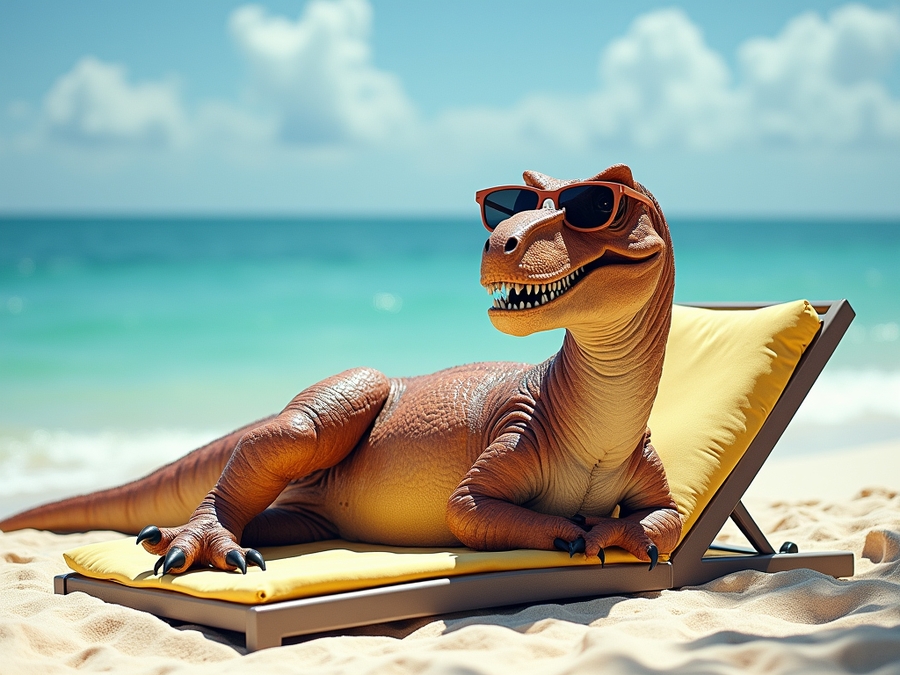
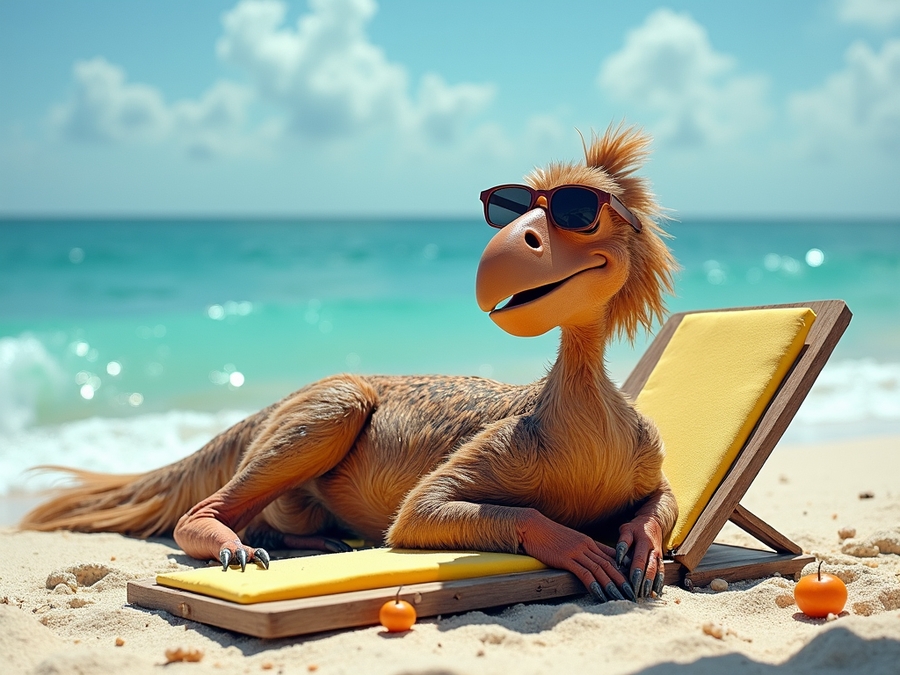
async function main() {
const response = await fetch('https://api.aimlapi.com/v1/images/generations', {
method: 'POST',
headers: {
'Authorization': 'Bearer <YOUR_AIMLAPI_KEY>',
'Content-Type': 'application/json',
},
body: JSON.stringify({
model: 'bytedance/seedream-v4-text-to-image',
prompt: 'A T-Rex relaxing on a beach, lying on a sun lounger and wearing sunglasses.',
}),
});
const data = await response.json();
console.log(JSON.stringify(data, null, 2));
}
main();{
"data": [
{
"url": "https://cdn.aimlapi.com/generations/hedgehog/1749730923700-29fe35d2-4aef-4bc5-a911-6c39884d16a8.png",
"b64_json": null
}
],
"meta": {
"usage": {
"tokens_used": 120000
}
}
}async function main() {
const response = await fetch('https://api.aimlapi.com/v1/images/generations', {
method: 'POST',
headers: {
'Authorization': 'Bearer <YOUR_AIMLAPI_KEY>',
'Content-Type': 'application/json',
},
body: JSON.stringify({
model: 'flux-realism',
prompt: 'A T-Rex relaxing on a beach, lying on a sun lounger and wearing sunglasses.',
}),
});
const data = await response.json();
console.log(JSON.stringify(data, null, 2));
}
main();{
"data": [
{
"url": "https://cdn.aimlapi.com/generations/hedgehog/1749730923700-29fe35d2-4aef-4bc5-a911-6c39884d16a8.png",
"b64_json": null
}
],
"meta": {
"usage": {
"tokens_used": 120000
}
}
}async function main() {
const response = await fetch('https://api.aimlapi.com/v1/images/generations', {
method: 'POST',
headers: {
'Authorization': 'Bearer <YOUR_AIMLAPI_KEY>',
'Content-Type': 'application/json',
},
body: JSON.stringify({
model: 'flux/srpo',
prompt: 'A T-Rex relaxing on a beach, lying on a sun lounger and wearing sunglasses.',
}),
});
const data = await response.json();
console.log(JSON.stringify(data, null, 2));
}
main();{
"data": [
{
"url": "https://cdn.aimlapi.com/generations/hedgehog/1749730923700-29fe35d2-4aef-4bc5-a911-6c39884d16a8.png",
"b64_json": null
}
],
"meta": {
"usage": {
"tokens_used": 120000
}
}
}async function main() {
const response = await fetch('https://api.aimlapi.com/v1/images/generations', {
method: 'POST',
headers: {
'Authorization': 'Bearer <YOUR_AIMLAPI_KEY>',
'Content-Type': 'application/json',
},
body: JSON.stringify({
model: 'x-ai/grok-2-image',
prompt: 'A T-Rex relaxing on a beach, lying on a sun lounger and wearing sunglasses.',
}),
});
const data = await response.json();
console.log(JSON.stringify(data, null, 2));
}
main();{
"data": [
{
"url": "https://cdn.aimlapi.com/generations/hedgehog/1749730923700-29fe35d2-4aef-4bc5-a911-6c39884d16a8.png",
"b64_json": null
}
],
"meta": {
"usage": {
"tokens_used": 120000
}
}
}async function main() {
const response = await fetch('https://api.aimlapi.com/v1/images/generations', {
method: 'POST',
headers: {
'Authorization': 'Bearer <YOUR_AIMLAPI_KEY>',
'Content-Type': 'application/json',
},
body: JSON.stringify({
"model": "flux/dev/image-to-image",
"prompt": "Add a crown to the T-rex's head.",
"image_url": "https://raw.githubusercontent.com/aimlapi/api-docs/main/reference-files/t-rex.png"
}),
});
const data = await response.json();
console.log(JSON.stringify(data, null, 2));
}
main();{
"data": [
{
"url": "https://cdn.aimlapi.com/generations/hedgehog/1749730923700-29fe35d2-4aef-4bc5-a911-6c39884d16a8.png",
"b64_json": null
}
],
"meta": {
"usage": {
"tokens_used": 120000
}
}
}async function main() {
const response = await fetch('https://api.aimlapi.com/v1/images/generations', {
method: 'POST',
headers: {
'Authorization': 'Bearer <YOUR_AIMLAPI_KEY>',
'Content-Type': 'application/json',
},
body: JSON.stringify({
model: 'blackforestlabs/flux-2-pro',
prompt: 'A T-Rex relaxing on a beach, lying on a sun lounger and wearing sunglasses.',
}),
});
const data = await response.json();
console.log(JSON.stringify(data, null, 2));
}
main();{
"data": [
{
"url": "https://cdn.aimlapi.com/generations/hedgehog/1749730923700-29fe35d2-4aef-4bc5-a911-6c39884d16a8.png",
"b64_json": null
}
],
"meta": {
"usage": {
"tokens_used": 120000
}
}
}async function main() {
const response = await fetch('https://api.aimlapi.com/v1/images/generations', {
method: 'POST',
headers: {
'Authorization': 'Bearer <YOUR_AIMLAPI_KEY>',
'Content-Type': 'application/json',
},
body: JSON.stringify({
model: 'dall-e-2',
prompt: 'A T-Rex relaxing on a beach, lying on a sun lounger and wearing sunglasses.',
}),
});
const data = await response.json();
console.log(JSON.stringify(data, null, 2));
}
main();{
"data": [
{
"url": "https://cdn.aimlapi.com/generations/hedgehog/1749730923700-29fe35d2-4aef-4bc5-a911-6c39884d16a8.png",
"b64_json": null
}
],
"meta": {
"usage": {
"tokens_used": 120000
}
}
}Alibaba Cloud
ByteDance
ByteDance
ByteDance
ByteDance
ByteDance
ByteDance
Flux
Flux
Flux
Flux
Flux
Flux
-
Flux
Flux
Flux
Flux
Flux
Flux
Flux
Flux
Flux
Flux
Flux
Flux
Flux
OpenAI
OpenAI
OpenAI
Recraft AI
Reve
Reve
Reve
Stability AI
Stability AI
Tencent
Topaz Labs
Topaz Labs
xAI
Alibaba Cloud
Alibaba Cloud
Alibaba Cloud

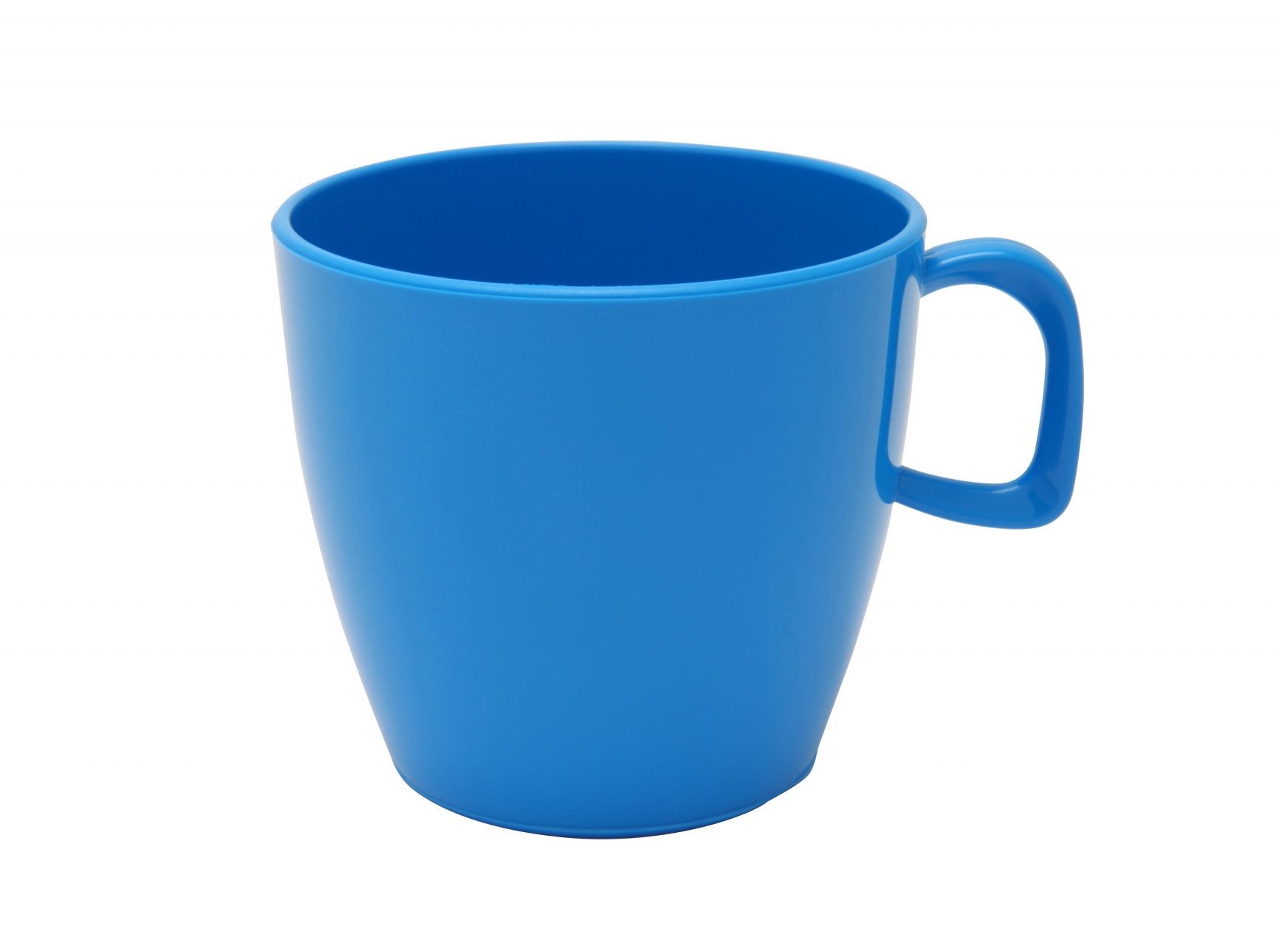


The text prompt describing the content, style, or composition of the image to be generated.
The number of images to generate.
1The same seed and the same prompt given to the same version of the model will output the same image every time.
landscape_4_3The size of the generated image.
The safety tolerance level for the generated image. 1 being the most strict and 5 being the most permissive.
2Possible values: The format of the generated image.
jpegPossible values: If set to True, the safety checker will be enabled.
trueAn array of up to 3 image URLs. The first image is always treated as the primary input for image-to-image generation, while the remaining images (if provided) serve as visual style references for the output.
The size of the generated image.
square_hdThe description of elements to avoid in the generated image.
""The number of inference steps to perform.
28The CFG (Classifier Free Guidance) scale is a measure of how close you want the model to stick to your prompt when looking for a related image to show you.
4The number of images to generate.
1The same seed and the same prompt given to the same version of the model will output the same image every time.
If set to true, the function will wait for the image to be generated and uploaded before returning the response. This will increase the latency of the function but it allows you to get the image directly in the response without going through the CDN.
falseIf set to True, the safety checker will be enabled.
trueThe format of the generated image.
pngPossible values: The text prompt describing the content, style, or composition of the image to be generated.
The text prompt describing the content, style, or composition of the image to be generated.
List of URLs or local Base64 encoded images to edit.
landscape_4_3The size of the generated image.
The format of the generated image.
pngPossible values: If set to True, prompt will be upsampled with more details.
trueThe CFG (Classifier Free Guidance) scale is a measure of how close you want the model to stick to your prompt when looking for a related image to show you.
The number of inference steps to perform.
The speed of the generation. The higher the speed, the faster the generation.
regularPossible values: The same seed and the same prompt given to the same version of the model will output the same image every time.
The number of images to generate.
1If set to True, the safety checker will be enabled.
trueThe text prompt describing the content, style, or composition of the image to be generated.
The number of images to generate.
1The same seed and the same prompt given to the same version of the model will output the same image every time.
The safety tolerance level for the generated image. 1 being the most strict and 5 being the most permissive.
2Possible values: The format of the generated image.
jpegPossible values: If set to True, the safety checker will be enabled.
trueThe aspect ratio of the generated image.
16:9Possible values: Generate less processed, more natural-looking images.
falsePossible values: The text prompt describing the content, style, or composition of the image to be generated.
If True, the URL to the image will be returned; otherwise, the file will be provided in base64 format.
trueThe number of images to generate.
1The same seed and the same prompt given to the same version of the model will output the same image every time.
Optional parameter to use an LLM-based prompt rewriting feature for higher-quality images that better match the original prompt. Disabling it may affect image quality and prompt alignment.
trueThe aspect ratio of the generated image.
1:1Possible values: Allow generation of people.
allow_adultPossible values: Adds a filter level to safety filtering.
block_medium_and_abovePossible values: Add an invisible watermark to the generated images.
falseThe text prompt describing the content, style, or composition of the image to be generated.
The number of images to generate.
1The same seed and the same prompt given to the same version of the model will output the same image every time.
landscape_4_3The size of the generated image.
The number of inference steps to perform.
If set to True, the safety checker will be enabled.
true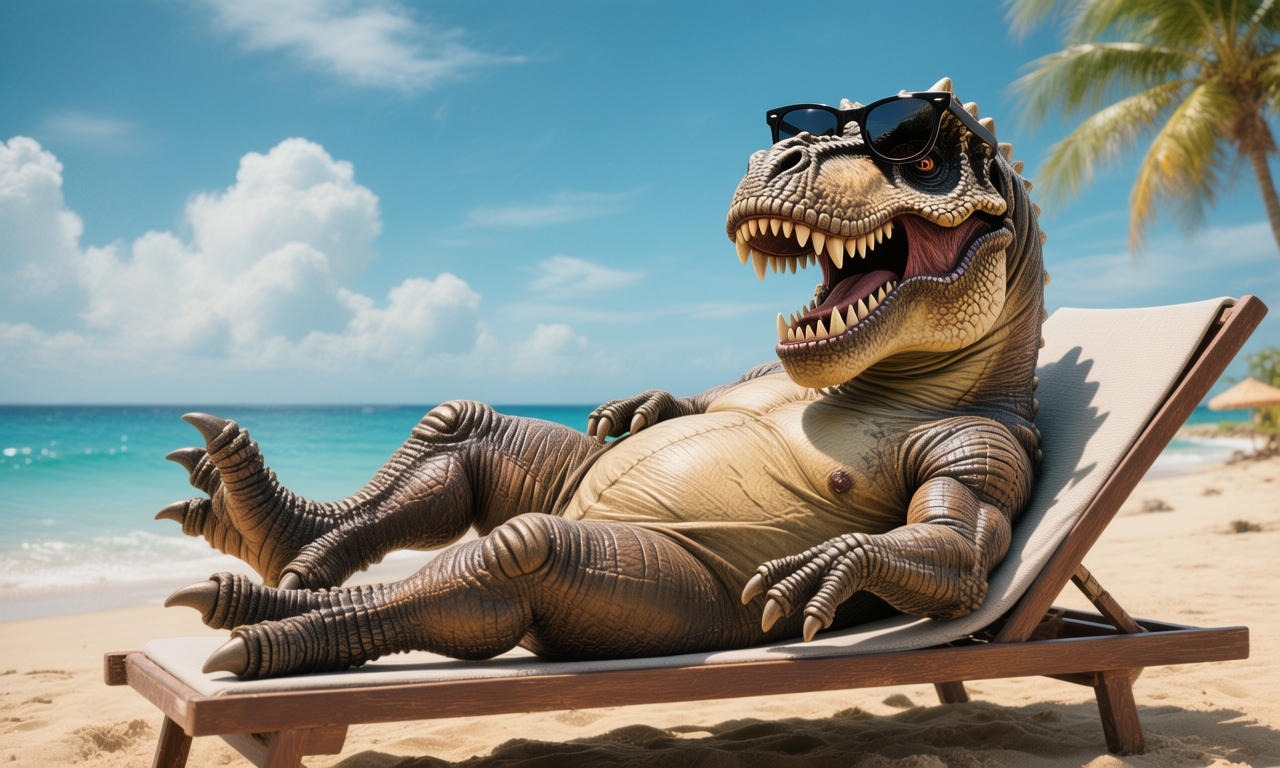
The text prompt describing the content, style, or composition of the image to be generated.
The format in which the generated images are returned.
urlPossible values: Specifies the dimensions (width x height in pixels) of the generated image. Must be between [512x512, 2048x2048].
The same seed and the same prompt given to the same version of the model will output the same image every time.
The CFG (Classifier Free Guidance) scale is a measure of how close you want the model to stick to your prompt when looking for a related image to show you.
Add an invisible watermark to the generated images.
falseThe aspect ratio of the generated image.
3:2Possible values: The text prompt describing the content, style, or composition of the image to be generated.
If True, the URL to the image will be returned; otherwise, the file will be provided in base64 format.
trueThe text prompt describing the content, style, or composition of the image to be generated.
square_hdThe size of the generated image.
The style of the generated images.
realistic_imagePossible values: The number of images to generate.
1Possible values: The text prompt describing the content, style, or composition of the image to be generated.
List of URLs or local Base64 encoded images to edit.
The number of images to generate.
1import requests
url = "https://api.aimlapi.com/v1/images/generations/"
payload = {
"model": "flux/schnell",
"prompt": """
Create a classroom of young robots.
The chalkboard in the classroom has 'AI Is Your Friend' written on it.
"""
}
headers = {
#put your AIML API Key instead of <YOUR_AIMLAPI_KEY>:
"Authorization": "Bearer <YOUR_AIMLAPI_KEY>",
"content-type": "application/json"
}
response = requests.post(url, json=payload, headers=headers)
response.raise_for_status()
print("Generation:", response.json())The URL of the reference image.
The format of the generated image.
jpegPossible values: Specifies which subjects to detect and process. Options: 'All' (detect all subjects), 'Foreground' (detect only foreground subjects), 'Background' (detect background subjects).
AllPossible values: Whether to enhance faces in the image. When true, the model applies face-specific improvements.
trueLevel of creativity for face enhancement (0-1). Higher values allow more creative, less conservative changes.
0How sharp enhanced faces are relative to background (0-1). Lower values blend changes subtly; higher values make faces more pronounced.
0.8Defines the overall intensity of the sharpening effect. Increases details. Too much sharpening can create an unrealistic result.
Removes noisy pixels to increase clarity. Can slightly increase image sharpness.
The text prompt describing the content, style, or composition of the image to be generated.
The number of images to generate.
1The same seed and the same prompt given to the same version of the model will output the same image every time.
The description of elements to avoid in the generated image.
The size of the generated image.
square_hdThe number of inference steps to perform.
28The CFG (Classifier Free Guidance) scale is a measure of how close you want the model to stick to your prompt when looking for a related image to show you.
7.5If set to True, the safety checker will be enabled.
trueIf set to true, the function will wait for the image to be generated and uploaded before returning the response. This will increase the latency of the function but it allows you to get the image directly in the response without going through the CDN.
falseThe format of the generated image.
pngPossible values: If set to True, prompt will be upsampled with more details.
The text prompt describing the content, style, or composition of the image to be generated.
If True, the URL to the image will be returned; otherwise, the file will be provided in base64 format.
trueThe number of images to generate.
1The same seed and the same prompt given to the same version of the model will output the same image every time.
Optional parameter to use an LLM-based prompt rewriting feature for higher-quality images that better match the original prompt. Disabling it may affect image quality and prompt alignment.
trueThe aspect ratio of the generated image.
1:1Possible values: Allow generation of people.
allow_adultPossible values: Adds a filter level to safety filtering.
block_medium_and_abovePossible values: Add an invisible watermark to the generated images.
falseasync function main() {
const response = await fetch('https://api.aimlapi.com/v1/images/generations', {
method: 'POST',
headers: {
'Authorization': 'Bearer <YOUR_AIMLAPI_KEY>',
'Content-Type': 'application/json',
},
body: JSON.stringify({
"model": "topaz-labs/sharpen",
"mode": "Standard",
"image_url": "https://raw.githubusercontent.com/aimlapi/api-docs/main/reference-files/blurred-landscape.png"
}),
});
const data = await response.json();
console.log(JSON.stringify(data, null, 2));
}
main();{
"data": [
{
"url": "https://cdn.aimlapi.com/generations/hedgehog/1749730923700-29fe35d2-4aef-4bc5-a911-6c39884d16a8.png",
"b64_json": null
}
],
"meta": {
"usage": {
"tokens_used": 120000
}
}
}async function main() {
const response = await fetch('https://api.aimlapi.com/v1/images/generations', {
method: 'POST',
headers: {
'Authorization': 'Bearer <YOUR_AIMLAPI_KEY>',
'Content-Type': 'application/json',
},
body: JSON.stringify({
model: 'bytedance/seedream-3.0',
prompt: 'A T-Rex relaxing on a beach, lying on a sun lounger and wearing sunglasses.',
}),
});
const data = await response.json();
console.log(JSON.stringify(data, null, 2));
}
main();{
"data": [
{
"url": "https://cdn.aimlapi.com/generations/hedgehog/1749730923700-29fe35d2-4aef-4bc5-a911-6c39884d16a8.png",
"b64_json": null
}
],
"meta": {
"usage": {
"tokens_used": 120000
}
}
}async function main() {
const response = await fetch('https://api.aimlapi.com/v1/images/generations', {
method: 'POST',
headers: {
'Authorization': 'Bearer <YOUR_AIMLAPI_KEY>',
'Content-Type': 'application/json',
},
body: JSON.stringify({
model: 'reve/create-image',
prompt: 'A T-Rex relaxing on a beach, lying on a sun lounger and wearing sunglasses.',
}),
});
const data = await response.json();
console.log(JSON.stringify(data, null, 2));
}
main();{
"data": [
{
"url": "https://cdn.aimlapi.com/generations/hedgehog/1749730923700-29fe35d2-4aef-4bc5-a911-6c39884d16a8.png",
"b64_json": null
}
],
"meta": {
"usage": {
"tokens_used": 120000
}
}
}async function main() {
const response = await fetch('https://api.aimlapi.com/v1/images/generations', {
method: 'POST',
headers: {
'Authorization': 'Bearer <YOUR_AIMLAPI_KEY>',
'Content-Type': 'application/json',
},
body: JSON.stringify({
model: 'hunyuan/hunyuan-image-v3-text-to-image',
prompt: 'A T-Rex relaxing on a beach, lying on a sun lounger and wearing sunglasses.',
}),
});
const data = await response.json();
console.log(JSON.stringify(data, null, 2));
}
main();{
"data": [
{
"url": "https://cdn.aimlapi.com/generations/hedgehog/1749730923700-29fe35d2-4aef-4bc5-a911-6c39884d16a8.png",
"b64_json": null
}
],
"meta": {
"usage": {
"tokens_used": 120000
}
}
}async function main() {
const response = await fetch('https://api.aimlapi.com/v1/images/generations', {
method: 'POST',
headers: {
'Authorization': 'Bearer <YOUR_AIMLAPI_KEY>',
'Content-Type': 'application/json',
},
body: JSON.stringify({
model: 'recraft-v3',
prompt: 'A T-Rex relaxing on a beach, lying on a sun lounger and wearing sunglasses.',
}),
});
const data = await response.json();
console.log(JSON.stringify(data, null, 2));
}
main();{
"data": [
{
"url": "https://cdn.aimlapi.com/generations/hedgehog/1749730923700-29fe35d2-4aef-4bc5-a911-6c39884d16a8.png",
"b64_json": null
}
],
"meta": {
"usage": {
"tokens_used": 120000
}
}
}async function main() {
const response = await fetch('https://api.aimlapi.com/v1/images/generations', {
method: 'POST',
headers: {
'Authorization': 'Bearer <YOUR_AIMLAPI_KEY>',
'Content-Type': 'application/json',
},
body: JSON.stringify({
model: 'imagen-3.0-generate-002',
prompt: 'A T-Rex relaxing on a beach, lying on a sun lounger and wearing sunglasses.',
}),
});
const data = await response.json();
console.log(JSON.stringify(data, null, 2));
}
main();{
"data": [
{
"url": "https://cdn.aimlapi.com/generations/hedgehog/1749730923700-29fe35d2-4aef-4bc5-a911-6c39884d16a8.png",
"b64_json": null
}
],
"meta": {
"usage": {
"tokens_used": 120000
}
}
}async function main() {
const response = await fetch('https://api.aimlapi.com/v1/images/generations', {
method: 'POST',
headers: {
'Authorization': 'Bearer <YOUR_AIMLAPI_KEY>',
'Content-Type': 'application/json',
},
body: JSON.stringify({
"model": "bytedance/seedream-4-5",
"prompt": "Combine the images so the T-Rex is wearing a business suit, sitting in a cozy small café, drinking from the mug. Blur the background slightly to create a bokeh effect.",
"image_urls": [
"https://raw.githubusercontent.com/aimlapi/api-docs/main/reference-files/t-rex.png",
"https://raw.githubusercontent.com/aimlapi/api-docs/main/reference-files/blue-mug.jpg"
]
}),
});
const data = await response.json();
console.log(JSON.stringify(data, null, 2));
}
main();{
"data": [
{
"url": "https://cdn.aimlapi.com/generations/hedgehog/1749730923700-29fe35d2-4aef-4bc5-a911-6c39884d16a8.png",
"b64_json": null
}
],
"meta": {
"usage": {
"credits_used": 120000
}
}
}async function main() {
const response = await fetch('https://api.aimlapi.com/v1/images/generations', {
method: 'POST',
headers: {
'Authorization': 'Bearer <YOUR_AIMLAPI_KEY>',
'Content-Type': 'application/json',
},
body: JSON.stringify({
"model": "blackforestlabs/flux-2-pro-edit",
"prompt": "Combine the images so the T-Rex is wearing a business suit, sitting in a cozy small café, drinking from the mug. Blur the background slightly to create a bokeh effect.",
"image_urls": [
"https://raw.githubusercontent.com/aimlapi/api-docs/main/reference-files/t-rex.png",
"https://raw.githubusercontent.com/aimlapi/api-docs/main/reference-files/blue-mug.jpg"
]
}),
});
const data = await response.json();
console.log(JSON.stringify(data, null, 2));
}
main();{
"data": [
{
"url": "https://cdn.aimlapi.com/generations/hedgehog/1749730923700-29fe35d2-4aef-4bc5-a911-6c39884d16a8.png",
"b64_json": null
}
],
"meta": {
"usage": {
"tokens_used": 120000
}
}
}async function main() {
const response = await fetch('https://api.aimlapi.com/v1/images/generations', {
method: 'POST',
headers: {
'Authorization': 'Bearer <YOUR_AIMLAPI_KEY>',
'Content-Type': 'application/json',
},
body: JSON.stringify({
model: 'flux-pro/v1.1',
prompt: 'A T-Rex relaxing on a beach, lying on a sun lounger and wearing sunglasses.',
}),
});
const data = await response.json();
console.log(JSON.stringify(data, null, 2));
}
main();{
"data": [
{
"url": "https://cdn.aimlapi.com/generations/hedgehog/1749730923700-29fe35d2-4aef-4bc5-a911-6c39884d16a8.png",
"b64_json": null
}
],
"meta": {
"usage": {
"tokens_used": 120000
}
}
}async function main() {
const response = await fetch('https://api.aimlapi.com/v1/images/generations', {
method: 'POST',
headers: {
'Authorization': 'Bearer <YOUR_AIMLAPI_KEY>',
'Content-Type': 'application/json',
},
body: JSON.stringify({
model: 'flux-pro/v1.1-ultra',
prompt: 'A T-Rex relaxing on a beach, lying on a sun lounger and wearing sunglasses.',
}),
});
const data = await response.json();
console.log(JSON.stringify(data, null, 2));
}
main();{
"data": [
{
"url": "https://cdn.aimlapi.com/generations/hedgehog/1749730923700-29fe35d2-4aef-4bc5-a911-6c39884d16a8.png",
"b64_json": null
}
],
"meta": {
"usage": {
"tokens_used": 120000
}
}
}async function main() {
const response = await fetch('https://api.aimlapi.com/v1/images/generations', {
method: 'POST',
headers: {
'Authorization': 'Bearer <YOUR_AIMLAPI_KEY>',
'Content-Type': 'application/json',
},
body: JSON.stringify({
model: 'imagen-4.0-ultra-generate-preview-06-06',
prompt: 'A T-Rex relaxing on a beach, lying on a sun lounger and wearing sunglasses.',
}),
});
const data = await response.json();
console.log(JSON.stringify(data, null, 2));
}
main();{
"data": [
{
"url": "https://cdn.aimlapi.com/generations/hedgehog/1749730923700-29fe35d2-4aef-4bc5-a911-6c39884d16a8.png",
"b64_json": null
}
],
"meta": {
"usage": {
"tokens_used": 120000
}
}
}async function main() {
const response = await fetch('https://api.aimlapi.com/v1/images/generations', {
method: 'POST',
headers: {
'Authorization': 'Bearer <YOUR_AIMLAPI_KEY>',
'Content-Type': 'application/json',
},
body: JSON.stringify({
model: 'flux/schnell',
prompt: 'A T-Rex relaxing on a beach, lying on a sun lounger and wearing sunglasses.',
}),
});
const data = await response.json();
console.log(JSON.stringify(data, null, 2));
}
main();{
"data": [
{
"url": "https://cdn.aimlapi.com/generations/hedgehog/1749730923700-29fe35d2-4aef-4bc5-a911-6c39884d16a8.png",
"b64_json": null
}
],
"meta": {
"usage": {
"tokens_used": 120000
}
}
}{
"data": [
{
"url": "https://cdn.aimlapi.com/generations/hedgehog/1749730923700-29fe35d2-4aef-4bc5-a911-6c39884d16a8.png",
"b64_json": null
}
],
"meta": {
"usage": {
"tokens_used": 120000
}
}
}async function main() {
const response = await fetch('https://api.aimlapi.com/v1/images/generations', {
method: 'POST',
headers: {
'Authorization': 'Bearer <YOUR_AIMLAPI_KEY>',
'Content-Type': 'application/json',
},
body: JSON.stringify({
"model": "bytedance/uso",
"prompt": "Combine the images so the T-Rex is wearing a business suit, sitting in a cozy small café, drinking from the mug. Blur the background slightly to create a bokeh effect.",
"image_urls": [
"https://raw.githubusercontent.com/aimlapi/api-docs/main/reference-files/t-rex.png",
"https://raw.githubusercontent.com/aimlapi/api-docs/main/reference-files/blue-mug.jpg"
]
}),
});
const data = await response.json();
console.log(JSON.stringify(data, null, 2));
}
main();{
"data": [
{
"url": "https://cdn.aimlapi.com/generations/hedgehog/1749730923700-29fe35d2-4aef-4bc5-a911-6c39884d16a8.png",
"b64_json": null
}
],
"meta": {
"usage": {
"tokens_used": 120000
}
}
}async function main() {
const response = await fetch('https://api.aimlapi.com/v1/images/generations', {
method: 'POST',
headers: {
'Authorization': 'Bearer <YOUR_AIMLAPI_KEY>',
'Content-Type': 'application/json',
},
body: JSON.stringify({
"model": "blackforestlabs/flux-2-lora-edit",
"prompt": "Combine the images so the T-Rex is wearing a business suit, sitting in a cozy small café, drinking from the mug. Blur the background slightly to create a bokeh effect.",
"image_urls": [
"https://raw.githubusercontent.com/aimlapi/api-docs/main/reference-files/t-rex.png",
"https://raw.githubusercontent.com/aimlapi/api-docs/main/reference-files/blue-mug.jpg"
]
}),
});
const data = await response.json();
console.log(JSON.stringify(data, null, 2));
}
main();The text prompt describing the content, style, or composition of the image to be generated.
landscape_4_3The size of the generated image.
The format of the generated image.
pngPossible values: If set to True, prompt will be upsampled with more details.
trueThe number of images to generate.
1The same seed and the same prompt given to the same version of the model will output the same image every time.
The CFG (Classifier Free Guidance) scale is a measure of how close you want the model to stick to your prompt when looking for a related image to show you.
The number of inference steps to perform.
The speed of the generation. The higher the speed, the faster the generation.
regularPossible values: If set to True, the safety checker will be enabled.
trueThe image to be edited. Enter the Base64 encoding of the picture or an accessible URL. Image URL: Make sure that the image URL is accessible. Base64-encoded content: The format must be in lowercase.
The model checks the size of the input picture against its internal size table and picks the closest match as the output picture size.
adaptivePossible values: The text prompt describing the content, style, or composition of the image to be generated.
The format in which the generated images are returned.
urlPossible values: The same seed and the same prompt given to the same version of the model will output the same image every time.
The CFG (Classifier Free Guidance) scale is a measure of how close you want the model to stick to your prompt when looking for a related image to show you.
Add an invisible watermark to the generated images.
falseThe text prompt describing the content, style, or composition of the image to be generated.
landscape_4_3The size of the generated image.
The format of the generated image.
pngPossible values: If set to True, prompt will be upsampled with more details.
trueThe number of images to generate.
1The same seed and the same prompt given to the same version of the model will output the same image every time.
The CFG (Classifier Free Guidance) scale is a measure of how close you want the model to stick to your prompt when looking for a related image to show you.
The number of inference steps to perform.
The speed of the generation. The higher the speed, the faster the generation.
regularPossible values: If set to True, the safety checker will be enabled.
trueThe text prompt describing the content, style, or composition of the image to be generated.
If True, the URL to the image will be returned; otherwise, the file will be provided in base64 format.
trueThe number of images to generate.
1The same seed and the same prompt given to the same version of the model will output the same image every time.
Optional parameter to use an LLM-based prompt rewriting feature for higher-quality images that better match the original prompt. Disabling it may affect image quality and prompt alignment.
trueThe aspect ratio of the generated image.
1:1Possible values: Allow generation of people.
allow_adultPossible values: Adds a filter level to safety filtering.
block_medium_and_abovePossible values: Add an invisible watermark to the generated images.
falseThe text prompt describing the content, style, or composition of the image to be generated.
List of URLs or local Base64 encoded images to edit.
landscape_4_3The size of the generated image.
The format of the generated image.
pngPossible values: If set to True, prompt will be upsampled with more details.
trueThe CFG (Classifier Free Guidance) scale is a measure of how close you want the model to stick to your prompt when looking for a related image to show you.
The number of inference steps to perform.
The speed of the generation. The higher the speed, the faster the generation.
regularPossible values: The same seed and the same prompt given to the same version of the model will output the same image every time.
The number of images to generate.
1If set to True, the safety checker will be enabled.
trueThe text prompt describing the content, style, or composition of the image to be generated.
The number of images to generate.
1The same seed and the same prompt given to the same version of the model will output the same image every time.
landscape_4_3The size of the generated image.
The number of inference steps to perform.
The CFG (Classifier Free Guidance) scale is a measure of how close you want the model to stick to your prompt when looking for a related image to show you.
The safety tolerance level for the generated image. 1 being the most strict and 5 being the most permissive.
2Possible values: The format of the generated image.
jpegPossible values: The URL of the reference image.
The format of the generated image.
jpegPossible values: Specifies which subjects to detect and process. Options: 'All' (detect all subjects), 'Foreground' (detect only foreground subjects), 'Background' (detect background subjects).
AllPossible values: Whether to enhance faces in the image. When true, the model applies face-specific improvements.
trueLevel of creativity for face enhancement (0-1). Higher values allow more creative, less conservative changes.
0How sharp enhanced faces are relative to background (0-1). Lower values blend changes subtly; higher values make faces more pronounced.
0.8Defines the overall intensity of the sharpening effect. Increases details. Too much sharpening can create an unrealistic result.
Corrects images that are missing detail by downscaling your image then upscaling the results back to the original size. Use on very blurry images!
Optional fixed seed for repeatable results.
The text prompt describing the content, style, or composition of the image to be generated.
The number of images to generate.
1The same seed and the same prompt given to the same version of the model will output the same image every time.
square_hdThe size of the generated image.
The description of elements to avoid in the generated image.
The CFG (Classifier Free Guidance) scale is a measure of how close you want the model to stick to your prompt when looking for a related image to show you.
The number of inference steps to perform.
If set to True, the safety checker will be enabled.
trueThe format of the generated image.
jpegPossible values: List of URLs or local Base64 encoded images to edit.
The size of the generated image.
square_hdThe same seed and the same prompt given to the same version of the model will output the same image every time.
If set to true, the function will wait for the image to be generated and uploaded before returning the response. This will increase the latency of the function but it allows you to get the image directly in the response without going through the CDN.
falseIf set to True, the safety checker will be enabled.
trueThe text prompt describing the content, style, or composition of the image to be generated.
The number of images to generate.
1The text prompt describing the content, style, or composition of the image to be generated.
The number of images to generate.
1The same seed and the same prompt given to the same version of the model will output the same image every time.
square_hdThe size of the generated image.
The description of elements to avoid in the generated image.
If set to True, prompt will be upsampled with more details.
The CFG (Classifier Free Guidance) scale is a measure of how close you want the model to stick to your prompt when looking for a related image to show you.
The number of inference steps to perform.
If set to True, the safety checker will be enabled.
trueThe text prompt describing the content, style, or composition of the image to be generated.
If True, the URL to the image will be returned; otherwise, the file will be provided in base64 format.
trueThe number of images to generate.
1The same seed and the same prompt given to the same version of the model will output the same image every time.
Optional parameter to use an LLM-based prompt rewriting feature for higher-quality images that better match the original prompt. Disabling it may affect image quality and prompt alignment.
trueThe aspect ratio of the generated image.
1:1Possible values: Allow generation of people.
allow_adultPossible values: Adds a filter level to safety filtering.
block_medium_and_abovePossible values: Add an invisible watermark to the generated images.
falseThe text prompt describing the content, style, or composition of the image to be generated.
Number of image variations to generate. Each image is a different attempt to combine the reference images (from the image_url parameter) according to the prompt.
1The same seed and the same prompt given to the same version of the model will output the same image every time.
The CFG (Classifier Free Guidance) scale is a measure of how close you want the model to stick to your prompt when looking for a related image to show you.
The safety tolerance level for the generated image. 1 being the most strict and 5 being the most permissive.
2Possible values: The format of the generated image.
jpegPossible values: The aspect ratio of the generated image.
16:9Possible values: One or more image URLs used as visual references. The model merges them into a single image following the prompt instructions.
The text prompt describing the content, style, or composition of the image to be generated.
Number of image variations to generate. Each image is a different attempt to combine the reference images (from the image_url parameter) according to the prompt.
1The same seed and the same prompt given to the same version of the model will output the same image every time.
The CFG (Classifier Free Guidance) scale is a measure of how close you want the model to stick to your prompt when looking for a related image to show you.
The safety tolerance level for the generated image. 1 being the most strict and 5 being the most permissive.
2Possible values: The format of the generated image.
jpegPossible values: The aspect ratio of the generated image.
16:9Possible values: One or more image URLs used as visual references. The model merges them into a single image following the prompt instructions.
The text prompt describing the content, style, or composition of the image to be generated.
The number of images to generate.
1The same seed and the same prompt given to the same version of the model will output the same image every time.
The CFG (Classifier Free Guidance) scale is a measure of how close you want the model to stick to your prompt when looking for a related image to show you.
The safety tolerance level for the generated image. 1 being the most strict and 5 being the most permissive.
2Possible values: The format of the generated image.
jpegPossible values: The aspect ratio of the generated image.
16:9Possible values: The text prompt describing the content, style, or composition of the image to be generated.
The number of images to generate.
1Possible values: The quality of the image that will be generated.
standardPossible values: The size of the generated image.
1024x1024Possible values: The style of the generated images.
vividPossible values: The format in which the generated images are returned.
urlPossible values: The text prompt describing the content, style, or composition of the image to be generated.
The aspect ratio of the generated image.
1:1Possible values: The size of the generated image.
1KPossible values: The number of images to generate.
1The text prompt describing the content, style, or composition of the image to be generated.
The number of images to generate.
1The same seed and the same prompt given to the same version of the model will output the same image every time.
landscape_4_3The size of the generated image.
The CFG (Classifier Free Guidance) scale is a measure of how close you want the model to stick to your prompt when looking for a related image to show you.
The number of inference steps to perform.
If set to True, the safety checker will be enabled.
trueThe text prompt describing the content, style, or composition of the image to be generated.
The number of images to generate.
1The text prompt describing the content, style, or composition of the image to be generated.
If True, the URL to the image will be returned; otherwise, the file will be provided in base64 format.
trueThe number of images to generate.
1The same seed and the same prompt given to the same version of the model will output the same image every time.
Optional parameter to use an LLM-based prompt rewriting feature for higher-quality images that better match the original prompt. Disabling it may affect image quality and prompt alignment.
trueThe aspect ratio of the generated image.
1:1Possible values: Allow generation of people.
allow_adultPossible values: Adds a filter level to safety filtering.
block_medium_and_abovePossible values: Add an invisible watermark to the generated images.
falseThe text prompt describing the content, style, or composition of the image to be generated.
If True, the URL to the image will be returned; otherwise, the file will be provided in base64 format.
trueThe number of images to generate.
1The same seed and the same prompt given to the same version of the model will output the same image every time.
Optional parameter to use an LLM-based prompt rewriting feature for higher-quality images that better match the original prompt. Disabling it may affect image quality and prompt alignment.
trueThe aspect ratio of the generated image.
1:1Possible values: Allow generation of people.
allow_adultPossible values: Adds a filter level to safety filtering.
block_medium_and_abovePossible values: Add an invisible watermark to the generated images.
falseThe text prompt describing the content, style, or composition of the image to be generated.
The number of images to generate.
1The same seed and the same prompt given to the same version of the model will output the same image every time.
The number of inference steps to perform.
40The CFG (Classifier Free Guidance) scale is a measure of how close you want the model to stick to your prompt when looking for a related image to show you.
4.5If set to true, the function will wait for the image to be generated and uploaded before returning the response. This will increase the latency of the function but it allows you to get the image directly in the response without going through the CDN.
falseIf set to True, the safety checker will be enabled.
trueThe format of the generated image.
jpegPossible values: The speed of the generation. The higher the speed, the faster the generation.
regularPossible values: The URL of the reference image.
Determines how much the prompt influences the generated image.
0.95async function main() {
const response = await fetch('https://api.aimlapi.com/v1/images/generations', {
method: 'POST',
headers: {
'Authorization': 'Bearer <YOUR_AIMLAPI_KEY>',
'Content-Type': 'application/json',
},
body: JSON.stringify({
model: 'flux/kontext-pro/text-to-image',
prompt: 'A T-Rex relaxing on a beach, lying on a sun lounger and wearing sunglasses.',
}),
});
const data = await response.json();
console.log(JSON.stringify(data, null, 2));
}
main();{
"data": [
{
"url": "https://cdn.aimlapi.com/generations/hedgehog/1749730923700-29fe35d2-4aef-4bc5-a911-6c39884d16a8.png",
"b64_json": null
}
],
"meta": {
"usage": {
"tokens_used": 120000
}
}
}async function main() {
const response = await fetch('https://api.aimlapi.com/v1/images/generations', {
method: 'POST',
headers: {
'Authorization': 'Bearer <YOUR_AIMLAPI_KEY>',
'Content-Type': 'application/json',
},
body: JSON.stringify({
model: 'google/imagen-4.0-generate-001',
prompt: 'A T-Rex relaxing on a beach, lying on a sun lounger and wearing sunglasses.',
}),
});
const data = await response.json();
console.log(JSON.stringify(data, null, 2));
}
main();{
"data": [
{
"url": "https://cdn.aimlapi.com/generations/hedgehog/1749730923700-29fe35d2-4aef-4bc5-a911-6c39884d16a8.png",
"b64_json": null
}
],
"meta": {
"usage": {
"tokens_used": 120000
}
}
}async function main() {
const response = await fetch('https://api.aimlapi.com/v1/images/generations', {
method: 'POST',
headers: {
'Authorization': 'Bearer <YOUR_AIMLAPI_KEY>',
'Content-Type': 'application/json',
},
body: JSON.stringify({
model: 'dall-e-3',
prompt: 'A T-Rex relaxing on a beach, lying on a sun lounger and wearing sunglasses.',
}),
});
const data = await response.json();
console.log(JSON.stringify(data, null, 2));
}
main();{
"data": [
{
"url": "https://cdn.aimlapi.com/generations/hedgehog/1749730923700-29fe35d2-4aef-4bc5-a911-6c39884d16a8.png",
"b64_json": null
}
],
"meta": {
"usage": {
"tokens_used": 120000
}
}
}async function main() {
const response = await fetch('https://api.aimlapi.com/v1/images/generations', {
method: 'POST',
headers: {
'Authorization': 'Bearer <YOUR_AIMLAPI_KEY>',
'Content-Type': 'application/json',
},
body: JSON.stringify({
model: 'google/imagen4/preview',
prompt: 'A T-Rex relaxing on a beach, lying on a sun lounger and wearing sunglasses.',
}),
});
const data = await response.json();
console.log(JSON.stringify(data, null, 2));
}
main();{
"data": [
{
"url": "https://cdn.aimlapi.com/generations/hedgehog/1749730923700-29fe35d2-4aef-4bc5-a911-6c39884d16a8.png",
"b64_json": null
}
],
"meta": {
"usage": {
"tokens_used": 120000
}
}
}async function main() {
const response = await fetch('https://api.aimlapi.com/v1/images/generations', {
method: 'POST',
headers: {
'Authorization': 'Bearer <YOUR_AIMLAPI_KEY>',
'Content-Type': 'application/json',
},
body: JSON.stringify({
model: 'google/nano-banana-pro',
prompt: 'A T-Rex relaxing on a beach, lying on a sun lounger and wearing sunglasses.',
}),
});
const data = await response.json();
console.log(JSON.stringify(data, null, 2));
}
main();{
"data": [
{
"url": "https://cdn.aimlapi.com/generations/hedgehog/1749730923700-29fe35d2-4aef-4bc5-a911-6c39884d16a8.png",
"b64_json": null
}
],
"meta": {
"usage": {
"credits_used": 120000
}
}
}async function main() {
const response = await fetch('https://api.aimlapi.com/v1/images/generations', {
method: 'POST',
headers: {
'Authorization': 'Bearer <YOUR_AIMLAPI_KEY>',
'Content-Type': 'application/json',
},
body: JSON.stringify({
model: 'flux/dev',
prompt: 'A T-Rex relaxing on a beach, lying on a sun lounger and wearing sunglasses.',
}),
});
const data = await response.json();
console.log(JSON.stringify(data, null, 2));
}
main();{
"data": [
{
"url": "https://cdn.aimlapi.com/generations/hedgehog/1749730923700-29fe35d2-4aef-4bc5-a911-6c39884d16a8.png",
"b64_json": null
}
],
"meta": {
"usage": {
"tokens_used": 120000
}
}
}async function main() {
const response = await fetch('https://api.aimlapi.com/v1/images/generations', {
method: 'POST',
headers: {
'Authorization': 'Bearer <YOUR_AIMLAPI_KEY>',
'Content-Type': 'application/json',
},
body: JSON.stringify({
"model": "flux/srpo/image-to-image",
"prompt": "Add a crown to the T-rex's head.",
"image_url": "https://raw.githubusercontent.com/aimlapi/api-docs/main/reference-files/t-rex.png"
}),
});
const data = await response.json();
console.log(JSON.stringify(data, null, 2));
}
main();{
"data": [
{
"url": "https://cdn.aimlapi.com/generations/hedgehog/1749730923700-29fe35d2-4aef-4bc5-a911-6c39884d16a8.png",
"b64_json": null
}
],
"meta": {
"usage": {
"tokens_used": 120000
}
}
}async function main() {
const response = await fetch('https://api.aimlapi.com/v1/images/generations', {
method: 'POST',
headers: {
'Authorization': 'Bearer <YOUR_AIMLAPI_KEY>',
'Content-Type': 'application/json',
},
body: JSON.stringify({
model: 'google/gemini-2.5-flash-image',
prompt: 'A T-Rex relaxing on a beach, lying on a sun lounger and wearing sunglasses.',
}),
});
const data = await response.json();
console.log(JSON.stringify(data, null, 2));
}
main();{
"data": [
{
"url": "https://cdn.aimlapi.com/generations/hedgehog/1749730923700-29fe35d2-4aef-4bc5-a911-6c39884d16a8.png",
"b64_json": null
}
],
"meta": {
"usage": {
"tokens_used": 120000
}
}
}async function main() {
const response = await fetch('https://api.aimlapi.com/v1/images/generations', {
method: 'POST',
headers: {
'Authorization': 'Bearer <YOUR_AIMLAPI_KEY>',
'Content-Type': 'application/json',
},
body: JSON.stringify({
"model": "google/gemini-2.5-flash-image-edit",
"prompt": "Combine the images so the T-Rex is wearing a business suit, sitting in a cozy small café, drinking from the mug. Blur the background slightly to create a bokeh effect.",
"image_urls": [
"https://raw.githubusercontent.com/aimlapi/api-docs/main/reference-files/t-rex.png",
"https://raw.githubusercontent.com/aimlapi/api-docs/main/reference-files/blue-mug.jpg"
]
}),
});
const data = await response.json();
console.log(JSON.stringify(data, null, 2));
}
main();{
"data": [
{
"url": "https://cdn.aimlapi.com/generations/hedgehog/1749730923700-29fe35d2-4aef-4bc5-a911-6c39884d16a8.png",
"b64_json": null
}
],
"meta": {
"usage": {
"tokens_used": 120000
}
}
}async function main() {
const response = await fetch('https://api.aimlapi.com/v1/images/generations', {
method: 'POST',
headers: {
'Authorization': 'Bearer <YOUR_AIMLAPI_KEY>',
'Content-Type': 'application/json',
},
body: JSON.stringify({
model: 'blackforestlabs/flux-2',
prompt: 'A T-Rex relaxing on a beach, lying on a sun lounger and wearing sunglasses.',
}),
});
const data = await response.json();
console.log(JSON.stringify(data, null, 2));
}
main();{
"data": [
{
"url": "https://cdn.aimlapi.com/generations/hedgehog/1749730923700-29fe35d2-4aef-4bc5-a911-6c39884d16a8.png",
"b64_json": null
}
],
"meta": {
"usage": {
"tokens_used": 120000
}
}
}async function main() {
const response = await fetch('https://api.aimlapi.com/v1/images/generations', {
method: 'POST',
headers: {
'Authorization': 'Bearer <YOUR_AIMLAPI_KEY>',
'Content-Type': 'application/json',
},
body: JSON.stringify({
"model": "bytedance/seededit-3.0-i2i",
"prompt": "Add a crown to the T-rex's head.",
"image": "https://raw.githubusercontent.com/aimlapi/api-docs/main/reference-files/t-rex.png"
}),
});
const data = await response.json();
console.log(JSON.stringify(data, null, 2));
}
main();{
"data": [
{
"url": "https://cdn.aimlapi.com/generations/hedgehog/1749730923700-29fe35d2-4aef-4bc5-a911-6c39884d16a8.png",
"b64_json": null
}
],
"meta": {
"usage": {
"tokens_used": 120000
}
}
}async function main() {
const response = await fetch('https://api.aimlapi.com/v1/images/generations', {
method: 'POST',
headers: {
'Authorization': 'Bearer <YOUR_AIMLAPI_KEY>',
'Content-Type': 'application/json',
},
body: JSON.stringify({
model: 'blackforestlabs/flux-2-lora',
prompt: 'A T-Rex relaxing on a beach, lying on a sun lounger and wearing sunglasses.',
}),
});
const data = await response.json();
console.log(JSON.stringify(data, null, 2));
}
main();{
"data": [
{
"url": "https://cdn.aimlapi.com/generations/hedgehog/1749730923700-29fe35d2-4aef-4bc5-a911-6c39884d16a8.png",
"b64_json": null
}
],
"meta": {
"usage": {
"tokens_used": 120000
}
}
}async function main() {
const response = await fetch('https://api.aimlapi.com/v1/images/generations', {
method: 'POST',
headers: {
'Authorization': 'Bearer <YOUR_AIMLAPI_KEY>',
'Content-Type': 'application/json',
},
body: JSON.stringify({
model: 'google/imagen-4.0-fast-generate-001',
prompt: 'A T-Rex relaxing on a beach, lying on a sun lounger and wearing sunglasses.',
}),
});
const data = await response.json();
console.log(JSON.stringify(data, null, 2));
}
main();{
"data": [
{
"url": "https://cdn.aimlapi.com/generations/hedgehog/1749730923700-29fe35d2-4aef-4bc5-a911-6c39884d16a8.png",
"b64_json": null
}
],
"meta": {
"usage": {
"tokens_used": 120000
}
}
}async function main() {
const response = await fetch('https://api.aimlapi.com/v1/images/generations', {
method: 'POST',
headers: {
'Authorization': 'Bearer <YOUR_AIMLAPI_KEY>',
'Content-Type': 'application/json',
},
body: JSON.stringify({
model: 'flux-pro',
prompt: 'A T-Rex relaxing on a beach, lying on a sun lounger and wearing sunglasses.',
}),
});
const data = await response.json();
console.log(JSON.stringify(data, null, 2));
}
main();{
"data": [
{
"url": "https://cdn.aimlapi.com/generations/hedgehog/1749730923700-29fe35d2-4aef-4bc5-a911-6c39884d16a8.png",
"b64_json": null
}
],
"meta": {
"usage": {
"tokens_used": 120000
}
}
}async function main() {
const response = await fetch('https://api.aimlapi.com/v1/images/generations', {
method: 'POST',
headers: {
'Authorization': 'Bearer <YOUR_AIMLAPI_KEY>',
'Content-Type': 'application/json',
},
body: JSON.stringify({
"model": "topaz-labs/sharpen-gen",
"mode": "Super Focus",
"image_url": "https://raw.githubusercontent.com/aimlapi/api-docs/main/reference-files/blurred-landscape.png"
}),
});
const data = await response.json();
console.log(JSON.stringify(data, null, 2));
}
main();{
"data": [
{
"url": "https://cdn.aimlapi.com/generations/hedgehog/1749730923700-29fe35d2-4aef-4bc5-a911-6c39884d16a8.png",
"b64_json": null
}
],
"meta": {
"usage": {
"tokens_used": 120000
}
}
}async function main() {
const response = await fetch('https://api.aimlapi.com/v1/images/generations', {
method: 'POST',
headers: {
'Authorization': 'Bearer <YOUR_AIMLAPI_KEY>',
'Content-Type': 'application/json',
},
body: JSON.stringify({
model: 'stable-diffusion-v35-large',
prompt: 'A T-Rex relaxing on a beach, lying on a sun lounger and wearing sunglasses.',
}),
});
const data = await response.json();
console.log(JSON.stringify(data, null, 2));
}
main();{
"data": [
{
"url": "https://cdn.aimlapi.com/generations/hedgehog/1749730923700-29fe35d2-4aef-4bc5-a911-6c39884d16a8.png",
"b64_json": null
}
],
"meta": {
"usage": {
"tokens_used": 120000
}
}
}async function main() {
const response = await fetch('https://api.aimlapi.com/v1/images/generations', {
method: 'POST',
headers: {
'Authorization': 'Bearer <YOUR_AIMLAPI_KEY>',
'Content-Type': 'application/json',
},
body: JSON.stringify({
model: 'stable-diffusion-v3-medium',
prompt: 'A T-Rex relaxing on a beach, lying on a sun lounger and wearing sunglasses.',
}),
});
const data = await response.json();
console.log(JSON.stringify(data, null, 2));
}
main();{
"data": [
{
"url": "https://cdn.aimlapi.com/generations/hedgehog/1749730923700-29fe35d2-4aef-4bc5-a911-6c39884d16a8.png",
"b64_json": null
}
],
"meta": {
"usage": {
"tokens_used": 120000
}
}
}async function main() {
const response = await fetch('https://api.aimlapi.com/v1/images/generations', {
method: 'POST',
headers: {
'Authorization': 'Bearer <YOUR_AIMLAPI_KEY>',
'Content-Type': 'application/json',
},
body: JSON.stringify({
model: 'google/imagen-4.0-ultra-generate-001',
prompt: 'A T-Rex relaxing on a beach, lying on a sun lounger and wearing sunglasses.',
}),
});
const data = await response.json();
console.log(JSON.stringify(data, null, 2));
}
main();{
"data": [
{
"url": "https://cdn.aimlapi.com/generations/hedgehog/1749730923700-29fe35d2-4aef-4bc5-a911-6c39884d16a8.png",
"b64_json": null
}
],
"meta": {
"usage": {
"tokens_used": 120000
}
}
}async function main() {
const response = await fetch('https://api.aimlapi.com/v1/images/generations', {
method: 'POST',
headers: {
'Authorization': 'Bearer <YOUR_AIMLAPI_KEY>',
'Content-Type': 'application/json',
},
body: JSON.stringify({
"model": "flux/kontext-max/image-to-image",
"prompt": "Add a crown to the T-rex's head.",
"image_url": "https://raw.githubusercontent.com/aimlapi/api-docs/main/reference-files/t-rex.png"
}),
});
const data = await response.json();
console.log(JSON.stringify(data, null, 2));
}
main();{
"data": [
{
"url": "https://cdn.aimlapi.com/generations/hedgehog/1749730923700-29fe35d2-4aef-4bc5-a911-6c39884d16a8.png",
"b64_json": null
}
],
"meta": {
"usage": {
"tokens_used": 120000
}
}
}async function main() {
const response = await fetch('https://api.aimlapi.com/v1/images/generations', {
method: 'POST',
headers: {
'Authorization': 'Bearer <YOUR_AIMLAPI_KEY>',
'Content-Type': 'application/json',
},
body: JSON.stringify({
"model": "flux/kontext-pro/image-to-image",
"prompt": "Add a crown to the T-rex's head.",
"image_url": "https://raw.githubusercontent.com/aimlapi/api-docs/main/reference-files/t-rex.png"
}),
});
const data = await response.json();
console.log(JSON.stringify(data, null, 2));
}
main();{
"data": [
{
"url": "https://cdn.aimlapi.com/generations/hedgehog/1749730923700-29fe35d2-4aef-4bc5-a911-6c39884d16a8.png",
"b64_json": null
}
],
"meta": {
"usage": {
"tokens_used": 120000
}
}
}{
"data": [
{
"url": "https://cdn.aimlapi.com/generations/hedgehog/1749730923700-29fe35d2-4aef-4bc5-a911-6c39884d16a8.png",
"b64_json": null
}
],
"meta": {
"usage": {
"tokens_used": 120000
}
}
}async function main() {
const response = await fetch('https://api.aimlapi.com/v1/images/generations', {
method: 'POST',
headers: {
'Authorization': 'Bearer <YOUR_AIMLAPI_KEY>',
'Content-Type': 'application/json',
},
body: JSON.stringify({
"model": "blackforestlabs/flux-2-edit",
"prompt": "Combine the images so the T-Rex is wearing a business suit, sitting in a cozy small café, drinking from the mug. Blur the background slightly to create a bokeh effect.",
"image_urls": [
"https://raw.githubusercontent.com/aimlapi/api-docs/main/reference-files/t-rex.png",
"https://raw.githubusercontent.com/aimlapi/api-docs/main/reference-files/blue-mug.jpg"
]
}),
});
const data = await response.json();
console.log(JSON.stringify(data, null, 2));
}
main();{
"data": [
{
"url": "https://cdn.aimlapi.com/generations/hedgehog/1749730923700-29fe35d2-4aef-4bc5-a911-6c39884d16a8.png",
"b64_json": null
}
],
"meta": {
"usage": {
"tokens_used": 120000
}
}
}async function main() {
const response = await fetch('https://api.aimlapi.com/v1/images/generations', {
method: 'POST',
headers: {
'Authorization': 'Bearer <YOUR_AIMLAPI_KEY>',
'Content-Type': 'application/json',
},
body: JSON.stringify({
"model": "bytedance/seedream-v4-edit",
"prompt": "Combine the images so the T-Rex is wearing a business suit, sitting in a cozy small café, drinking from the mug. Blur the background slightly to create a bokeh effect.",
"image_urls": [
"https://raw.githubusercontent.com/aimlapi/api-docs/main/reference-files/t-rex.png",
"https://raw.githubusercontent.com/aimlapi/api-docs/main/reference-files/blue-mug.jpg"
]
}),
});
const data = await response.json();
console.log(JSON.stringify(data, null, 2));
}
main();Both IDs listed above refer to the same model; we support them for backward compatibility.
Google’s smartest image-to-image model as of the November 2025 preview release. The model takes multiple images as input, with the prompt defining how they are used or combined.
If you don’t have an API key for the AI/ML API yet, feel free to use our .
Let's generate an image of the specified size using two input images and a prompt that defines how they should be edited.
Here’s an example of the output using alternative resolution and aspect_ratio parameters:
The text prompt describing the content, style, or composition of the image to be generated.
Allows to set transparency for the background of the generated image(s). When auto is used, the model will automatically determine the best background for the image. If transparent, the output format needs to support transparency, so it should be set to either png (default value) or webp.
autoPossible values: Control the content-moderation level for images.
autoPossible values: The number of images to generate.
1Possible values: The compression level (0-100%) for the generated images.
100The format of the generated image.
pngPossible values: The quality of the image that will be generated.
mediumPossible values: The size of the generated image.
1024x1024Possible values: The format in which the generated images are returned.
urlPossible values: "Combine the images so the T-Rex is wearing a business suit, sitting in a cozy small café, drinking from the mug. Blur the background slightly to create a bokeh effect."
"aspect_ratio": "16:9", "resolution": "2K"async function main() {
const response = await fetch('https://api.aimlapi.com/v1/images/generations', {
method: 'POST',
headers: {
'Authorization': 'Bearer <YOUR_AIMLAPI_KEY>',
'Content-Type': 'application/json',
},
body: JSON.stringify({
model: 'openai/gpt-image-1',
prompt: 'A T-Rex relaxing on a beach, lying on a sun lounger and wearing sunglasses.',
}),
});
const data = await response.json();
console.log(JSON.stringify(data, null, 2));
}
main();{
"data": [
{
"url": "https://cdn.aimlapi.com/generations/hedgehog/1749730923700-29fe35d2-4aef-4bc5-a911-6c39884d16a8.png",
"b64_json": null
}
],
"meta": {
"usage": {
"tokens_used": 120000
}
}
}import requests
import json
def main():
response = requests.post(
"https://api.aimlapi.com/v1/images/generations",
headers={
# Insert your AIML API Key instead of <YOUR_AIMLAPI_KEY>:
"Authorization": "Bearer <YOUR_AIMLAPI_KEY>",
"Content-Type": "application/json",
},
json={
"model": "google/nano-banana-pro-edit",
"image_urls": [
"https://raw.githubusercontent.com/aimlapi/api-docs/main/reference-files/t-rex.png",
"https://raw.githubusercontent.com/aimlapi/api-docs/main/reference-files/blue-mug.jpg"
],
"prompt": "Combine the images so the T-Rex is wearing a business suit, sitting in a cozy small café, drinking from the mug. Blur the background slightly to create a bokeh effect.",
"aspect_ratio": "16:9",
"resolution": "1K"
}
)
data = response.json()
print(json.dumps(data, indent=2, ensure_ascii=False))
if __name__ == "__main__":
main()async function main() {
const response = await fetch('https://api.aimlapi.com/v1/images/generations', {
method: 'POST',
headers: {
// Insert your AIML API Key instead of <YOUR_AIMLAPI_KEY>:
'Authorization': 'Bearer <YOUR_AIMLAPI_KEY>',
'Content-Type': 'application/json',
},
body: JSON.stringify({
model: 'google/nano-banana-pro-edit',
image_urls: [
'https://raw.githubusercontent.com/aimlapi/api-docs/main/reference-files/t-rex.png',
'https://raw.githubusercontent.com/aimlapi/api-docs/main/reference-files/blue-mug.jpg'
],
prompt: 'Combine the images so the T-Rex is wearing a business suit, sitting in a cozy small café, drinking from the mug. Blur the background slightly to create a bokeh effect.',
aspect_ratio: '1:1',
resolution: '1K'
}),
});
}
main();{
"description": "",
"data": [
{
"url": "https://cdn.aimlapi.com/flamingo/files/b/koala/qnutcal6jcrPr43jMp_Xg.png",
"content_type": "image/png",
"width": null,
"height": null,
"file_name": "qnutcal6jcrPr43jMp_Xg.png"
}
],
"meta": {
"usage": {
"tokens_used": 315000
}
}
}
Bearer key
The URL of the reference image.
The text prompt describing the content, style, or composition of the image to be generated.
If True, the URL to the image will be returned; otherwise, the file will be provided in base64 format.
trueThe format of the generated image.
jsonPossible values: Successfully generated image
Successfully generated image
async function main() {
const response = await fetch('https://api.aimlapi.com/v1/images/generations', {
method: 'POST',
headers: {
'Authorization': 'Bearer <YOUR_AIMLAPI_KEY>',
'Content-Type': 'application/json',
},
body: JSON.stringify({
model: 'reve/edit-image',
prompt: "Add a crown to the T-rex's head.",
image_url: 'https://raw.githubusercontent.com/aimlapi/api-docs/main/reference-files/t-rex.png',
}),
});
const data = await response.json();
console.log(JSON.stringify(data, null, 2));
}
main();{
"data": [
{
"url": "text",
"b64_json": "text"
}
]
}The text prompt describing the content, style, or composition of the image to be generated.
The number of images to generate.
1The same seed and the same prompt given to the same version of the model will output the same image every time.
The CFG (Classifier Free Guidance) scale is a measure of how close you want the model to stick to your prompt when looking for a related image to show you.
The safety tolerance level for the generated image. 1 being the most strict and 5 being the most permissive.
2Possible values: The format of the generated image.
jpegPossible values: The aspect ratio of the generated image.
16:9Possible values: async function main() {
const response = await fetch('https://api.aimlapi.com/v1/images/generations', {
method: 'POST',
headers: {
'Authorization': 'Bearer <YOUR_AIMLAPI_KEY>',
'Content-Type': 'application/json',
},
body: JSON.stringify({
model: 'flux/kontext-max/text-to-image',
prompt: 'A T-Rex relaxing on a beach, lying on a sun lounger and wearing sunglasses.',
}),
});
const data = await response.json();
console.log(JSON.stringify(data, null, 2));
}
main();{
"data": [
{
"url": "https://cdn.aimlapi.com/generations/hedgehog/1749730923700-29fe35d2-4aef-4bc5-a911-6c39884d16a8.png",
"b64_json": null
}
],
"meta": {
"usage": {
"tokens_used": 120000
}
}
}The text prompt describing the content, style, or composition of the image to be generated.
List of URLs or local Base64 encoded images to edit. Supports up to 14 images.
The aspect ratio of the generated image.
1:1Possible values: The size of the generated image.
1KPossible values: The number of images to generate.
1{
"data": [
{
"url": "https://cdn.aimlapi.com/generations/hedgehog/1749730923700-29fe35d2-4aef-4bc5-a911-6c39884d16a8.png",
"b64_json": null
}
],
"meta": {
"usage": {
"credits_used": 120000
}
}
}async function main() {
const response = await fetch('https://api.aimlapi.com/v1/images/generations', {
method: 'POST',
headers: {
'Authorization': 'Bearer <YOUR_AIMLAPI_KEY>',
'Content-Type': 'application/json',
},
body: JSON.stringify({
"model": "google/nano-banana-pro-edit",
"prompt": "Combine the images so the T-Rex is wearing a business suit, sitting in a cozy small café, drinking from the mug. Blur the background slightly to create a bokeh effect.",
"image_urls": [
"https://raw.githubusercontent.com/aimlapi/api-docs/main/reference-files/t-rex.png",
"https://raw.githubusercontent.com/aimlapi/api-docs/main/reference-files/blue-mug.jpg"
]
}),
});
const data = await response.json();
console.log(JSON.stringify(data, null, 2));
}
main();Bearer key
List of URLs or local Base64 encoded images to edit.
The aspect ratio of the generated image.
3:2Possible values: The text prompt describing the content, style, or composition of the image to be generated.
If True, the URL to the image will be returned; otherwise, the file will be provided in base64 format.
trueThe format of the generated image.
jsonPossible values: Successfully generated image
Successfully generated image
async function main() {
const response = await fetch('https://api.aimlapi.com/v1/images/generations', {
method: 'POST',
headers: {
'Authorization': 'Bearer <YOUR_AIMLAPI_KEY>',
'Content-Type': 'application/json',
},
body: JSON.stringify({
model: 'reve/remix-edit-image',
prompt: "Add a crown to the T-rex's head.",
image_urls: ['https://raw.githubusercontent.com/aimlapi/api-docs/main/reference-files/t-rex.png'],
}),
});
const data = await response.json();
console.log(JSON.stringify(data, null, 2));
}
main();{
"data": [
{
"url": "text",
"b64_json": "text"
}
]
}Bearer key
The text prompt describing the content, style, or composition of the image to be generated.
The image(s) to edit. Must be a supported image file or an array of images. Each image should be a png, webp, or jpg file less than 50MB. You can provide up to 16 images.
An additional image whose fully transparent areas (e.g. where alpha is zero) indicate where image should be edited. If there are multiple images provided, the mask will be applied on the first image. Must be a valid PNG file, less than 4MB, and have the same dimensions as image.
Allows to set transparency for the background of the generated image(s). When auto is used, the model will automatically determine the best background for the image. If transparent, the output format needs to support transparency, so it should be set to either png (default value) or webp.
autoPossible values: The number of images to generate.
1The compression level (0-100%) for the generated images.
100The format of the generated image.
pngPossible values: The quality of the image that will be generated.
mediumPossible values: The size of the generated image.
1024x1024Possible values: The format in which the generated images are returned.
urlPossible values: Successfully edited image
Successfully edited image
POST /v1/images/edits HTTP/1.1
Host: api.aimlapi.com
Authorization: Bearer YOUR_SECRET_TOKEN
Content-Type: application/json
Accept: */*
Content-Length: 214
{
"model": "openai/gpt-image-1",
"prompt": "text",
"image": "binary",
"mask": "binary",
"background": "auto",
"n": 1,
"output_compression": 100,
"output_format": "png",
"quality": "medium",
"size": "1024x1024",
"response_format": "url"
}{
"data": [
{
"url": "https://cdn.aimlapi.com/generations/hedgehog/1749730923700-29fe35d2-4aef-4bc5-a911-6c39884d16a8.png",
"b64_json": null
}
],
"meta": {
"usage": {
"credits_used": 120000
}
}
}