v5/image-to-video
This model provides faster image-to-video rendering with consistently sharp, realistic, and cinematic-quality results. This model also generates videos with synchronized audio. For lip-sync input, you may supply text with a predefined voice.
Setup your API Key
If you don’t have an API key for the AI/ML API yet, feel free to use our Quickstart guide.
How to Make a Call
API Schemas
Now, all of our API schemas for video models use our new universal short URL — https://api.aimlapi.com/v2/video/generations.
However, you can still call this model using the legacy URL that includes the vendor name.
Create a video generation task and send it to the server
You can generate a video using this API. In the basic setup, you only need a reference image and a prompt. This endpoint creates and sends a video generation task to the server — and returns a generation ID. For lip-sync input, you may supply text (lip_sync_tts_content) with a predefined voice (lip_sync_tts_speaker).
The text description of the scene, subject, or action to generate in the video.
URL of the image to be used as the first frame of the video.
An enumeration where the short side of the video frame determines the resolution.
720pPossible values: The output video length in seconds. The 1080p quality option does not support 8-second videos.
5Possible values: The description of elements to avoid in the generated video.
The style of the generated video.
Varying the seed integer is a way to get different results for the same other request parameters. Using the same value for an identical request will produce similar results. If unspecified, a random number is chosen.
The text content to be lip-synced in the video.
A predefined system voice used for generating speech in the video.
Retrieve the generated video from the server
After sending a request for video generation, this task is added to the queue. This endpoint lets you check the status of a video generation task using its id, obtained from the endpoint described above.
If the video generation task status is completed, the response will include the final result — with the generated video URL and additional metadata.
Bearer key
<REPLACE_WITH_YOUR_GENERATION_ID>Full Example: Generating and Retrieving the Video From the Server
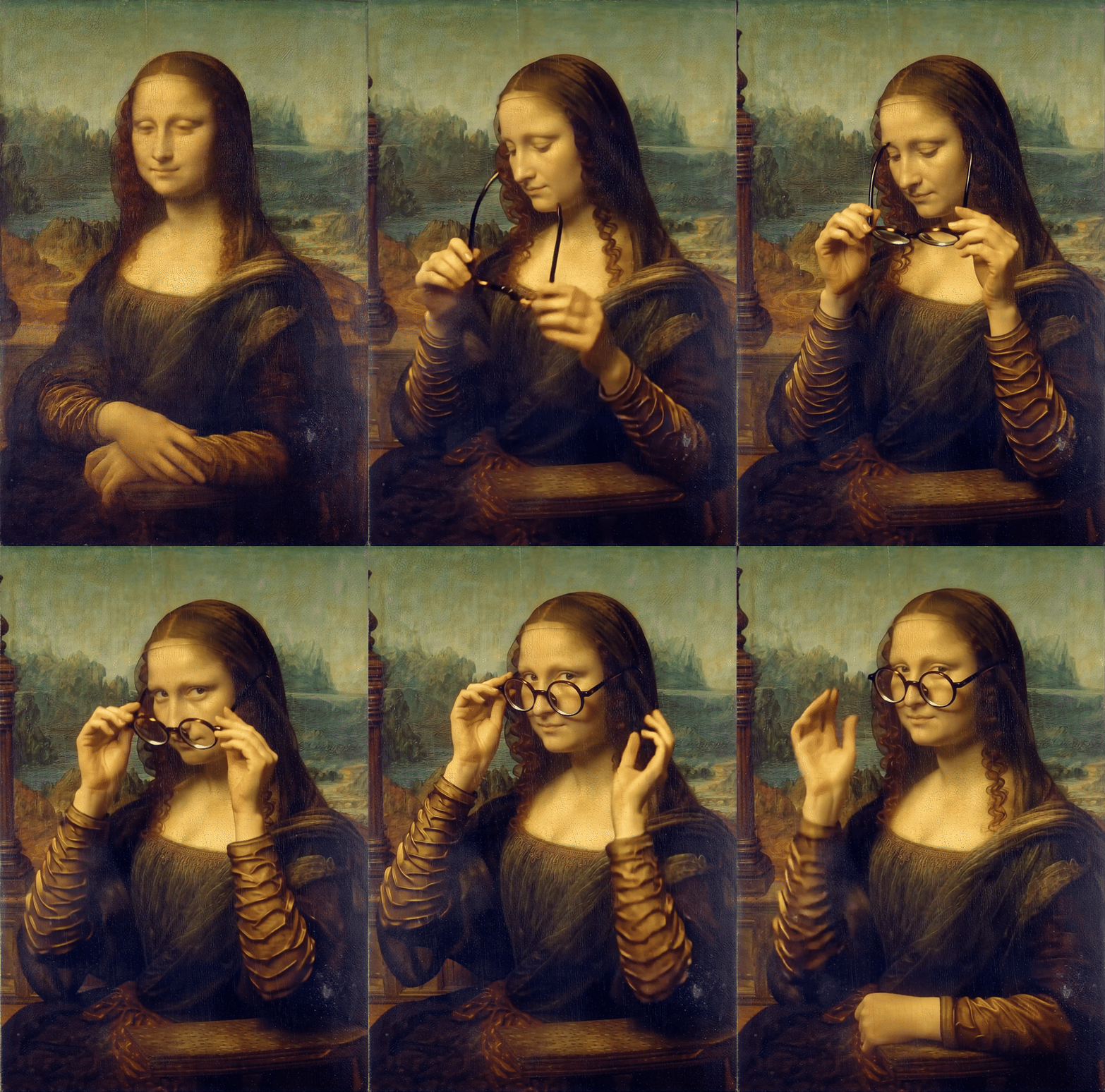
The code below creates a video generation task, then automatically polls the server every 10 seconds until it finally receives the video URL.
Processing time: ~1.5 min.
Original: 864x1280
Low-res GIF preview:

"Mona Lisa puts on glasses with her hands."Full Example #2: Lip-Sync
Now let’s test the parameters related to the lip-sync feature. We’ll generate a video with some character and give them a piece of text to speak. The text goes into the lip_sync_tts_content parameter, and the lip_sync_tts_speaker parameter selects one of the predefined voices.
The code below, just like in the first example, creates a video generation task and then automatically polls the server every 15 seconds until it finally receives the video URL.
Processing time: ~1 min 2 sec.
Generated video (1280x720, with sound):
Last updated
Was this helpful?