> For the complete documentation index, see [llms.txt](https://docs.aimlapi.com/llms.txt). Markdown versions of documentation pages are available by appending `.md` to page URLs; this page is available as [Markdown](https://docs.aimlapi.com/api-references/image-models/openai/gpt-image-2.md).
# GPT Image 2
{% columns %}
{% column width="66.66666666666666%" %}
{% hint style="info" %}
This documentation is valid for the following list of our models:
* `openai/gpt-image-2`
{% endhint %}
{% endcolumn %}
{% column width="33.33333333333334%" %} Try in Playground
{% endcolumn %}
{% endcolumns %}
## Model Overview
As of late April 2026, this is the most advanced and capable image generation model available from OpenAI. It is designed for high-quality text-to-image generation and image editing, supporting prompt-based rendering, structured edits, and efficient token usage with caching.
## How to Make a Call
Step-by-Step Instructions
:digit\_one: **Setup You Can’t Skip**
:black\_small\_square: [**Create an Account**](https://aimlapi.com/app/sign-up): Visit the AI/ML API website and create an account (if you don’t have one yet).\
:black\_small\_square: [**Generate an API Key**](https://aimlapi.com/app/keys): After logging in, navigate to your account dashboard and generate your API key. Ensure the key is enabled on the UI.
:digit\_two: **Copy the code example**
At the bottom of this page, you'll find a code example that shows how to structure the request. Choose the code snippet in your preferred programming language and copy it into your development environment.
:digit\_three: **Modify the code example**
:black\_small\_square: Replace `` with your actual AI/ML API key.\
:black\_small\_square: Adjust the input field used by this model (for example, prompt, input text, instructions, media source, or other model-specific input) to match your request.
:digit\_four: **(Optional)** **Adjust other optional parameters if needed**
Only the required parameters shown in the example are needed to run the request, but you can include optional parameters to fine-tune behavior. Below, you can find the corresponding **API schema**, which lists all available parameters and usage notes.
:digit\_five: **Run your modified code**
Run your modified code inside your development environment. Response time depends on many factors, but for simple requests it rarely exceeds a few seconds.
{% hint style="success" %}
If you need a more detailed walkthrough for setting up your development environment and making a request step-by-step, feel free to use our [**Quickstart guide.**](https://docs.aimlapi.com/quickstart/setting-up)
{% endhint %}
## API Schemas
### Generate image
## POST /v1/images/generations
>
```json
{"openapi":"3.0.0","info":{"title":"AIML API","version":"1.0.0"},"servers":[{"url":"https://api.aimlapi.com"}],"paths":{"/v1/images/generations":{"post":{"operationId":"_v1_images_generations","requestBody":{"required":true,"content":{"application/json":{"schema":{"type":"object","properties":{"model":{"type":"string","enum":["openai/gpt-image-2"]},"prompt":{"type":"string","maxLength":32000,"description":"The text prompt describing the content, style, or composition of the image to be generated."},"size":{"type":"string","enum":["1024x1024","1024x1536","1536x1024"],"default":"1024x1024","description":"The size of the generated image."},"quality":{"type":"string","enum":["low","high","medium"],"default":"medium","description":"The quality of the image that will be generated."},"output_format":{"type":"string","enum":["png","jpeg","webp"],"default":"png","description":"The format of the generated image."},"background":{"type":"string","enum":["transparent","opaque","auto"],"default":"auto","description":"Allows to set transparency for the background of the generated image(s). When auto is used, the model will automatically determine the best background for the image.\nIf transparent, the output format needs to support transparency, so it should be set to either png (default value) or webp."},"moderation":{"type":"string","enum":["low","auto"],"default":"auto","description":"Control the content-moderation level for images."},"n":{"type":"number","enum":[1],"default":1,"description":"The number of images to generate."},"output_compression":{"type":"integer","minimum":0,"maximum":100,"default":100,"description":"Compression level (0-100%), applies to JPEG and WebP only."},"response_format":{"type":"string","enum":["url","b64_json"],"default":"url","description":"The format in which the generated images are returned."}},"required":["model","prompt"],"title":"openai/gpt-image-2"}}}},"responses":{"200":{"content":{"application/json":{"schema":{"type":"object","properties":{"data":{"type":"array","nullable":true,"items":{"type":"object","properties":{"url":{"type":"string","nullable":true,"description":"The URL where the file can be downloaded from."},"b64_json":{"type":"string","nullable":true,"description":"The base64-encoded JSON of the generated image."}}},"description":"The list of generated images."},"meta":{"type":"object","nullable":true,"properties":{"usage":{"type":"object","nullable":true,"properties":{"credits_used":{"type":"number","description":"The number of tokens consumed during generation."},"usd_spent":{"type":"number","description":"The total amount of money spent by the user in USD."}},"required":["credits_used","usd_spent"]}},"description":"Additional details about the generation."}}}}}}}}}}}
```
### Edit image
{% hint style="warning" %}
Unfortunately, this model only accepts local files specified by their file paths.\
It does not support image input via URLs or base64 encoding.
{% endhint %}
## POST /v1/images/edits
>
```json
{"openapi":"3.0.0","info":{"title":"AIML API","version":"1.0.0"},"servers":[{"url":"https://api.aimlapi.com"}],"paths":{"/v1/images/edits":{"post":{"operationId":"_v1_images_edits","requestBody":{"required":true,"content":{"application/json":{"schema":{"type":"object","properties":{"model":{"type":"string","enum":["openai/gpt-image-2"]},"prompt":{"type":"string","maxLength":32000,"description":"The text prompt describing the content, style, or composition of the image to be generated."},"image":{"anyOf":[{"type":"object"},{"type":"array","items":{"type":"object"},"maxItems":16}],"description":"One or multiple images to edit. Each must be a local file (png, webp, or jpg), up to 50MB. Maximum 16 images."},"size":{"type":"string","enum":["1024x1024","1024x1536","1536x1024"],"default":"1024x1024","description":"The size of the generated image."},"quality":{"type":"string","enum":["low","high","medium"],"default":"medium","description":"The quality of the image that will be generated."},"output_format":{"type":"string","enum":["png","jpeg","webp"],"default":"png","description":"The format of the generated image."},"mask":{"type":"object","description":"A local PNG file used as a mask. Transparent areas define where the image will be edited. Must be under 4MB and match the image dimensions."},"background":{"type":"string","enum":["transparent","opaque","auto"],"default":"auto","description":"Allows to set transparency for the background of the generated image(s). When auto is used, the model will automatically determine the best background for the image.\nIf transparent, the output format needs to support transparency, so it should be set to either png (default value) or webp."},"n":{"type":"number","minimum":1,"maximum":10,"default":1,"description":"The number of images to generate."},"output_compression":{"type":"integer","minimum":0,"maximum":100,"default":100,"description":"Compression level (0-100%), applies to JPEG and WebP only."},"response_format":{"type":"string","enum":["url","b64_json"],"default":"url","description":"The format in which the generated images are returned."}},"required":["model","prompt","image"],"title":"openai/gpt-image-2"}}}},"responses":{"200":{"content":{"application/json":{"schema":{"type":"object","properties":{"data":{"type":"array","nullable":true,"items":{"type":"object","properties":{"url":{"type":"string","nullable":true,"description":"The URL where the file can be downloaded from."},"b64_json":{"type":"string","nullable":true,"description":"The base64-encoded JSON of the generated image."}}},"description":"The list of generated images."},"meta":{"type":"object","nullable":true,"properties":{"usage":{"type":"object","nullable":true,"properties":{"credits_used":{"type":"number","description":"The number of tokens consumed during generation."},"usd_spent":{"type":"number","description":"The total amount of money spent by the user in USD."}},"required":["credits_used","usd_spent"]}},"description":"Additional details about the generation."}}}}}}}}}}}
```
## Code Examples
### Generate image
Let's generate an image of the specified size using a simple prompt.
{% tabs %}
{% tab title="Python" %}
{% code overflow="wrap" %}
```python
import requests
response = requests.post(
"https://api.aimlapi.com/v1/images/generations",
headers={
"Content-Type":"application/json",
"Authorization":"Bearer ",
},
json={
"model":"openai/gpt-image-2",
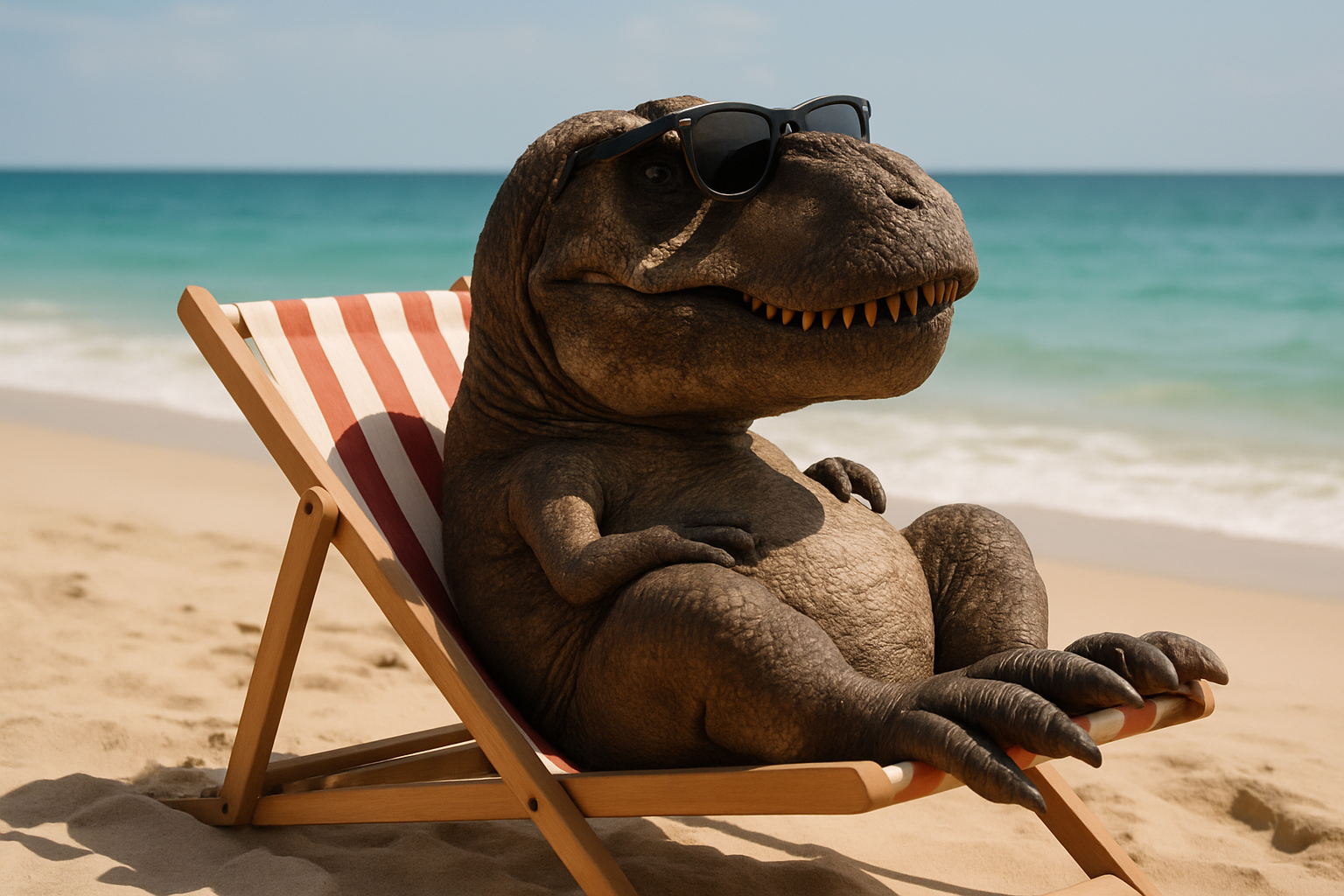
"prompt": "A T-Rex relaxing on a beach, lying on a sun lounger and wearing sunglasses."
}
)
data = response.json()
print(data)
```
{% endcode %}
{% endtab %}
{% tab title="JavaScript" %}
{% code overflow="wrap" %}
```javascript
async function main() {
const response = await fetch('https://api.aimlapi.com/v1/images/generations', {
method: 'POST',
headers: {
'Authorization': 'Bearer ',
'Content-Type': 'application/json',
},
body: JSON.stringify({
model: 'openai/gpt-image-2',
prompt: 'A T-Rex relaxing on a beach, lying on a sun lounger and wearing sunglasses.',
}),
});
const data = await response.json();
console.log(JSON.stringify(data, null, 2));
}
main();
```
{% endcode %}
{% endtab %}
{% endtabs %}
Response
{% code overflow="wrap" %}
```json5
{
"data": [
{
"b64_json": null,
"url": "https://cdn.aimlapi.com/generations/openai-image-generation/1776996650097-ec0cd2e8-d120-43fd-80a1-e0ad65773e6e.png"
}
],
"meta": {
"usage": {
"credits_used": 107341,
"usd_spent": 0.0536705
}
}
}
```
{% endcode %}
We obtained the following 1536×1024 image by running this code example (\~45 s):
### Edit image: Combine images
Let's generate an image using two input images and a prompt that defines how they should be edited.
Our input images
| | |
| ------------------------------------------------------------------------------------------------------------------------------------------------------------------------------------------------------------------------------------------------ | ------------------------------------------------------------------------------------------------------------------------------------------------------------------------------------------------------------------------------------------------ |
{% tabs %}
{% tab title="Python" %}
{% code overflow="wrap" %}
```python
from openai import OpenAI
import json # for getting a structured output with indentation
def main():
client = OpenAI(
api_key="",
base_url="https://api.aimlapi.com/v1",
)
result = client.images.edit(
model="openai/gpt-image-2",
image=[
open("t-rex.png", "rb"),
open("crown.png", "rb"),
],
prompt="Put the crown on the T-rex's head"
)
print(result.model_dump_json(indent=2))
if __name__ == "__main__":
main()
```
{% endcode %}
{% endtab %}
{% tab title="JavaScript" %}
{% code overflow="wrap" %}
```javascript
import fs from 'fs';
import OpenAI, { toFile } from 'openai';
const main = async () => {
const client = new OpenAI({
baseURL: 'https://api.aimlapi.com/v1',
apiKey: '',
});
const imageFiles = ['t-rex.png', 'crown.png'];
const images = await Promise.all(
imageFiles.map(
async (file) =>
await toFile(fs.createReadStream(file), null, {
type: 'image/png',
}),
),
);
const result = await client.images.edit({
model: 'openai/gpt-image-2',
image: images,
prompt: "Put the crown on the T-rex's head",
});
console.log('Generation', result);
};
main();
```
{% endcode %}
{% endtab %}
{% endtabs %}
Response
{% code overflow="wrap" %}
```json5
{
"created": null,
"background": null,
"data": [
{
"b64_json": null,
"revised_prompt": null,
"url": "https://cdn.aimlapi.com/generations/openai-image-generation/1777474782362-09779e02-a856-4daf-862e-74b7e153bfd7.png"
}
],
"output_format": null,
"quality": null,
"size": null,
"usage": null,
"meta": {
"usage": {
"credits_used": 190450,
"usd_spent": 0.095225
}
}
}
```
{% endcode %}
We obtained the following 1024x1024 image by running this code example (\~ 1 min 18 s):
---
# Agent Instructions
This documentation is published with GitBook. GitBook is the documentation platform designed so that both humans and AI agents can read, navigate, and reason over technical content effectively. Learn more at gitbook.com.
## Querying This Documentation
If you need additional information that is not directly available in this page, you can query the documentation by asking a question.
Perform an HTTP GET request on the following URL with the `ask` and `goal` query parameters:
```
GET https://docs.aimlapi.com/api-references/image-models/openai/gpt-image-2.md?ask=&goal=
```
`ask` is the immediate question: it should be specific, self-contained, and written in natural language.
`goal` is what the user is ultimately trying to achieve, the reason they need the answer. Sharing it helps GitBook give you a better, more relevant answer. A goal is most helpful when it describes the outcome the user wants rather than restating the question. For example, with `ask=how do I create an API token`, a goal like `automate deployments from our CI pipeline` lets GitBook tailor the answer to that use case.
The response will contain a direct answer to the question and relevant excerpts and sources from the documentation.
Use this mechanism when the answer is not explicitly present in the current page, you need clarification or additional context, or you want to retrieve related documentation sections.

 |
|  |
| ------------------------------------------------------------------------------------------------------------------------------------------------------------------------------------------------------------------------------------------------ | ------------------------------------------------------------------------------------------------------------------------------------------------------------------------------------------------------------------------------------------------ |
|
| ------------------------------------------------------------------------------------------------------------------------------------------------------------------------------------------------------------------------------------------------ | ------------------------------------------------------------------------------------------------------------------------------------------------------------------------------------------------------------------------------------------------ |
