# MAI-Image 2.5

{% columns %}
{% column width="66.66666666666666%" %}
{% hint style="info" %}
This documentation is valid for the following list of our models:

* `microsoft/mai-image-2.5`
  {% endhint %}
  {% endcolumn %}

{% column width="33.33333333333334%" %} <a href="https://aimlapi.com/app/microsoft/mai-image-2.5" class="button primary">Try in Playground</a>
{% endcolumn %}
{% endcolumns %}

## Model Overview

MAI-Image 2.5 — image generation model from Microsoft. Produces photorealistic and artistic images from text prompts with support for multiple aspect ratios.

## Setup your API Key

If you don't have an API key for the AI/ML API yet, feel free to use our [Quickstart guide](https://docs.aimlapi.com/quickstart/setting-up).

## API Schema

## POST /v1/images/generations

>

```json
{"openapi":"3.0.0","info":{"title":"AIML API","version":"1.0.0"},"servers":[{"url":"https://api.aimlapi.com"}],"paths":{"/v1/images/generations":{"post":{"operationId":"_v1_images_generations","requestBody":{"required":true,"content":{"application/json":{"schema":{"type":"object","properties":{"model":{"type":"string","enum":["microsoft/mai-image-2.5"]},"prompt":{"type":"string","minLength":1,"maxLength":4000,"description":"The text prompt describing the content, style, or composition of the image to be generated."},"aspect_ratio":{"type":"string","enum":["1:1","4:3","3:4","16:9","9:16","3:2","2:3"],"default":"1:1","description":"The aspect ratio of the generated image."},"max_tokens":{"type":"integer","minimum":1,"description":"The maximum number of tokens that can be generated. This value can be used to control costs for text generated via API."},"temperature":{"type":"number","minimum":0,"maximum":2,"default":1,"description":"What sampling temperature to use. Higher values like 0.8 will make the output more random, while lower values like 0.2 will make it more focused and deterministic."},"max_completion_tokens":{"type":"integer","minimum":1,"description":"An upper bound for the number of tokens that can be generated for a completion, including visible output tokens and reasoning tokens."}},"required":["model","prompt"],"title":"microsoft/mai-image-2.5"}}}},"responses":{"200":{"content":{"application/json":{"schema":{"type":"object","properties":{"data":{"type":"array","nullable":true,"items":{"type":"object","properties":{"url":{"type":"string","nullable":true,"description":"The URL where the file can be downloaded from."},"b64_json":{"type":"string","nullable":true,"description":"The base64-encoded JSON of the generated image."}}},"description":"The list of generated images."},"meta":{"type":"object","nullable":true,"properties":{"usage":{"type":"object","nullable":true,"properties":{"credits_used":{"type":"number","description":"The number of tokens consumed during generation."},"usd_spent":{"type":"number","description":"The total amount of money spent by the user in USD."}},"required":["credits_used","usd_spent"]}},"description":"Additional details about the generation."}}}}}}}}}}}
```

## Quick Example

Let's generate an image using a simple text prompt.

{% tabs %}
{% tab title="Python" %}
{% code overflow="wrap" %}

```python
import requests
import json  # for getting a structured output with indentation

def main():
    response = requests.post(
        "https://api.aimlapi.com/v1/images/generations",
        headers={
            # Insert your AIML API Key instead of <YOUR_AIMLAPI_KEY>:
            "Authorization": "Bearer <YOUR_AIMLAPI_KEY>",
            "Content-Type": "application/json",
        },
        json={
            "model": "microsoft/mai-image-2.5",
            "prompt": "A futuristic city at night with neon lights reflecting on wet streets",
        }
    )

    data = response.json()
    print(json.dumps(data, indent=2, ensure_ascii=False))

if __name__ == "__main__":
    main()
```

{% endcode %}
{% endtab %}

{% tab title="JS" %}
{% code overflow="wrap" %}

```javascript
async function main() {
    const response = await fetch('https://api.aimlapi.com/v1/images/generations', {
      method: 'POST',
      headers: {
        // Insert your AIML API Key instead of <YOUR_AIMLAPI_KEY>:
        'Authorization': 'Bearer <YOUR_AIMLAPI_KEY>',
        'Content-Type': 'application/json',
      },
      body: JSON.stringify({
        model: 'microsoft/mai-image-2.5',
        prompt: 'A futuristic city at night with neon lights reflecting on wet streets',
      }),
    });

    const data = await response.json();
    console.log('Generation:', data);
}

main();
```

{% endcode %}
{% endtab %}
{% endtabs %}

<details>

<summary>Response</summary>

{% code overflow="wrap" %}

```json5
{
  "created": 1780519847349,
  "data": [
    {
      "url": "https://cdn.aimlapi.com/generations/openai-image-generation/1780519847349-43113302-c43a-4d84-9e32-083f33830b44.png"
    }
  ],
  "meta": {
    "usage": {
      "credits_used": 125367,
      "usd_spent": 0.0626835
    }
  }
}
```

{% endcode %}
</details>

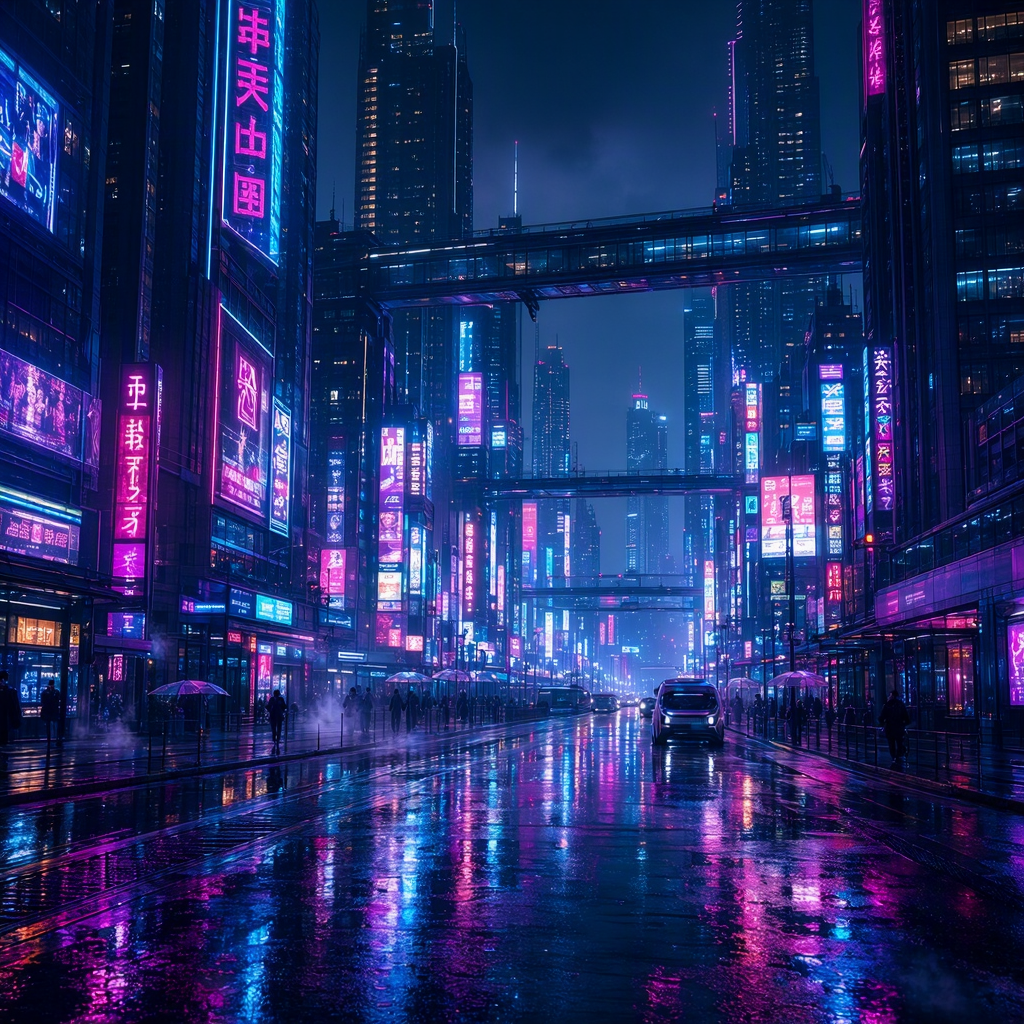
We obtained the following image by running this code example:

<figure><img src="https://cdn.aimlapi.com/generations/openai-image-generation/1780519847349-43113302-c43a-4d84-9e32-083f33830b44.png" alt=""><figcaption><p><code>"A futuristic city at night with neon lights reflecting on wet streets"</code></p></figcaption></figure>


---

# Agent Instructions: Querying This Documentation

If you need additional information that is not directly available in this page, you can query the documentation dynamically by asking a question.

Perform an HTTP GET request on the current page URL with the `ask` query parameter:

```
GET https://docs.aimlapi.com/api-references/image-models/microsoft/mai-image-2.5.md?ask=<question>
```

The question should be specific, self-contained, and written in natural language.
The response will contain a direct answer to the question and relevant excerpts and sources from the documentation.

Use this mechanism when the answer is not explicitly present in the current page, you need clarification or additional context, or you want to retrieve related documentation sections.
