> For the complete documentation index, see [llms.txt](https://docs.aimlapi.com/llms.txt). Markdown versions of documentation pages are available by appending `.md` to page URLs; this page is available as [Markdown](https://docs.aimlapi.com/api-references/image-models/kling-ai/image-o1.md).
# Image o1
{% columns %}
{% column width="66.66666666666666%" %}
{% hint style="info" %}
This documentation is valid for the following list of our models:
* `klingai/image-o1`
{% endhint %}
{% endcolumn %}
{% column width="33.33333333333334%" %} Try in Playground
{% endcolumn %}
{% endcolumns %}
## Model Overview
A multimodal image generation model supporting up to 10 reference images for visual consistency, detailed element editing, style control, and series generation. Ideal for character IPs, comic artwork, and branded content.
## Setup your API Key
If you don’t have an API key for the AI/ML API yet, feel free to use our [Quickstart guide](https://docs.aimlapi.com/quickstart/setting-up).
## API Schema
## POST /v1/images/generations
>
```json
{"openapi":"3.0.0","info":{"title":"AIML API","version":"1.0.0"},"servers":[{"url":"https://api.aimlapi.com"}],"paths":{"/v1/images/generations":{"post":{"operationId":"_v1_images_generations","requestBody":{"required":true,"content":{"application/json":{"schema":{"type":"object","properties":{"model":{"type":"string","enum":["klingai/image-o1"]},"prompt":{"type":"string","maxLength":4000,"description":"The text prompt describing the content, style, or composition of the image to be generated."},"image_urls":{"type":"array","items":{"type":"string","format":"uri"},"minItems":1,"maxItems":10,"description":"List of URLs or local Base64 encoded images to edit."},"aspect_ratio":{"type":"string","enum":["21:9","16:9","4:3","3:2","1:1","2:3","3:4","9:16"],"default":"16:9","description":"The aspect ratio of the generated image."},"resolution":{"type":"string","enum":["1K","2K"],"default":"1K","description":"The resolution of the output image."},"output_format":{"type":"string","enum":["jpeg","png","webp"],"default":"png","description":"The format of the generated image."},"num_images":{"type":"number","minimum":1,"maximum":9,"default":1,"description":"The number of images to generate."},"provider":{"type":"string","description":"Provider routing override. `kling` (alias `klingai`) runs native Kling with no fallback; `fal` runs the fal.ai mirror; `auto` (default) uses the Kling -> fal.ai fallback chain. Case-insensitive."}},"required":["model","prompt","image_urls"],"title":"klingai/image-o1"}}}},"responses":{"200":{"content":{"application/json":{"schema":{"type":"object","properties":{"data":{"type":"array","nullable":true,"items":{"type":"object","properties":{"url":{"type":"string","nullable":true,"description":"The URL where the file can be downloaded from."},"b64_json":{"type":"string","nullable":true,"description":"The base64-encoded JSON of the generated image."}}},"description":"The list of generated images."},"meta":{"type":"object","nullable":true,"properties":{"usage":{"type":"object","nullable":true,"properties":{"credits_used":{"type":"number","description":"The number of tokens consumed during generation."}},"required":["credits_used"]}},"description":"Additional details about the generation."}}}}}}}}}}}
```
## Quick Example
Let's generate an image using two input images and a prompt that defines how they should be edited.
{% tabs %}
{% tab title="Python" %}
{% code overflow="wrap" %}
```python
import requests
import json # for getting a structured output with indentation
def main():
response = requests.post(
"https://api.aimlapi.com/v1/images/generations",
headers={
# Insert your AIML API Key instead of :
"Authorization": "Bearer ",
"Content-Type": "application/json",
},
json={
"model": "klingai/image-o1",
"prompt": "Combine the images so the T-Rex is wearing a business suit, sitting in a cozy small café, drinking from the mug. Blur the background slightly to create a bokeh effect.",
"image_urls": [
"https://raw.githubusercontent.com/aimlapi/api-docs/main/reference-files/t-rex.png",
"https://raw.githubusercontent.com/aimlapi/api-docs/main/reference-files/blue-mug.jpg"
]
}
)
data = response.json()
print(json.dumps(data, indent=2, ensure_ascii=False))
if __name__ == "__main__":
main()
```
{% endcode %}
{% endtab %}
{% tab title="JS" %}
{% code overflow="wrap" %}
```javascript
async function main() {
const response = await fetch('https://api.aimlapi.com/v1/images/generations', {
method: 'POST',
headers: {
// Insert your AIML API Key instead of :
'Authorization': 'Bearer ',
'Content-Type': 'application/json',
},
body: JSON.stringify({
model: 'klingai/image-o1',
prompt: 'Combine the images so the T-Rex is wearing a business suit, sitting in a cozy small café, drinking from the mug. Blur the background slightly to create a bokeh effect.',
image_urls: [
"https://raw.githubusercontent.com/aimlapi/api-docs/main/reference-files/t-rex.png",
"https://raw.githubusercontent.com/aimlapi/api-docs/main/reference-files/blue-mug.jpg"
]
}),
});
const data = await response.json();
console.log(data);
}
main();
```
{% endcode %}
{% endtab %}
{% endtabs %}
Response
{% code overflow="wrap" %}
```json5
{
"data": [
{
"url": "https://cdn.aimlapi.com/flamingo/files/b/0a86f297/-XYQFo9KwWdoIiU8LywM4_21acef8f06694a78a0bc1f443875cfa3.png"
}
],
"meta": {
"usage": {
"credits_used": 58800
}
}
}
```
{% endcode %}
| Reference Images | Generated Image |
|---|
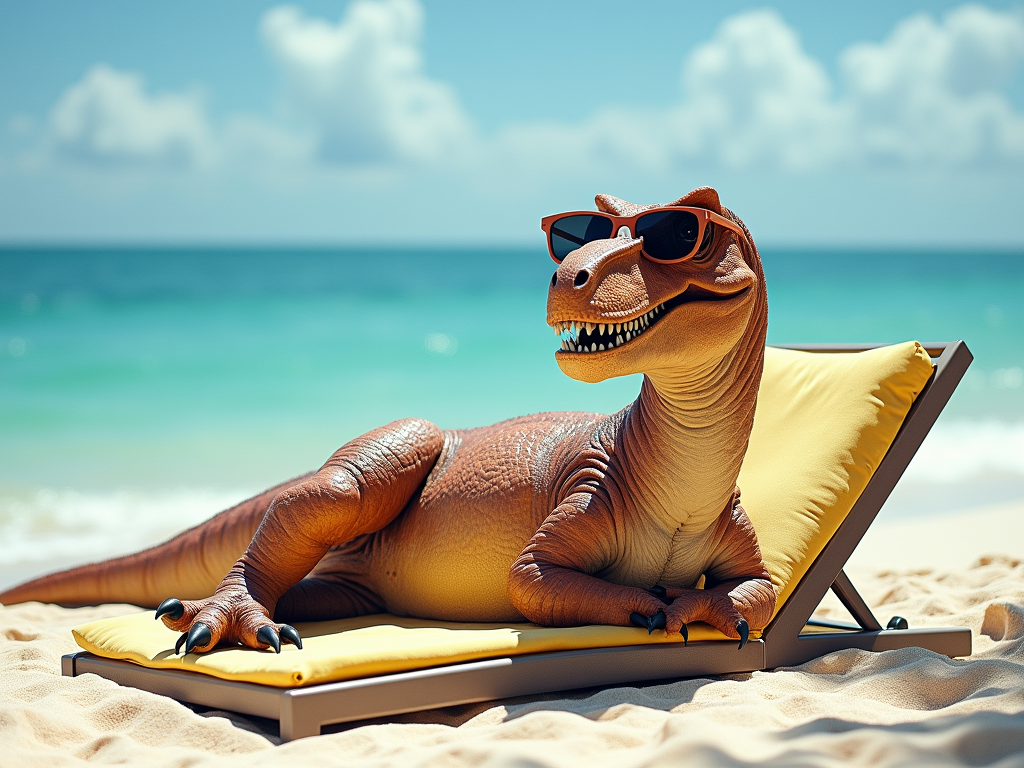 |  |
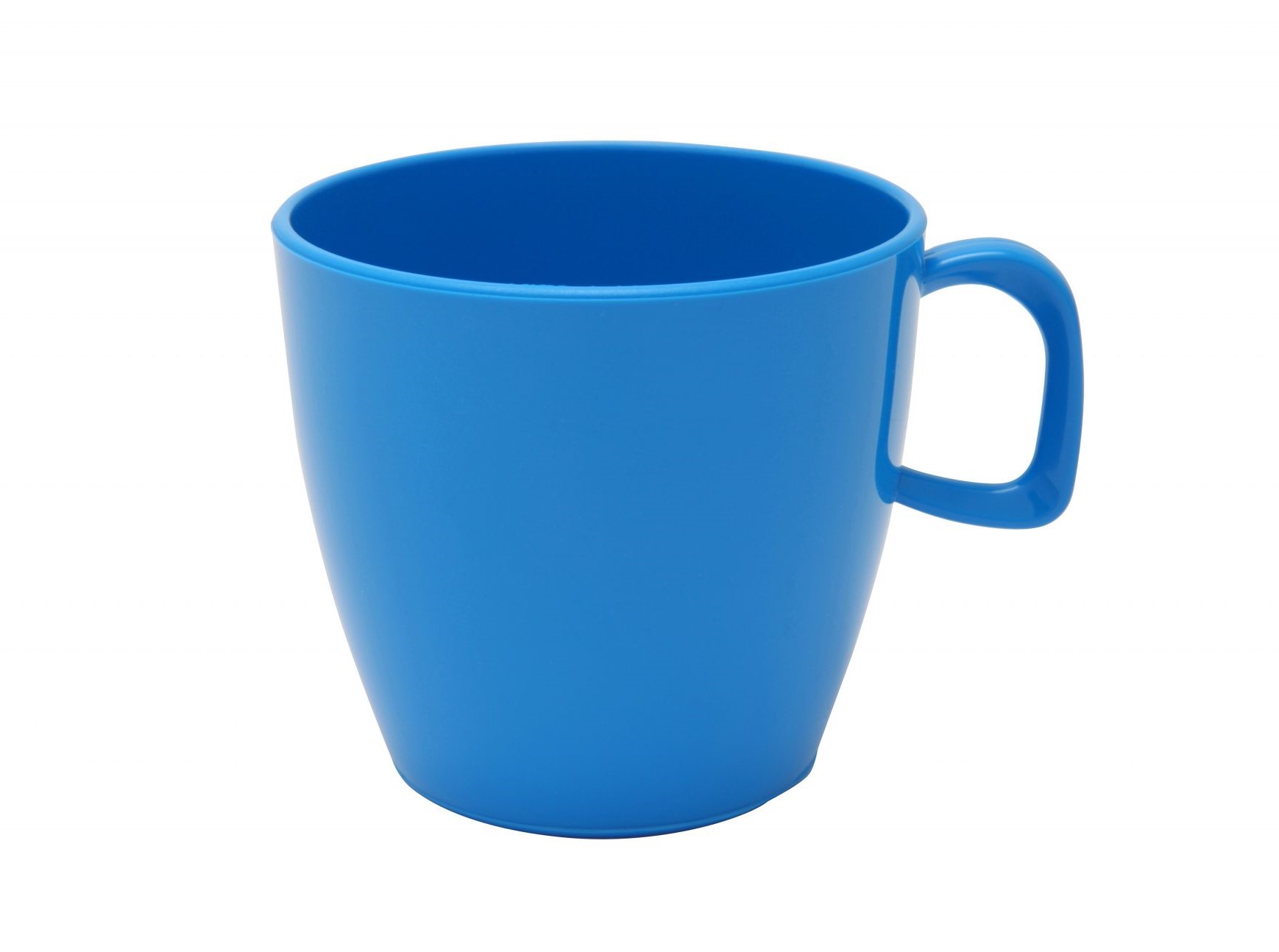 | |
---
# Agent Instructions
This documentation is published with GitBook. GitBook is the documentation platform designed so that both humans and AI agents can read, navigate, and reason over technical content effectively. Learn more at gitbook.com.
## Querying This Documentation
If you need additional information that is not directly available in this page, you can query the documentation by asking a question.
Perform an HTTP GET request on the following URL with the `ask` and `goal` query parameters:
```
GET https://docs.aimlapi.com/api-references/image-models/kling-ai/image-o1.md?ask=&goal=
```
`ask` is the immediate question: it should be specific, self-contained, and written in natural language.
`goal` is what the user is ultimately trying to achieve, the reason they need the answer. Sharing it helps GitBook give you a better, more relevant answer. A goal is most helpful when it describes the outcome the user wants rather than restating the question. For example, with `ask=how do I create an API token`, a goal like `automate deployments from our CI pipeline` lets GitBook tailor the answer to that use case.
The response will contain a direct answer to the question and relevant excerpts and sources from the documentation.
Use this mechanism when the answer is not explicitly present in the current page, you need clarification or additional context, or you want to retrieve related documentation sections.