# Nano Banana 2 (Gemini 3.1 Flash Image)

{% columns %}
{% column width="66.66666666666666%" %}
{% hint style="info" %}
This documentation is valid for the following list of our models:

* `google/nano-banana-2`
* `google/gemini-3-1-flash-image-preview`
  {% endhint %}

{% hint style="success" %}
Both IDs listed above refer to the same model; we support them for backward compatibility.
{% endhint %}
{% endcolumn %}

{% column width="33.33333333333334%" %} <a href="https://aimlapi.com/app/gemini-3-1-flash-image-preview" class="button primary">Try in Playground</a>
{% endcolumn %}
{% endcolumns %}

## Model Overview

A fast image generation model from Google DeepMind, optimized for low-latency and high-throughput text-to-image workflows. Ideal for interactive apps and real-time image generation.

## Setup your API Key

If you don’t have an API key for the AI/ML API yet, feel free to use our [Quickstart guide](https://docs.aimlapi.com/quickstart/setting-up).

## API Schema

## POST /v1/images/generations

>

```json
{"openapi":"3.0.0","info":{"title":"AIML API","version":"1.0.0"},"servers":[{"url":"https://api.aimlapi.com"}],"paths":{"/v1/images/generations":{"post":{"operationId":"_v1_images_generations","requestBody":{"required":true,"content":{"application/json":{"schema":{"type":"object","properties":{"model":{"type":"string","enum":["google/nano-banana-2","google/gemini-3-1-flash-image-preview"]},"prompt":{"type":"string","description":"The text prompt describing the content, style, or composition of the image to be generated."},"image_urls":{"type":"array","items":{"type":"string","format":"uri"},"maxItems":5,"description":"List of URLs or local Base64 encoded images to edit."},"aspect_ratio":{"type":"string","enum":["1:1","9:16","16:9","3:4","4:3"],"default":"1:1","description":"The aspect ratio of the generated image."},"resolution":{"type":"string","enum":["1K","2K","4K"],"default":"1K","description":"The resolution of the output image."},"enable_web_search":{"type":"boolean","default":false,"description":"Enable web search for the image generation task. This will allow the model to use the latest information from the web to generate the image."}},"required":["model","prompt"],"title":"google/gemini-3-1-flash-image-preview"}}}},"responses":{"200":{"content":{"application/json":{"schema":{"type":"object","properties":{"data":{"type":"array","nullable":true,"items":{"type":"object","properties":{"url":{"type":"string","nullable":true,"description":"The URL where the file can be downloaded from."},"b64_json":{"type":"string","nullable":true,"description":"The base64-encoded JSON of the generated image."}}},"description":"The list of generated images."},"meta":{"type":"object","nullable":true,"properties":{"usage":{"type":"object","nullable":true,"properties":{"credits_used":{"type":"number","description":"The number of tokens consumed during generation."}},"required":["credits_used"]}},"description":"Additional details about the generation."}}}}}}}}}}}
```

## Quick Example #1: Prompt Only

Let's generate an image of the specified size using a simple prompt.

{% tabs %}
{% tab title="Python" %}
{% code overflow="wrap" %}

```python
import requests
import json  # for getting a structured output with indentation

def main():
    response = requests.post(
        "https://api.aimlapi.com/v1/images/generations",
        headers={
            # Insert your AIML API Key instead of <YOUR_AIMLAPI_KEY>:
            "Authorization": "Bearer <YOUR_AIMLAPI_KEY>",
            "Content-Type": "application/json",
        },
        json={
            "model": "google/nano-banana-2",
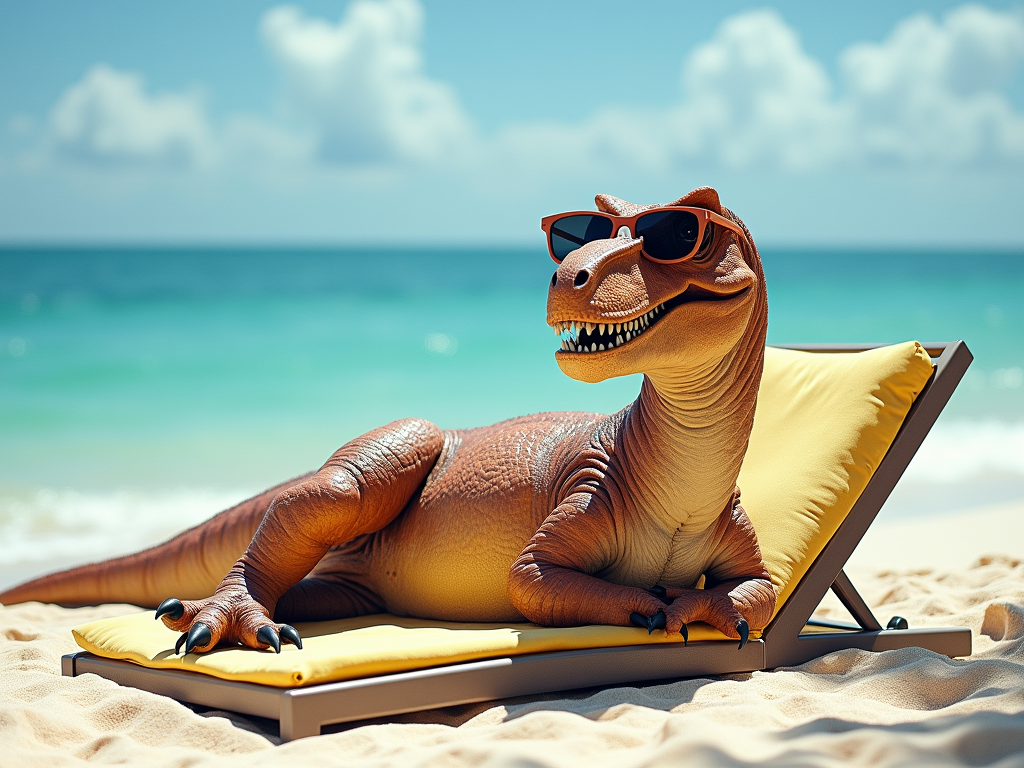
            "prompt": "A T-Rex relaxing on a beach, lying on a sun lounger and wearing sunglasses.",
            "aspect_ratio": "16:9"
        }
    )

    data = response.json()
    print(json.dumps(data, indent=2, ensure_ascii=False))

if __name__ == "__main__":
    main()
```

{% endcode %}
{% endtab %}

{% tab title="JS" %}
{% code overflow="wrap" %}

```javascript
async function main() {
  const response = await fetch('https://api.aimlapi.com/v1/images/generations', {
    method: 'POST',
    headers: {
      // Insert your AIML API Key instead of <YOUR_AIMLAPI_KEY>:
      'Authorization': 'Bearer <YOUR_AIMLAPI_KEY>',
      'Content-Type': 'application/json',
    },
    body: JSON.stringify({
      model: 'google/nano-banana-2',
      prompt: 'A T-Rex relaxing on a beach, lying on a sun lounger and wearing sunglasses.',
      aspect_ratio: '16:9'
    }),
  });

  const data = await response.json();
  console.log('Generation:', data);
}

main();
```

{% endcode %}
{% endtab %}
{% endtabs %}

<details>

<summary>Response</summary>

{% code overflow="wrap" %}

```json5
{
  "data": [
    {
      "mime_type": "image/png",
      "b64_json": null,
      "url": "https://cdn.aimlapi.com/generations/openai-image-generation/1772185796077-3fc5b418-64ab-4b12-80a4-40185b9fbb2a.png"
    }
  ],
  "meta": {
    "usage": {
      "credits_used": 178975
    }
  }
}
```

{% endcode %}

</details>

We obtained the following 1376x768 image by running this code example:

<figure><img src="https://3927338786-files.gitbook.io/~/files/v0/b/gitbook-x-prod.appspot.com/o/spaces%2FROMd1X5PuqtikJ48n2N9%2Fuploads%2FMgQYS81JZvIpd1e5XbMs%2Fnanobanana2_output.png?alt=media&#x26;token=f6600539-7de4-48f7-b5af-c9421cede65b" alt=""><figcaption><p><code>"A T-Rex relaxing on a beach, lying on a sun lounger and wearing sunglasses."</code></p></figcaption></figure>

## Quick Example #2: Reference Images

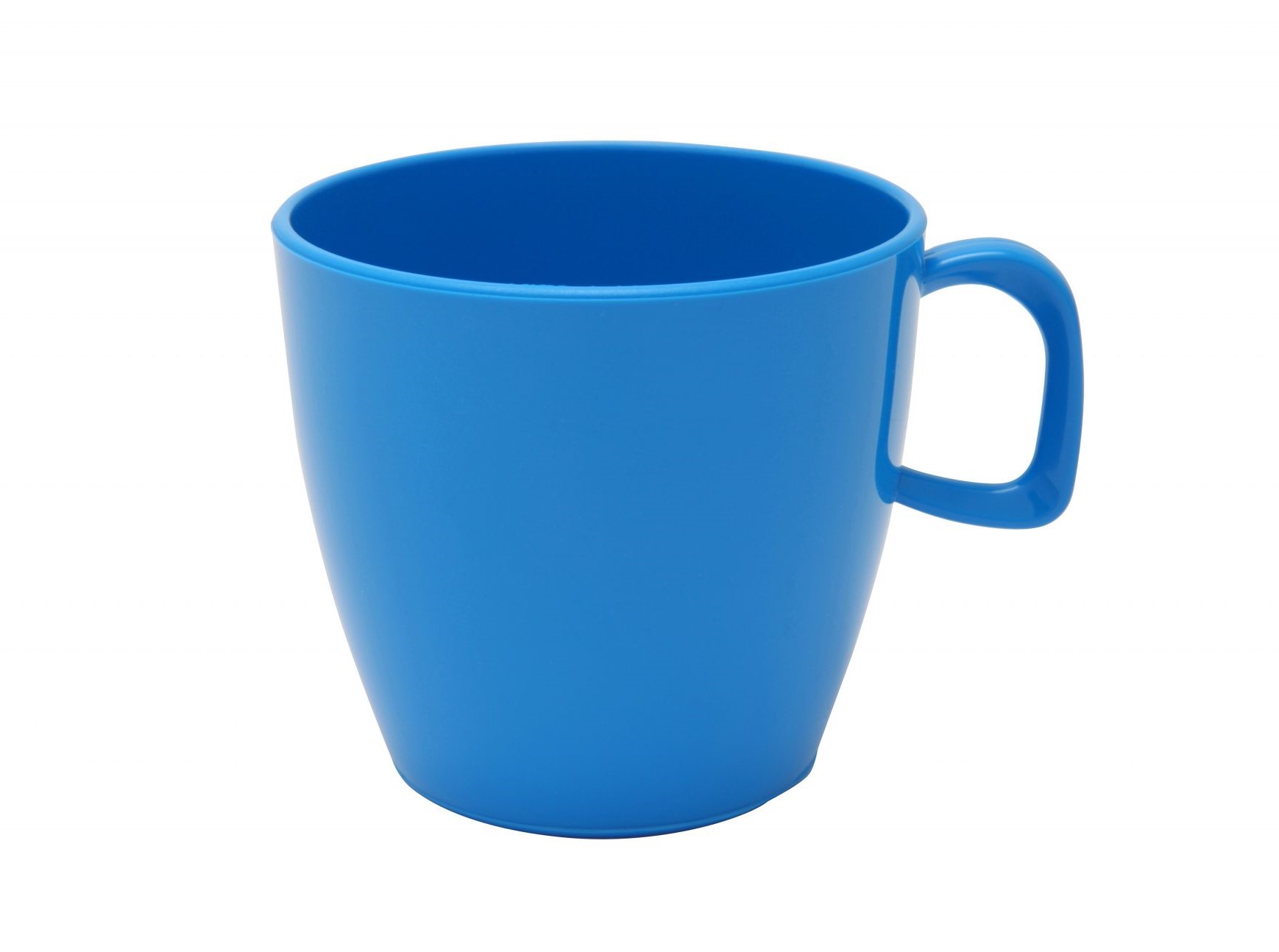
Generate an image with the specified quality and aspect ratio using two input images and a prompt that defines how the images should be edited.

{% tabs %}
{% tab title="Python" %}
{% code overflow="wrap" %}

```python
import requests
import json

def main():
    response = requests.post(
        "https://api.aimlapi.com/v1/images/generations",
        headers={
            # Insert your AIML API Key instead of <YOUR_AIMLAPI_KEY>:
            "Authorization": "Bearer <YOUR_AIMLAPI_KEY>",
            "Content-Type": "application/json",
        },
        json={
            "model": "google/nano-banana-2",
            "image_urls": [
                "https://raw.githubusercontent.com/aimlapi/api-docs/main/reference-files/t-rex.png",
                "https://raw.githubusercontent.com/aimlapi/api-docs/main/reference-files/blue-mug.jpg"
            ],
            "prompt": "Combine the images so the T-Rex is wearing a business suit, sitting in a cozy small café, drinking from the mug. Blur the background slightly to create a bokeh effect.",
            "aspect_ratio": "4:3",
            "resolution": "1K"
        }
    )

    data = response.json()
    print(json.dumps(data, indent=2, ensure_ascii=False))

if __name__ == "__main__":
    main()
```

{% endcode %}
{% endtab %}

{% tab title="JS" %}
{% code overflow="wrap" %}

```javascript
async function main() {
    const response = await fetch('https://api.aimlapi.com/v1/images/generations', {
      method: 'POST',
      headers: {
        // Insert your AIML API Key instead of <YOUR_AIMLAPI_KEY>:
        'Authorization': 'Bearer <YOUR_AIMLAPI_KEY>',
        'Content-Type': 'application/json',
      },
      body: JSON.stringify({
        model: 'google/nano-banana-2',
        image_urls: [
                'https://raw.githubusercontent.com/aimlapi/api-docs/main/reference-files/t-rex.png',
                'https://raw.githubusercontent.com/aimlapi/api-docs/main/reference-files/blue-mug.jpg'
        ],
        prompt: 'Combine the images so the T-Rex is wearing a business suit, sitting in a cozy small café, drinking from the mug. Blur the background slightly to create a bokeh effect.',
        aspect_ratio: '4:3',
        resolution: '1K'
      }),
    });
}

main();
```

{% endcode %}
{% endtab %}
{% endtabs %}

<details>

<summary>Response</summary>

{% code overflow="wrap" %}

```json5
{
  "data": [
    {
      "mime_type": "image/png",
      "b64_json": null,
      "url": "https://cdn.aimlapi.com/generations/openai-image-generation/1772189200920-5b1b6f2f-63e4-4d3b-b3f8-a540a2c0abd3.png"
    }
  ],
  "meta": {
    "usage": {
      "credits_used": 185093
    }
  }
}
```

{% endcode %}

</details>

<table data-full-width="true"><thead><tr><th width="389.7999267578125" valign="top">Reference Images</th><th valign="top">Generated Image</th></tr></thead><tbody><tr><td valign="top"><div><figure><img src="https://3927338786-files.gitbook.io/~/files/v0/b/gitbook-x-prod.appspot.com/o/spaces%2FROMd1X5PuqtikJ48n2N9%2Fuploads%2Fgit-blob-fa899176b9c4b1be07345bfea5c792a8f6480c19%2Ft-rex%20(1).png?alt=media" alt=""><figcaption><p>Image #1</p></figcaption></figure></div></td><td valign="top"><div><figure><img src="https://3927338786-files.gitbook.io/~/files/v0/b/gitbook-x-prod.appspot.com/o/spaces%2FROMd1X5PuqtikJ48n2N9%2Fuploads%2FpmqGV7T74sc2FtnNS3X2%2Fnanobanana2_i2i_output.png?alt=media&#x26;token=fa478539-9ec9-43fe-9565-3419287d14a8" alt=""><figcaption><p><kbd><code>"Combine the images so the T-Rex is wearing a business suit, sitting in a cozy small café, drinking from the mug. Blur the background slightly to create a bokeh effect."</code></kbd></p></figcaption></figure></div></td></tr><tr><td valign="top"><div><figure><img src="https://3927338786-files.gitbook.io/~/files/v0/b/gitbook-x-prod.appspot.com/o/spaces%2FROMd1X5PuqtikJ48n2N9%2Fuploads%2Fgit-blob-21cc1f1cf38504cb4c59d82e91dd184f26539e36%2Fblue-mug.jpg?alt=media" alt=""><figcaption><p>Image #2</p></figcaption></figure></div></td><td valign="top"></td></tr></tbody></table>

Here’s an example of the output using alternative `resolution` and `aspect_ratio` parameters:

<figure><img src="https://3927338786-files.gitbook.io/~/files/v0/b/gitbook-x-prod.appspot.com/o/spaces%2FROMd1X5PuqtikJ48n2N9%2Fuploads%2F4uGMFkqQPqg8ftHXukEt%2Fnanobanana2_i2i_2K_output.png?alt=media&#x26;token=0470dad3-cbc9-4c5b-bd59-393648fd92ec" alt=""><figcaption><p><code>"aspect_ratio": "16:9"</code>,  <code>"resolution": "2K"</code></p></figcaption></figure>