# qwen-image-2.0
{% columns %}
{% column width="66.66666666666666%" %}
{% hint style="info" %}
This documentation is valid for the following list of our models:
* `alibaba/qwen-image-2-0`
{% endhint %}
{% endcolumn %}
{% column width="33.33333333333334%" %} Try in Playground
{% endcolumn %}
{% endcolumns %}
## Model Overview
A text-to-image model designed for accurate text rendering and general image generation. \
It provides good quality outputs with strong prompt adherence.
## Setup your API Key
If you don’t have an API key for the AI/ML API yet, feel free to use our [Quickstart guide](https://docs.aimlapi.com/quickstart/setting-up).
## API Schema
## POST /v1/images/generations
>
```json
{"openapi":"3.0.0","info":{"title":"AIML API","version":"1.0.0"},"servers":[{"url":"https://api.aimlapi.com"}],"paths":{"/v1/images/generations":{"post":{"operationId":"_v1_images_generations","requestBody":{"required":true,"content":{"application/json":{"schema":{"type":"object","properties":{"model":{"type":"string","enum":["alibaba/qwen-image-2-0"]},"prompt":{"type":"string","maxLength":2000,"description":"A positive prompt that describes the desired elements and visual features in the edited image."},"image_urls":{"type":"array","items":{"type":"string","format":"uri"},"minItems":1,"maxItems":3,"description":"List of URLs or local Base64 encoded images to edit."},"image_size":{"anyOf":[{"type":"object","properties":{"width":{"type":"integer","minimum":512,"maximum":1440},"height":{"type":"integer","minimum":512,"maximum":1440}},"required":["width","height"],"description":"For both height and width, the value must be a multiple of 32."},{"type":"string","enum":["square_hd","square","portrait_4_3","portrait_16_9","landscape_4_3","landscape_16_9"],"description":"The size of the generated image."}],"default":"landscape_4_3","description":"The size of the generated image."},"enhance_prompt":{"type":"boolean","default":true,"description":"Optional parameter to use an LLM-based prompt rewriting feature for higher-quality images that better match the original prompt. Disabling it may affect image quality and prompt alignment."},"negative_prompt":{"type":"string","maxLength":500,"description":"The description of elements to avoid in the generated image."},"seed":{"type":"integer","minimum":0,"maximum":2147483647,"description":"The same seed and the same prompt given to the same version of the model will output the same image every time."},"watermark":{"type":"boolean","default":false,"description":"Add an invisible watermark to the generated images."}},"required":["model","prompt"],"title":"alibaba/qwen-image-2-0"}}}},"responses":{"200":{"content":{"application/json":{"schema":{"type":"object","properties":{"data":{"type":"array","nullable":true,"items":{"type":"object","properties":{"url":{"type":"string","nullable":true,"description":"The URL where the file can be downloaded from."},"b64_json":{"type":"string","nullable":true,"description":"The base64-encoded JSON of the generated image."}}},"description":"The list of generated images."},"meta":{"type":"object","nullable":true,"properties":{"usage":{"type":"object","nullable":true,"properties":{"credits_used":{"type":"number","description":"The number of tokens consumed during generation."},"usd_spent":{"type":"number","description":"The total amount of money spent by the user in USD."}},"required":["credits_used","usd_spent"]}},"description":"Additional details about the generation."}}}}}}}}}}}
```
## Quick Example
Let's generate an image of the specified size using a simple prompt.
{% tabs %}
{% tab title="Python" %}
{% code overflow="wrap" %}
```python
import requests
import json # for getting a structured output with indentation
def main():
response = requests.post(
"https://api.aimlapi.com/v1/images/generations",
headers={
# Insert your AIML API Key instead of :
"Authorization": "Bearer ",
"Content-Type": "application/json",
},
json={
"model": "alibaba/qwen-image-2-0",
"prompt": "Combine the images so the dino is wearing a business suit, sitting in a cozy small café, drinking from the mug. Blur the background slightly to create a bokeh effect.",
"image_urls": [
"https://raw.githubusercontent.com/aimlapi/api-docs/main/reference-files/t-rex.png",
"https://raw.githubusercontent.com/aimlapi/api-docs/main/reference-files/blue-mug.jpg"
],
"image_size": "landscape_4_3"
}
)
data = response.json()
print(json.dumps(data, indent=2, ensure_ascii=False))
if __name__ == "__main__":
main()
```
{% endcode %}
{% endtab %}
{% tab title="JS" %}
{% code overflow="wrap" %}
```javascript
const response = await fetch('https://api.aimlapi.com/v1/images/generations', {
method: 'POST',
headers: {
// Insert your AIML API Key instead of :
'Authorization': 'Bearer ',
'Content-Type': 'application/json',
},
body: JSON.stringify({
model: 'alibaba/qwen-image-2-0',
prompt: 'Combine the images so the dino is wearing a business suit, sitting in a cozy small café, drinking from the mug. Blur the background slightly to create a bokeh effect.',
image_urls: [
'https://raw.githubusercontent.com/aimlapi/api-docs/main/reference-files/t-rex.png',
'https://raw.githubusercontent.com/aimlapi/api-docs/main/reference-files/blue-mug.jpg'
],
image_size: 'landscape_4_3'
}),
});
const data = await response.json();
console.log(JSON.stringify(data, null, 2));
```
{% endcode %}
{% endtab %}
{% endtabs %}
Response
{% code overflow="wrap" %}
```json5
{
"created": 1777511878231,
"data": [
{
"url": "https://cdn.aimlapi.com/generations/alligator/1777511876852-c1d0e5a6-6935-48ea-9326-53877e1fc6e4.png"
}
],
"meta": {
"usage": {
"credits_used": 91000,
"usd_spent": 0.0455
}
}
}
```
{% endcode %}
| Reference Images | Generated Image |
|---|
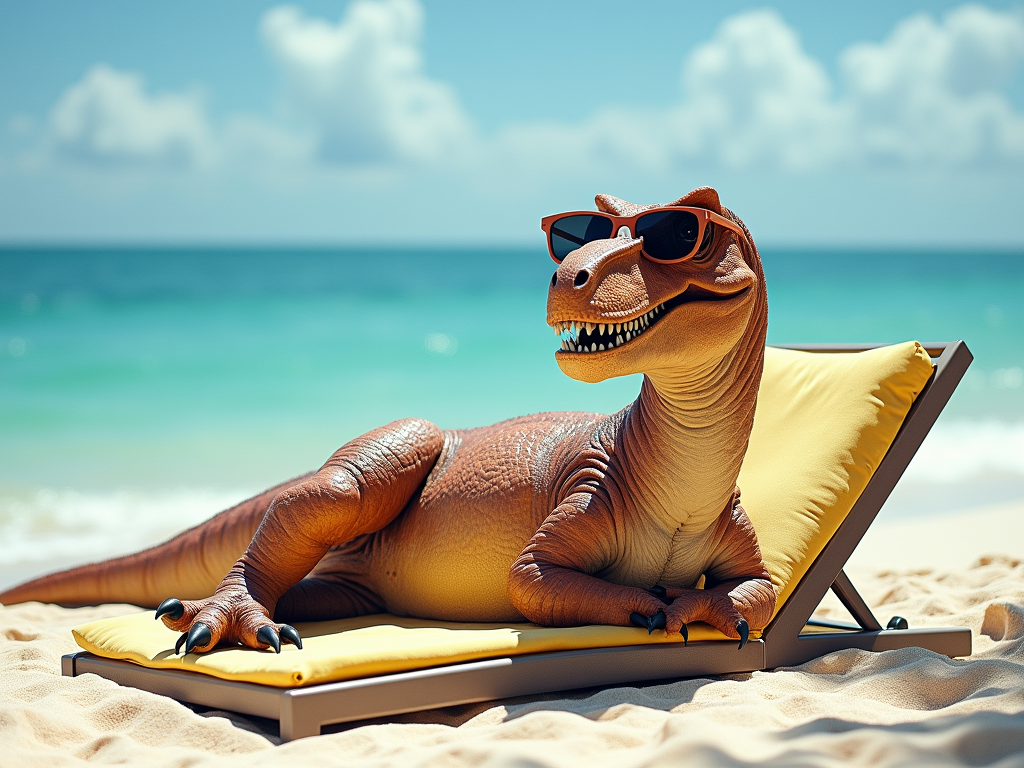 |  |
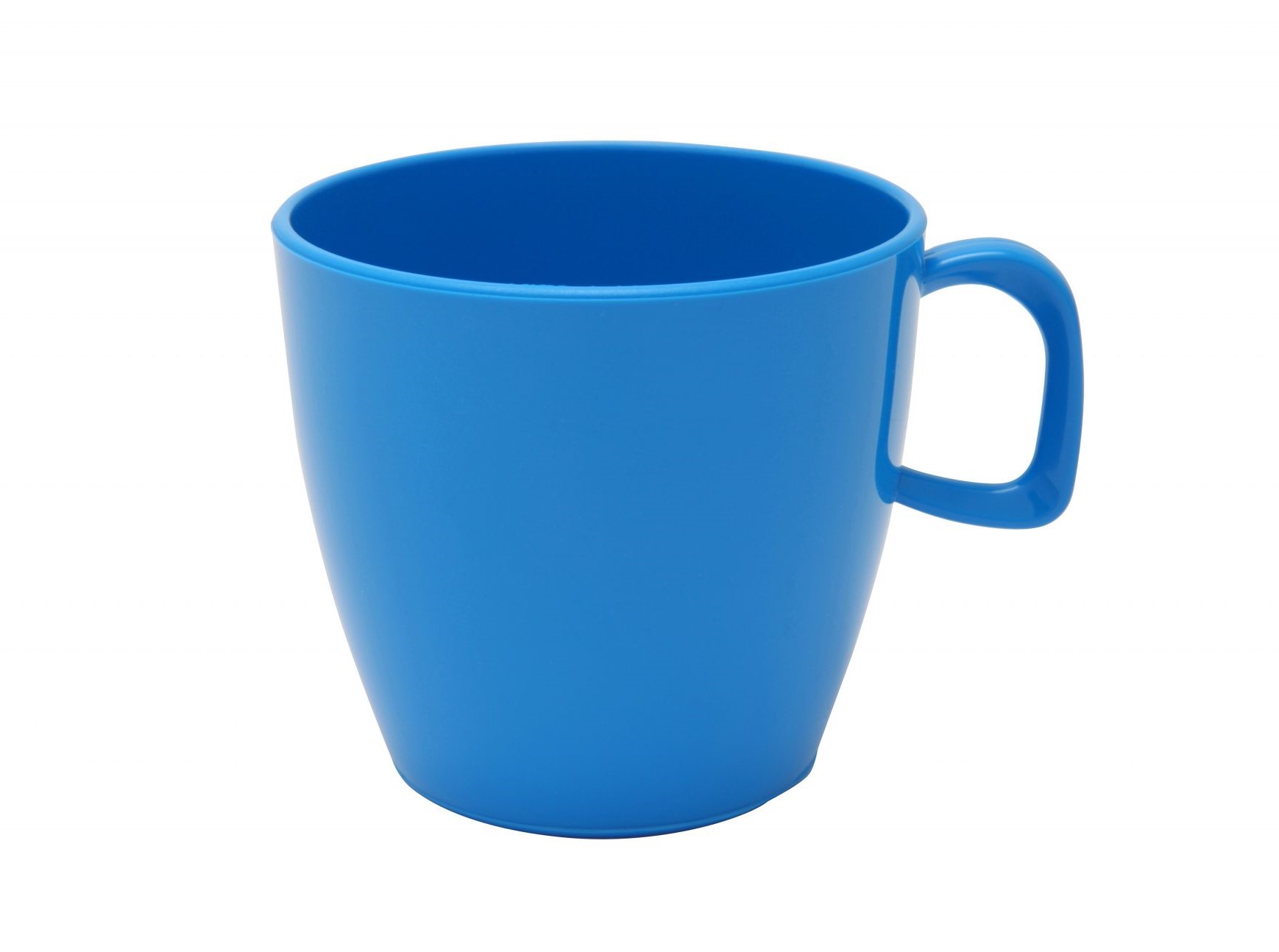 | |
---
# Agent Instructions: Querying This Documentation
If you need additional information that is not directly available in this page, you can query the documentation dynamically by asking a question.
Perform an HTTP GET request on the current page URL with the `ask` query parameter:
```
GET https://docs.aimlapi.com/api-references/image-models/alibaba-cloud/qwen-image-2.0.md?ask=
```
The question should be specific, self-contained, and written in natural language.
The response will contain a direct answer to the question and relevant excerpts and sources from the documentation.
Use this mechanism when the answer is not explicitly present in the current page, you need clarification or additional context, or you want to retrieve related documentation sections.